The 12 Best Accounts Payable Automation Software for 2026
Manual invoice processing is a significant drain on resources, tying up your finance team with tedious data entry, endless email chains for approvals, and the constant risk of human error. This administrative burden leads to late payment fees, strained vendor relationships, and a lack of real-time visibility into company spending. For growing businesses, these inefficiencies are not just inconvenient; they are a direct obstacle to scalability and financial control.
Switching to an automated system is no longer a luxury, it's a strategic necessity for maintaining a competitive edge. The right accounts payable automation software can transform your entire workflow, from invoice capture and coding to approval routing and payment execution. This shift frees up your team to focus on higher-value activities like cash flow analysis and strategic financial planning instead of chasing paperwork.
This guide is designed to help you navigate the crowded market and find the best accounts payable automation software for your specific needs. We’ve analyzed the top solutions, focusing on critical factors like integration capabilities, accuracy, user interface, and suitability for different business sizes, from small businesses digitizing their first receipts to enterprises streamlining global back-office operations.
In the following sections, you will find a detailed breakdown of each platform, complete with:
- An honest assessment of its strengths and limitations.
- Practical use cases for different business models.
- Key feature analysis and implementation considerations.
- Screenshots and direct links to help your evaluation process.
Our goal is to provide a clear, comprehensive resource that cuts through the marketing hype and equips you to make a confident, well-informed decision.
1. ExtractBill
ExtractBill stands out as a powerful, developer-centric engine that serves as a foundational component for many of the best accounts payable automation software solutions. Rather than offering a full-suite AP platform, it focuses on perfecting a critical first step: lightning-fast and highly accurate data extraction from invoices, receipts, and other financial documents. Its AI-powered engine processes documents in an average of 3-5 seconds, turning unstructured PDFs, JPGs, or PNGs into clean, standardized JSON data ready for integration.
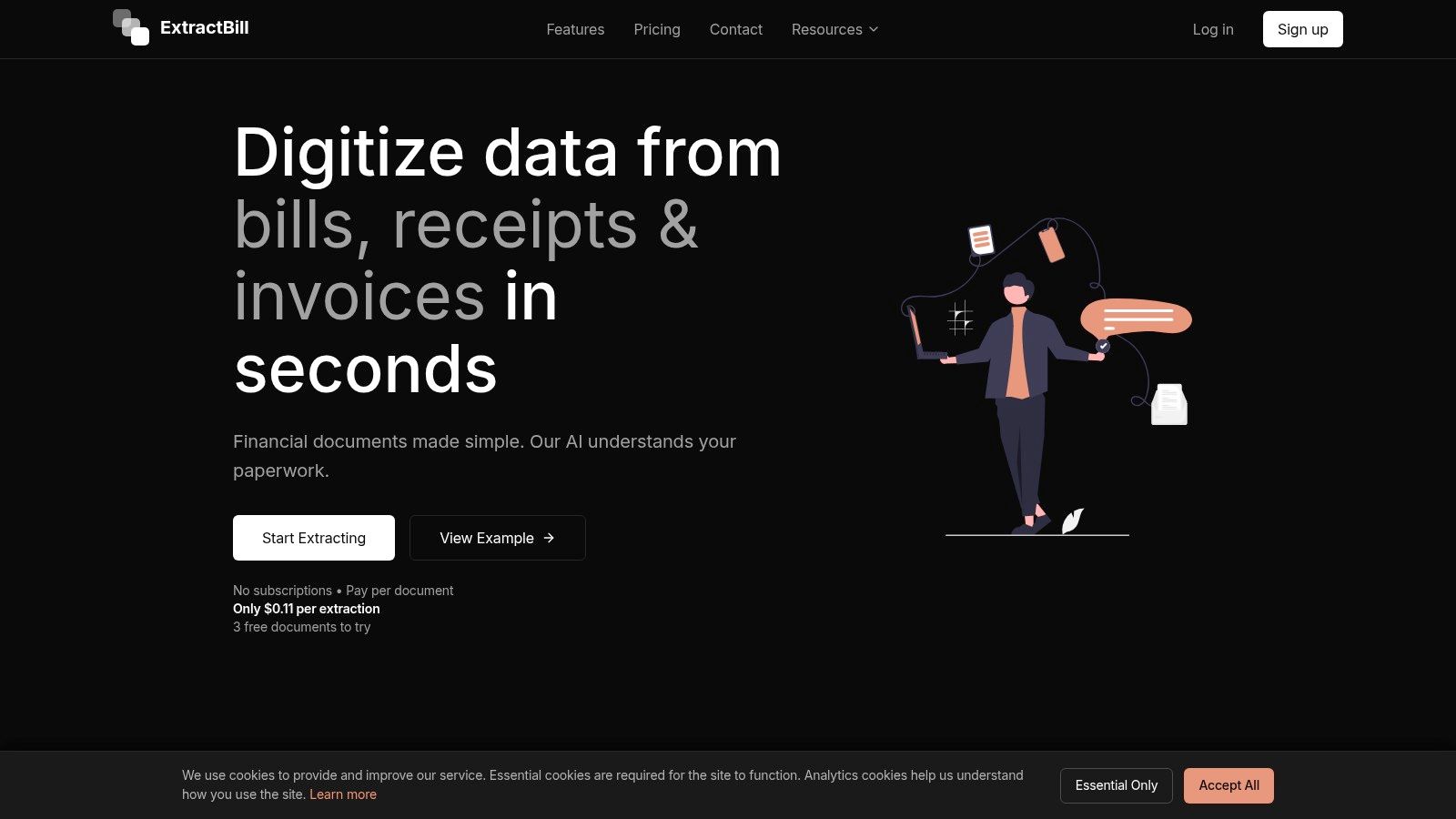
What makes ExtractBill a premier choice is its specialized focus on data integrity and ease of integration. The platform excels at parsing not just header-level information but also complex line items and multi-page tables, a common failure point for generic OCR tools. The output uses standardized field names, which significantly simplifies the process of mapping data into any ERP, accounting system, or custom database without extensive manual configuration.
Key Strengths & Use Cases
This targeted functionality makes it an ideal solution for businesses building custom AP workflows or for software providers embedding data capture into their own platforms. The RESTful API and webhooks enable real-time processing, making it suitable for high-volume environments where speed is critical. Understanding the core accounts payable automation benefits, like eliminating manual data entry, starts with reliable extraction, which is precisely what ExtractBill delivers.
Pricing and Implementation
Its transparent, pay-as-you-go pricing model at $0.11 per document with no subscriptions or upfront commitments is a significant advantage. This structure removes barriers for small businesses and allows large enterprises to scale costs predictably.
- Accuracy: Advertised at 99.9%, though real-world performance depends on document quality.
- Integration: RESTful API and developer-friendly documentation facilitate quick implementation.
- Cost: No subscription fees; pay only for what you process.
- Limitations: Supports only PDF, JPG, and PNG files up to 10MB. High-volume enterprise users should validate costs against their budget and confirm SLA needs.
Website: https://www.extractbill.com
2. BILL (formerly Bill.com)
BILL, formerly known as Bill.com, is a dominant force in the accounts payable automation space, particularly for small to mid-sized businesses (SMBs) and accounting firms. Its core strength lies in its user-friendly interface and exceptionally deep, native integrations with small business accounting software like QuickBooks Online, QuickBooks Desktop, and Xero. The platform centralizes the entire AP workflow, from invoice capture using a dedicated email inbox to configurable approval routing and final payment execution.
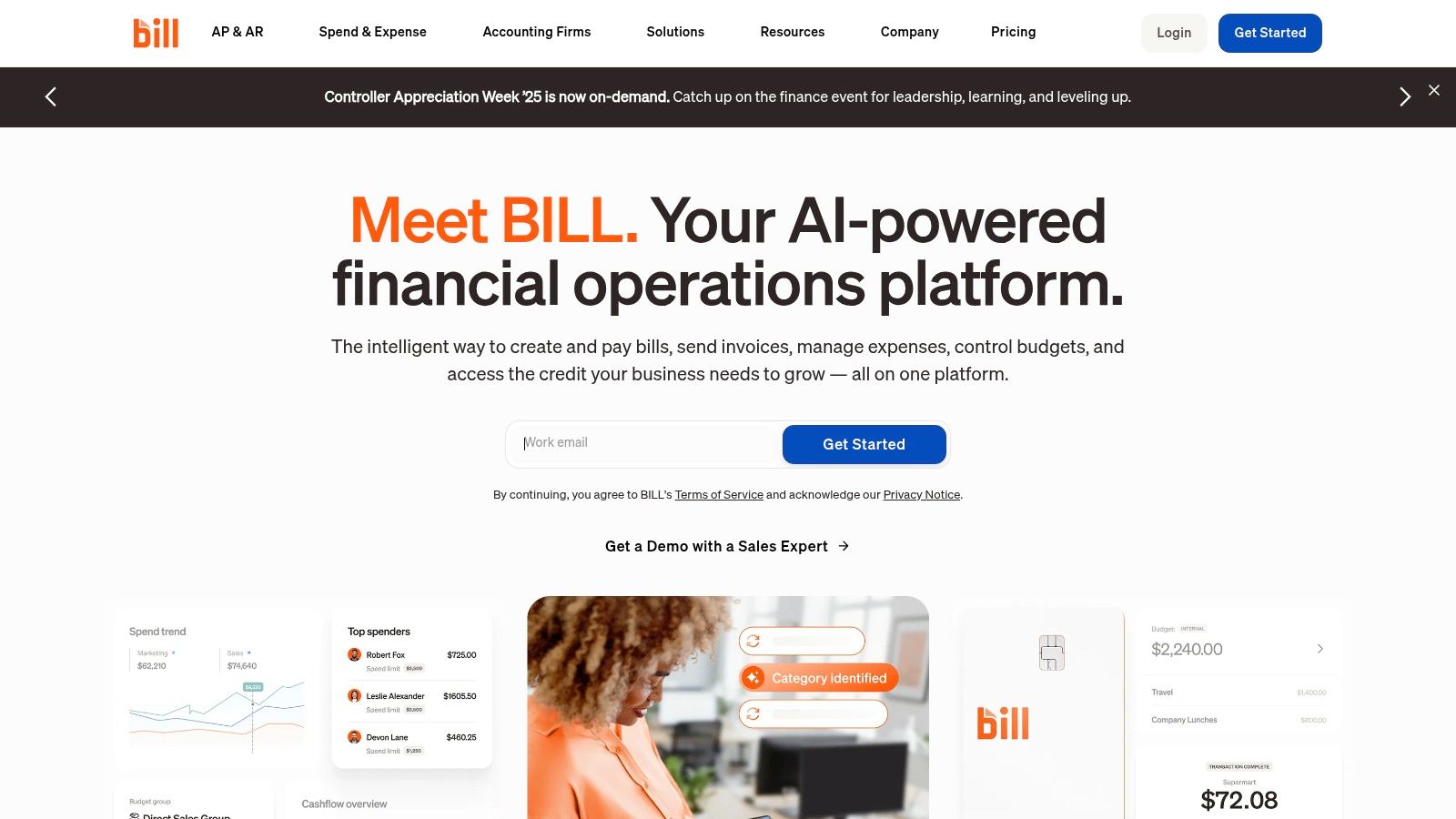
This makes it one of the best accounts payable automation software choices for teams looking to eliminate manual data entry and streamline their payment processes without a complex IT setup. The transparent pricing model, which combines a monthly subscription with per-transaction fees, allows for predictable budgeting, a key consideration for growing businesses.
Key Features & Analysis
- Integrations: BILL’s two-way sync with QuickBooks and Xero is a key differentiator. It not only pushes bill and payment data but also pulls vendor lists, charts of accounts, and class/location data, ensuring data consistency across systems.
- Payment Flexibility: Users can pay domestic vendors via ACH, physical check (BILL prints and mails it), or virtual card. It also supports international wire transfers in local currencies, consolidating all payment types into a single platform.
- AI-Powered Data Entry: The platform uses AI to automatically extract key details like vendor name, invoice number, amount, and due date from uploaded invoices, significantly reducing manual keying.
- Approval Workflows: Businesses can set up multi-step, role-based approval policies to ensure proper oversight before any payment is initiated.
Pricing and Use Case
BILL offers several pricing tiers, starting with the Essentials plan designed for basic AP/AR, and scaling up to Corporate and Enterprise plans that add features like API access and multi-entity support. Its ideal use case is for SMBs deeply embedded in the QuickBooks or Xero ecosystems that need a robust, all-in-one solution for invoice processing and payments.
| Pros | Cons |
|---|---|
| Unmatched native sync with SMB accounting software | Transaction fees can add up for high-volume payments |
| Clear, publicly available pricing and fee structure | Advanced features like 3-way matching are ERP-dependent |
| User-friendly interface simplifies onboarding | AI capture accuracy can be inconsistent with poor-quality scans |
Website: https://www.bill.com
3. Tipalti
Tipalti is an end-to-end global payables automation platform designed for high-growth, mid-market companies that operate at scale. Its primary differentiator is its robust infrastructure for managing complex payment operations, including multi-entity support, global mass payments, and built-in tax and regulatory compliance. The platform automates the entire payables lifecycle, from supplier onboarding and invoice processing to global payment execution and reconciliation, making it a powerful solution for businesses with international vendors.
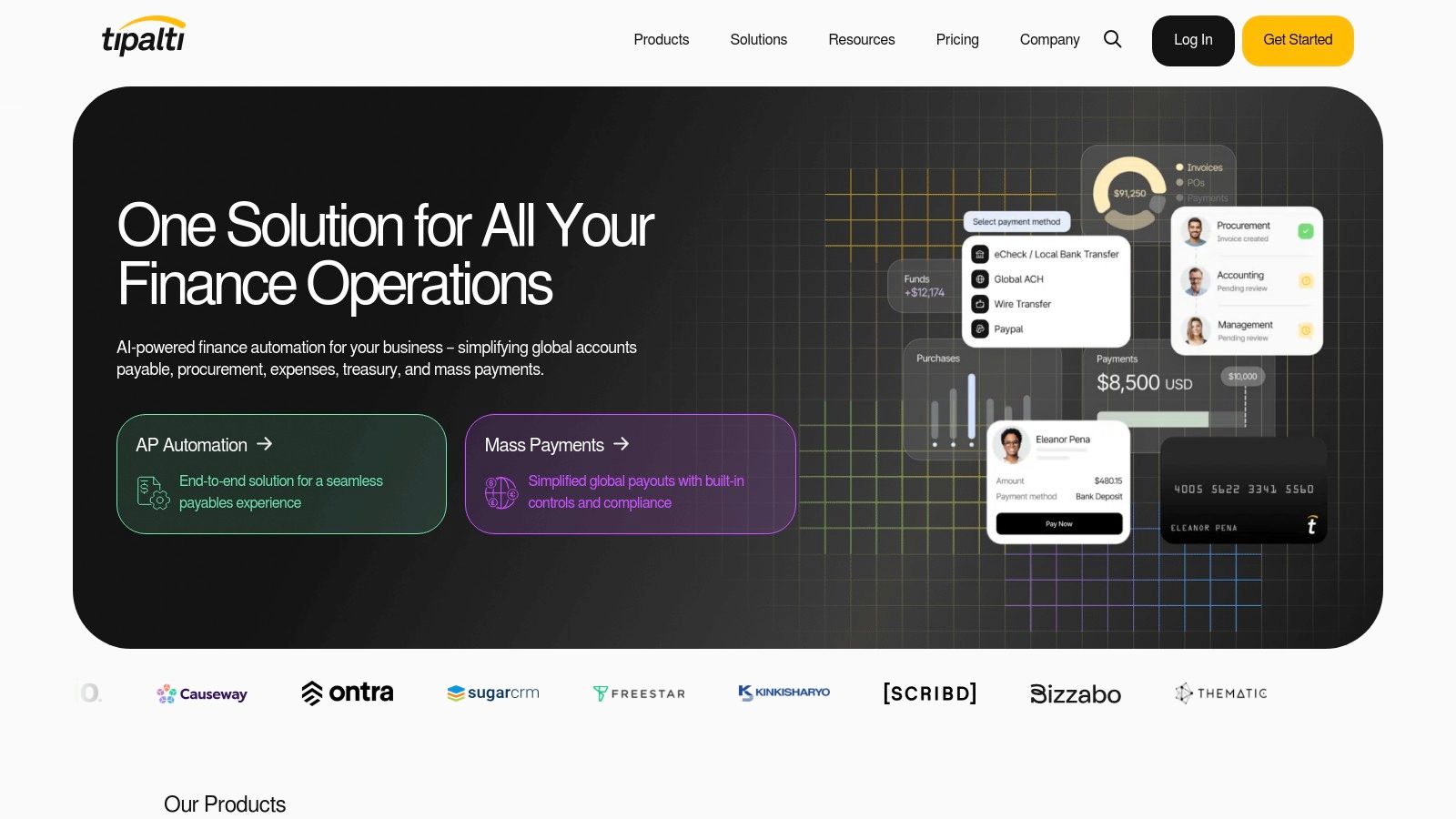
This comprehensive approach positions it as one of the best accounts payable automation software choices for companies managing intricate, high-volume payment workflows across multiple subsidiaries or currencies. Tipalti unifies AP, procurement, and mass payments into a single, controlled environment, which is crucial for maintaining financial visibility and control during rapid expansion.
Key Features & Analysis
- Global Payments Infrastructure: Tipalti supports payments to over 196 countries in 120+ local currencies via more than 50 different payment methods, including global ACH, wire transfers, and PayPal.
- Supplier Management & Compliance: The platform includes a self-service supplier portal for onboarding, which automates the collection and validation of W-9 and W-8 forms. Its KPMG-approved tax engine helps ensure compliance.
- Advanced Invoice Processing: Tipalti’s AI-powered OCR, known as SmartScan, captures invoice data and supports both 2-way and 3-way purchase order matching for enhanced financial control.
- Multi-Entity Architecture: It is built to handle the complexities of businesses with multiple subsidiaries, allowing for centralized control over payables while maintaining separate entity-level workflows and reporting.
Pricing and Use Case
Tipalti’s pricing is quote-based and tailored to the specific needs of a business, reflecting its focus on the mid-market and enterprise segments. The implementation process is sales-led rather than self-serve. Its ideal use case is for fast-growing companies with significant international supplier bases, multi-entity structures, or those needing to process mass payments to freelancers, affiliates, or partners.
| Pros | Cons |
|---|---|
| Strong global payment and compliance capabilities | Implementation is typically sales-led, not self-serve |
| Scales well for multi-entity, multi-currency operations | Many advanced capabilities are on higher tiers or custom plans |
| Comprehensive supplier management and tax features | May be overly complex for very small businesses with simple needs |
Website: https://tipalti.com
4. AvidXchange
AvidXchange is a veteran in the AP automation field, specifically catering to the needs of the mid-market. The platform provides a full suite of services covering invoice processing, approval workflows, and payment execution, all backed by a massive supplier network. Its strength lies in its deep integration capabilities with over 200 accounting systems and ERPs, making it a go-to choice for companies with established, complex financial stacks.
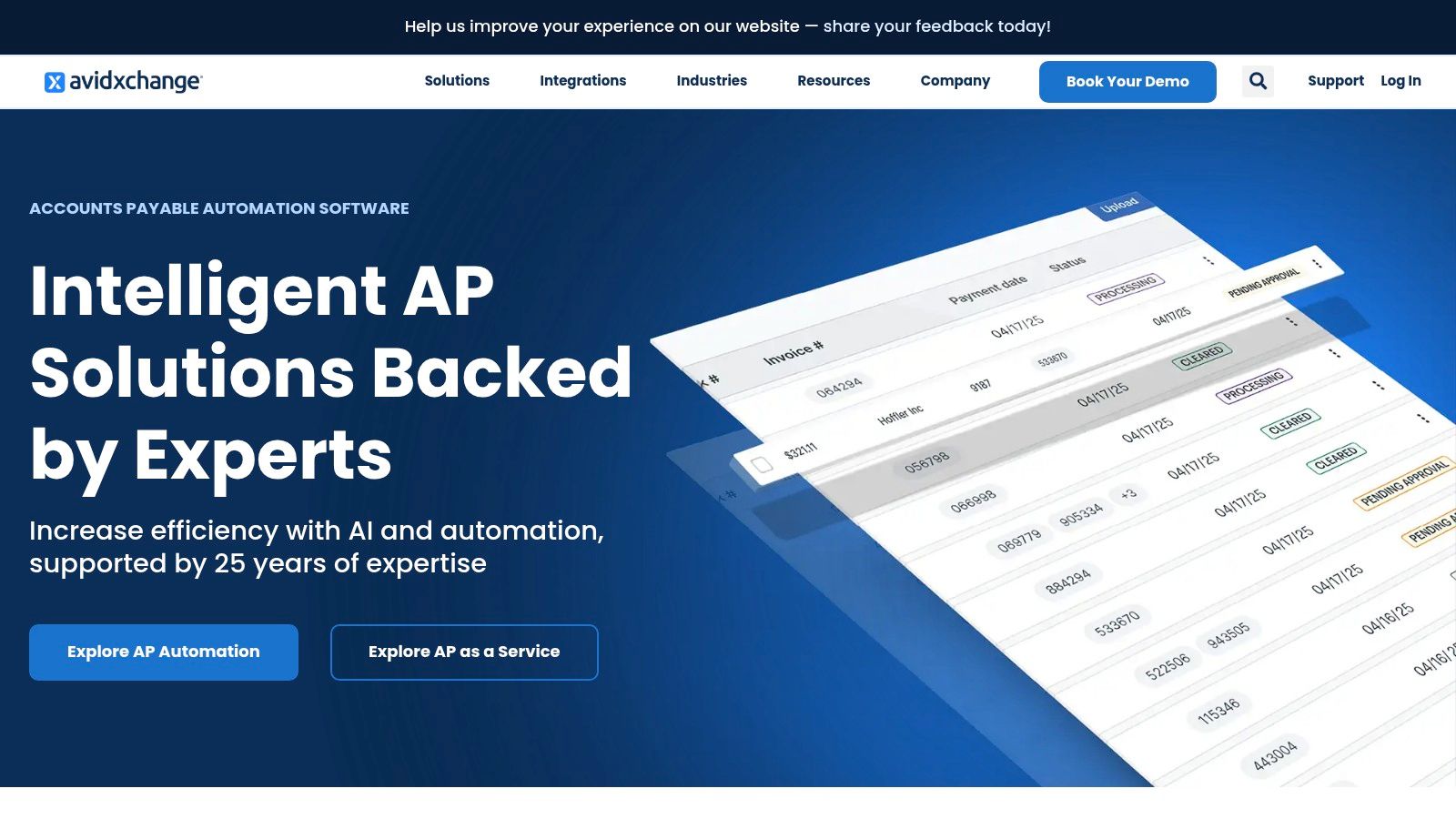
This focus on integration and full-service support makes it one of the best accounts payable automation software solutions for businesses graduating from SMB tools and requiring more robust controls. The platform essentially acts as an extension of the AP team, offering managed services that help offload the entire invoice-to-pay lifecycle, a significant value proposition for lean finance departments in growing organizations.
Key Features & Analysis
- Extensive ERP Integrations: With over 200 pre-built integrations, AvidXchange connects seamlessly with systems like NetSuite, Microsoft Dynamics, and Sage Intacct, ensuring data integrity without custom development.
- Large Supplier Network: The AvidPay Network includes hundreds of thousands of suppliers. This facilitates electronic payments and allows suppliers to choose their preferred payment method (virtual card, direct deposit, or check), improving vendor relationships.
- AP-as-a-Service: Beyond software, AvidXchange offers services where their team can manage invoice intake, data entry, and payment processing, providing a fully outsourced AP function.
- AI-Powered Automation: The software uses AI to capture and code invoice data, reducing manual effort and routing invoices through customizable approval workflows based on business rules.
Pricing and Use Case
Pricing for AvidXchange is quote-based and tailored to a company's transaction volume, integration needs, and service level. Its ideal use case is for mid-market companies in industries like real estate, construction, and healthcare that process a high volume of invoices and require a mature, deeply integrated solution with strong internal controls and payment services.
| Pros | Cons |
|---|---|
| Deep experience and specialization in the mid-market | Pricing is quote-based and can be expensive |
| Robust integration catalog with 200+ ERPs and accounting systems | Organizational changes could impact future roadmap |
| Large, established supplier payment network | May be too complex for small businesses or startups |
Website: https://www.avidxchange.com
5. Stampli
Stampli positions itself as a modern, AP-first platform that excels in user adoption and rapid deployment. It focuses heavily on the communication and collaboration aspects of invoice processing, centralizing discussions between approvers, controllers, and vendors directly on top of the invoice itself. This approach is designed to resolve discrepancies and get approvals faster by eliminating offline email chains and manual follow-ups. The platform integrates deeply with existing ERP and accounting systems, acting as a powerful control layer without requiring a complete process overhaul.
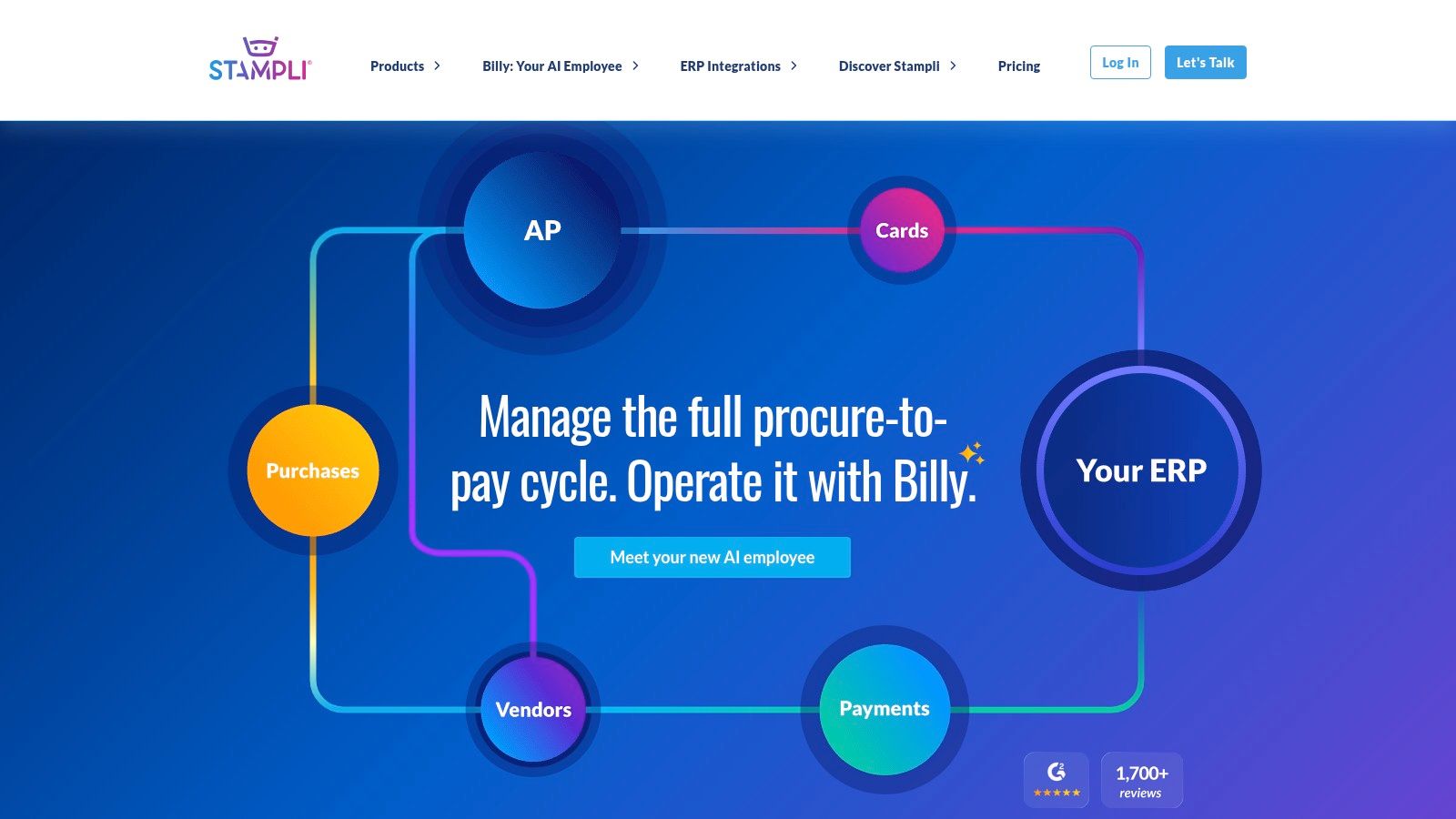
Its emphasis on a frictionless user experience makes it one of the best accounts payable automation software options for mid-market companies that need a solution their teams will actually use. Stampli’s AI assistant, Billy the Bot, handles invoice capture, coding, and routing, learning from user corrections to improve accuracy over time. The platform’s ability to manage the entire invoice lifecycle, from capture to payment, within a single collaborative hub is its core value proposition.
Key Features & Analysis
- Collaborative AP: Stampli’s standout feature is its centralized communication hub. All questions, comments, and supporting documents are attached directly to the invoice, creating a clear audit trail and speeding up resolution times.
- ERP-Centric Integration: It prioritizes working seamlessly with a company's existing ERP system (like NetSuite, Sage Intacct, or Microsoft Dynamics), acting as an enhancement rather than a replacement. This preserves the ERP as the single source of financial truth.
- Advanced AI and Matching: The platform supports 2-way and 3-way matching of invoices against purchase orders and receiving data, which is critical for businesses in manufacturing, retail, and construction.
- Flexible Payments: Stampli Pay offers integrated payment solutions, including ACH, physical checks, and virtual cards, allowing businesses to manage payments directly from the platform.
Pricing and Use Case
Stampli’s pricing is not publicly listed and requires a custom quote, which is typical for platforms targeting the mid-market and enterprise segments. A key advantage is that their plans often include unlimited users, vendors, and entities, which is highly cost-effective for growing or complex organizations. The ideal use case is a mid-sized company with an established ERP system looking for a user-friendly and highly collaborative AP automation layer to streamline invoice approvals and communications.
| Pros | Cons |
|---|---|
| Strong emphasis on user adoption and fast implementation | No public pricing; requires engaging with the sales team |
| Unlimited users and vendors often included in plans | Broader procurement features may be add-ons or limited |
| Excellent collaborative tools for invoice discussions | May be overly robust for very small businesses |
Website: https://www.stampli.com
6. SAP Concur Invoice
SAP Concur Invoice is an enterprise-grade solution that integrates accounts payable management directly into the broader SAP ecosystem of travel, expense, and spend management. It is designed for medium to large organizations that require a unified platform to handle everything from employee expenses to vendor invoices. The system excels at enforcing compliance and providing visibility across all company spending, not just traditional AP.
This makes it one of the best accounts payable automation software options for businesses already invested in SAP or those seeking to consolidate all spend-related workflows into a single, powerful tool. By combining invoice processing with purchase requests and robust analytics, it offers a holistic view of organizational spend that many standalone AP tools cannot match.
Key Features & Analysis
- Unified Spend Management: Concur Invoice’s primary strength is its seamless integration with Concur Expense and Concur Request, creating a single source of truth for all employee-initiated and vendor-related spending.
- Three-Way Matching: The platform offers automated three-way matching, comparing purchase orders, goods receipts, and invoices to verify transactions before payment, a critical feature for preventing fraud and ensuring accuracy in complex procurement cycles.
- Invoice Capture & Processing: It automates the entire invoice lifecycle, from intelligent capture using OCR to routing invoices through customized, multi-level approval workflows based on company policy.
- Integrated Payments: Concur Invoice connects with a network of payment partners to facilitate secure electronic payments, helping to optimize cash flow and capture early payment discounts.
Pricing and Use Case
SAP Concur’s pricing is not publicly available and requires a custom quote based on company size, transaction volume, and chosen modules. The ideal use case is for mid-market to enterprise-level companies, particularly those that need to manage complex global operations, enforce strict spending policies, and gain deep, analytical insight by combining AP and T&E data.
| Pros | Cons |
|---|---|
| Part of a comprehensive, integrated spend management suite | Pricing is not public and requires a quote |
| Robust features like three-way matching for enterprises | Can be more complex and costly than SMB-focused tools |
| Backed by the SAP ecosystem and enterprise-grade support | May be overkill for businesses with simple AP needs |
Website: https://www.concur.com/products/concur-invoice
7. Airbase
Airbase positions itself as a modern, unified spend management platform, going beyond simple invoice processing to cover the entire procure-to-pay lifecycle. It combines guided procurement, accounts payable automation, corporate cards, and expense reimbursements into a single, integrated system. This all-in-one approach is its key differentiator, appealing to mid-market companies and finance teams looking to consolidate their tech stack and gain real-time visibility over all non-payroll spending.
By bringing AP automation under the same roof as purchasing and corporate cards, Airbase provides a cohesive user experience and a single source of truth for spend data. This makes it one of the best accounts payable automation software choices for scaling businesses that need sophisticated controls and reporting across multiple spend categories, not just vendor invoices. Its deep ERP integrations, particularly with NetSuite, ensure that financial data remains synchronized and accurate.
Key Features & Analysis
- Broad P2P Scope: Airbase integrates procurement workflows, like purchase order creation and approval, directly with the AP process. This enables robust three-way PO matching and reduces tool sprawl.
- Global Payments: The platform supports payments to vendors in over 200 countries and 145 currencies, making it a strong fit for businesses with international operations and complex multi-entity structures.
- Flexible Approvals: Approvals are highly configurable and can be managed via email, mobile app, or even Slack, meeting employees where they work and accelerating the review cycle.
- AI-Powered Automation: AI and OCR technology power touchless invoice processing by automatically capturing data, coding it to the general ledger, and routing it for approval based on preset rules.
Pricing and Use Case
Airbase uses a quote-based pricing model tailored to company size and feature requirements, without publicly listed rates. Its ideal use case is for mid-sized to early-enterprise companies, particularly those using NetSuite, that want to replace disparate systems for procurement, AP, and expenses with a single, powerful platform.
| Pros | Cons |
|---|---|
| Broad procure-to-pay functionality reduces need for multiple tools | Pricing is quote-based; no public rates |
| Strong multi-entity/global bill pay and ERP synchronization | May be more platform than very small teams need |
| Unified control over invoices, cards, and expenses | The all-in-one approach may not suit teams wanting a best-of-breed solution for each function |
Website: https://www.airbase.com
8. Ramp Bill Pay
Ramp has rapidly expanded from corporate cards into a comprehensive finance automation platform, with its Bill Pay feature standing out for its modern interface and compelling cost structure. Designed for startups and SMBs, Ramp Bill Pay integrates directly into its spend management ecosystem, offering AI-powered invoice capture, multi-level approval workflows, and versatile payment options. The platform’s core bill pay service is offered without a monthly software fee, which is a significant differentiator in the market.
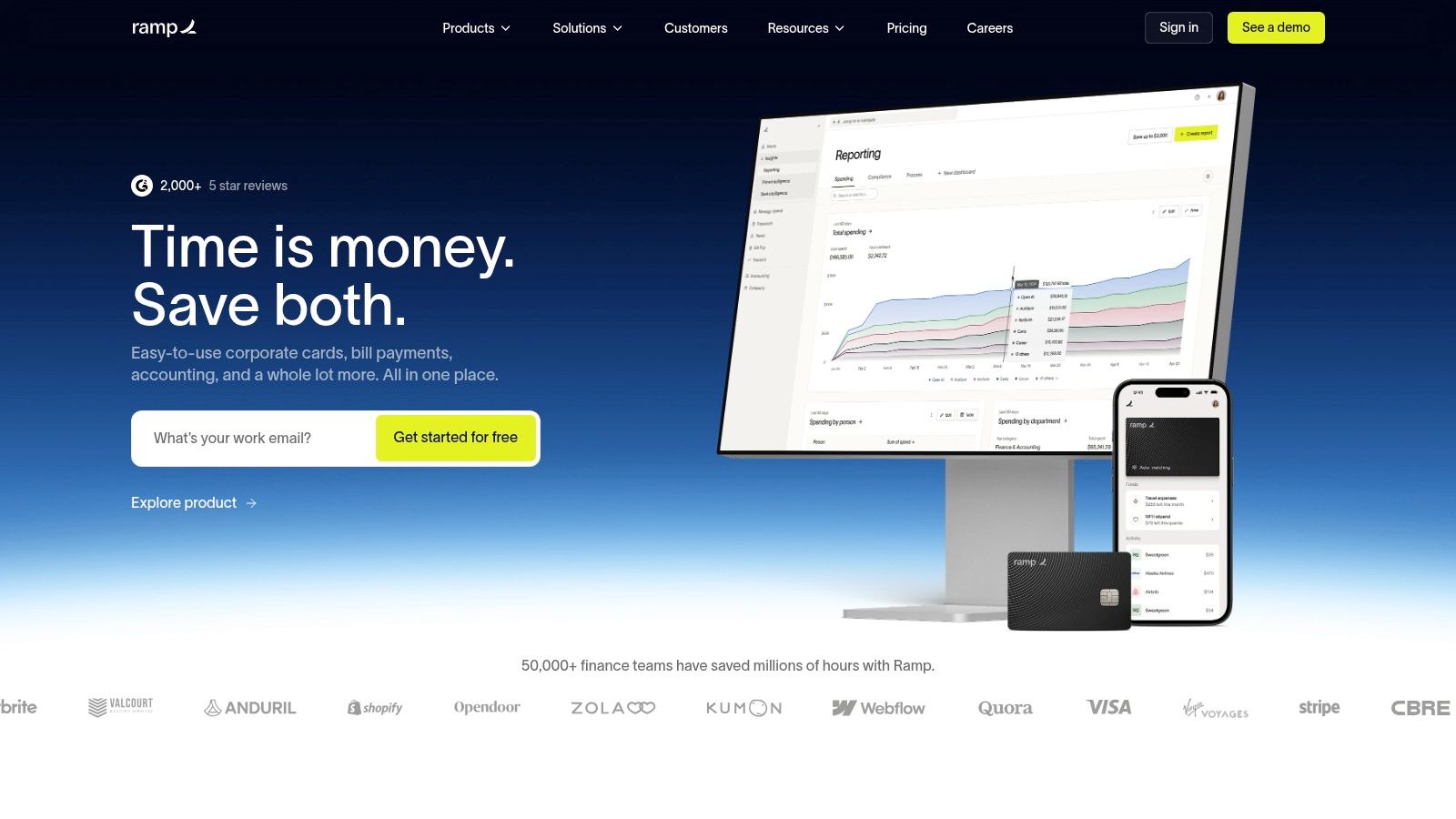
This makes it one of the best accounts payable automation software options for companies already using or considering the Ramp card, as it centralizes all company spending in one place. Its appeal lies in simplifying financial operations by unifying cards, expenses, and bill payments into a single, cohesive system with deep accounting integrations.
Key Features & Analysis
- Integrated Spend Management: Bill Pay is not a standalone product but part of Ramp's broader platform, allowing businesses to manage card spend, reimbursements, and bill payments in one unified dashboard.
- Cost-Effective Payments: The core platform has no subscription fee. While standard fees apply for certain payment types like wires or same-day ACH, these can often be waived for customers who use the Ramp Business Account for treasury management.
- AI-Powered Invoice Processing: Ramp uses AI to automatically digitize invoices received via email, extracting vendor details, line items, and payment information to reduce manual data entry and accelerate processing times.
- Advanced Integrations: The paid tier, Ramp Plus, unlocks direct API integrations with major ERPs like NetSuite, Sage Intacct, and Microsoft Dynamics 365 Business Central for seamless, real-time data synchronization.
Pricing and Use Case
Ramp Bill Pay is available for free on the core plan, with transaction fees for specific payment methods. The Ramp Plus plan adds advanced features and ERP integrations for a monthly per-user fee. It is an ideal solution for high-growth startups and modern SMBs seeking an all-in-one finance platform to manage all non-payroll spending, particularly those looking to eliminate software subscription costs for their AP function.
| Pros | Cons |
|---|---|
| Core bill pay platform offered with no software subscription fee | Advanced ERP integrations are gated behind the paid Ramp Plus tier |
| Unified platform for cards, expenses, and bill payments | Fees for expedited payments can add up without a Ramp Business Account |
| Modern, intuitive user interface simplifies adoption | Primarily focused on US-based businesses |
Website: https://ramp.com
9. Melio
Melio offers a streamlined and highly accessible accounts payable solution designed specifically for the needs of small businesses and accounting firms in the U.S. Its primary appeal lies in its simplicity and direct integration with popular small business accounting software, most notably QuickBooks Online and Xero. The platform focuses on simplifying the core task of paying business bills, allowing users to pay vendors by bank transfer, debit, or credit card, even if the vendor only accepts checks.
This focus on payment flexibility and ease of use makes it one of the best accounts payable automation software options for entrepreneurs and small teams seeking to move away from manual check writing. Melio’s clear pricing, which includes a generous number of free ACH transfers, removes the barrier to entry for businesses cautious about adopting new software with complex fee structures.
Key Features & Analysis
- Payment Flexibility: Melio’s standout feature is the ability to pay any invoice with a credit card (for a fee) to extend float, while the vendor receives a check or ACH transfer. This decouples the payment method from the receipt method.
- Accounting Sync: It provides a solid two-way sync with QuickBooks and Xero, ensuring bills, payments, and vendor credits are reconciled automatically, which saves significant bookkeeping time.
- Approval and Batch Payments: Users can set up basic approval workflows to maintain control over spending and efficiently pay multiple bills to different vendors in a single, consolidated batch process.
- Tax Compliance: The platform simplifies year-end tax tasks by helping businesses collect W-9s from vendors and automate 1099 form creation and e-filing through a Tax1099 integration.
Pricing and Use Case
Melio offers several tiers, including a free plan with a generous number of free ACH payments per month. Paid plans unlock higher ACH quotas, more advanced features, and an unlimited user option. Its ideal use case is for U.S.-based small businesses that want a simple, low-cost way to digitize bill payments, manage approvals, and sync seamlessly with their QuickBooks or Xero accounts.
| Pros | Cons |
|---|---|
| Clear, low-cost entry pricing with a free tier | Some features and higher ACH quotas require paid plans |
| Tight integrations with small-business accounting platforms | Limited to U.S. businesses and domestic payments |
| Excellent payment flexibility (pay with card, vendor gets check) | Per-payment fees apply after free ACH quota is used |
Website: https://meliopayments.com
10. Coupa Invoicing / AP Automation
Coupa is a heavyweight in the enterprise business spend management space, and its AP automation and invoicing module is a core component of its broader Procure-to-Pay (P2P) suite. Unlike SMB-focused tools, Coupa is designed for large organizations managing complex global operations, significant invoice volumes, and stringent compliance requirements. Its strength lies in unifying procurement, invoicing, expenses, and payments into a single, cohesive platform.
This integrated approach makes Coupa one of the best accounts payable automation software solutions for enterprises seeking to gain real-time visibility and control over their entire spend lifecycle. The platform emphasizes user adoption with a consumer-like interface, aiming to streamline processes not just for the finance team but for every employee involved in purchasing and approvals.
Key Features & Analysis
- Unified P2P Process: Coupa excels at 2- and 3-way matching by having native access to the purchase orders and receiving data generated within its own procurement module, ensuring high first-pass match rates.
- Compliance-as-a-Service: For global enterprises, Coupa manages the complexities of multi-country e-invoicing formats and tax regulations, reducing the compliance burden on internal teams.
- AI-Powered Fraud Detection: Its Spend Guard feature uses AI to analyze spending patterns across the platform, automatically flagging duplicate invoices, potential fraud, and non-compliant spend before payment.
- Supplier Enablement: Coupa provides a free supplier portal, encouraging vendors to submit electronic invoices directly, which significantly improves data accuracy and reduces processing time.
Pricing and Use Case
Coupa’s pricing is quote-based and tailored to the specific needs and scale of large enterprises. Implementations are typically more involved than with SMB solutions. Its ideal use case is for large, multinational corporations that require a comprehensive, unified platform to manage all business spend, from procurement and invoicing to expense management and payments, with a strong focus on compliance and analytics.
| Pros | Cons |
|---|---|
| Broad, integrated platform covering the full P2P cycle | Quote-based enterprise pricing and longer implementations |
| Extensive global compliance and e-invoicing footprint | May exceed the functional and budgetary needs of smaller teams |
| Strong supplier collaboration and e-invoicing tools | Functionality is best leveraged when using the full Coupa suite |
Website: https://www.coupa.com/products/ap-automation/invoicing/
11. Quadient AP by Beanworks
Quadient AP by Beanworks is a dedicated accounts payable automation solution designed for small to mid-market finance teams that require strong controls around purchasing and invoicing. The platform’s key strength is its comprehensive approach, covering purchase orders, invoice processing, payments, and expense management in one system. It is particularly well-suited for organizations looking to enforce spending policies before costs are incurred.
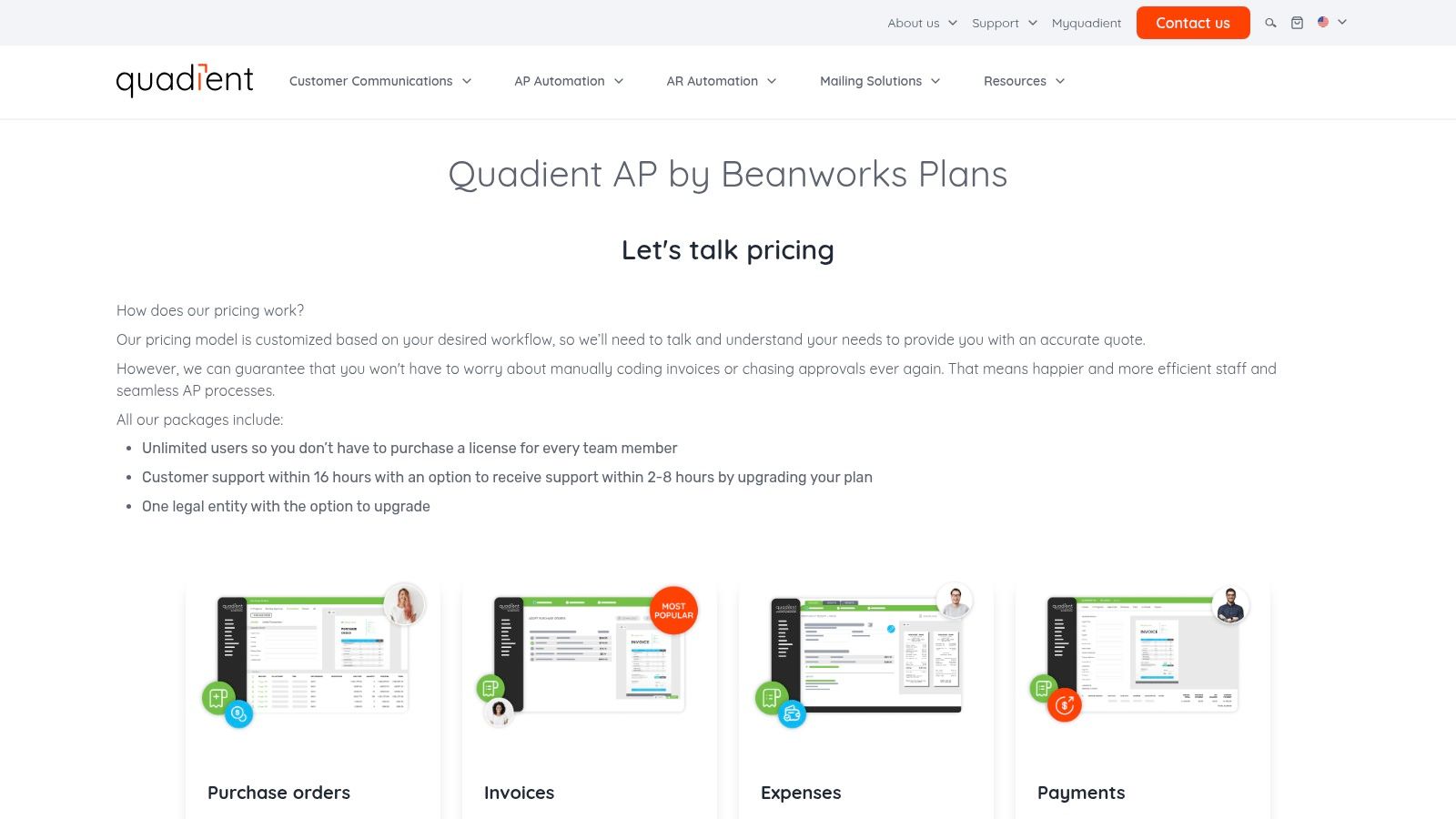
This makes it one of the best accounts payable automation software options for businesses that need to manage requisitions and match invoices to purchase orders without the complexity of a full ERP system. A significant differentiator is its pricing model, which provides unlimited users, allowing teams to scale without incurring additional per-seat costs, which is a major advantage for growing companies.
Key Features & Analysis
- Purchase Order Management: The platform offers robust functionality for creating, approving, and tracking purchase orders, including support for blanket POs and automated invoice-to-PO matching. This helps ensure all invoices are properly authorized.
- Unlimited Users: All plans include unlimited users and digital storage for invoices and expenses. This simplifies budgeting and encourages widespread adoption across departments without fear of escalating software license fees.
- Flexible Payment Execution: Quadient AP supports a wide range of payment methods, including ACH, virtual credit cards, EFT, physical checks, and international wires (FX), all managed from within the same workflow.
- Dedicated Support: The solution includes standard support SLAs with options to upgrade to faster-response tiers, providing a clear path for getting assistance when needed.
Pricing and Use Case
Quadient AP's pricing is quote-based and requires direct contact with their sales team. Its ideal use case is for mid-market companies that have outgrown basic AP tools and need a more controlled procure-to-pay process, particularly those with complex approval chains or a high volume of purchase orders.
| Pros | Cons |
|---|---|
| Unlimited users and storage included in all plans | Pricing is not transparent and requires a sales consultation |
| Strong purchase order creation and 2/3-way matching capabilities | Be aware of potential tiered usage or overage fees in the final contract |
| Offers a wide array of domestic and international payment options | Less focused on deep, native SMB accounting syncs compared to rivals |
Website: https://www.quadient.com/plans/
12. G2 – Accounts Payable Automation Category
While not a software itself, G2’s Accounts Payable Automation category is an indispensable resource for any team evaluating solutions. It is a large software marketplace and review aggregator that provides current rankings, filterable comparison grids, and thousands of verified user reviews across more than 300 AP automation tools. Its primary value is in offering an unbiased, crowd-sourced perspective to validate vendor claims and marketing materials.
Using G2 is a crucial step in finding the best accounts payable automation software because it allows you to see how real users rate products on factors like ease of use, quality of support, and implementation time. This helps you move beyond feature lists to understand the practical user experience and discover potential alternatives you may not have considered.
Key Features & Analysis
- Filterable Comparison Grid: Users can filter the extensive list of vendors by company size, market segment (small business, mid-market, enterprise), pricing models, and specific features to quickly narrow down relevant options.
- Verified User Reviews: G2 collects detailed feedback from authenticated users, providing honest insights into the pros and cons of each platform from the perspective of real-world operators.
- Market Reports and Grids: The platform generates quarterly reports and its signature G2 Grid®, which visually plots vendors based on market presence and user satisfaction, helping identify market leaders and high-momentum products.
- Direct Vendor Connections: From a product listing, you can directly access vendor websites, request demos, or sometimes find exclusive offers and trials.
Pricing and Use Case
Access to G2 for software buyers is completely free. The platform is best used as a secondary research and validation tool once you have a shortlist of potential vendors. It’s ideal for finance leaders and IT managers who need to justify a software purchase with objective, third-party data and user sentiment rather than relying solely on a vendor’s sales pitch.
| Pros | Cons |
|---|---|
| Broad market coverage with thousands of recent reviews | Sponsored placements can influence visibility, so look beyond top listings |
| Crowd-sourced sentiment helps validate purchasing decisions | G2 does not sell software; purchases are completed via vendors |
| Powerful filters for creating a relevant software shortlist | Review quality can vary; focus on detailed, role-specific feedback |
Website: https://www.g2.com/categories/ap-automation
Top 12 Accounts Payable Automation Tools — Feature Comparison
| Provider | Core features | Accuracy & Speed | Target audience | Pricing & Key differentiator |
|---|---|---|---|---|
| ExtractBill (Recommended) | Invoice/receipt parser; line-item & table extraction; REST API, webhooks; drag‑drop UI; 50+ doc types | Claimed 99.9% accuracy; 2–5s per doc; parallel processing, encrypted transfer | Finance teams, developers, AP/AR automation, bookkeeping at scale | Usage-based $0.11/extraction; 3 free docs; standardized JSON; developer-first docs |
| BILL (Bill.com) | AI-assisted capture; approval workflows; multiple payment rails; QuickBooks/Xero sync | AI capture (accuracy varies by input quality) | SMBs & mid-market companies needing integrated AP + payments | Public plans + transaction fees; strong small‑biz accounting integrations |
| Tipalti | Global payables; supplier portal; tax/compliance; 50+ payment methods | AI SmartScan capture; built for high-volume global payouts | Companies paying international vendors, multi-entity enterprises | Quote/custom pricing; excels at global payments & compliance |
| AvidXchange | AP automation; supplier network; 200+ ERP integrations; AP-as-a-Service | Enterprise-grade automation and controls | Mid-market organizations needing mature AP processes | Quote-based enterprise pricing; deep ERP catalog |
| Stampli | AI invoice capture; collaborative approvals; vendor messaging; analytics | Fast deployment; strong user adoption focus | Teams prioritizing collaboration and quick roll-out | Sales-led quoting; unlimited users/vendors highlighted |
| SAP Concur Invoice | T&E + AP integration; purchase requests; three-way match | Enterprise-grade; SAP ecosystem support | Large organizations standardizing spend & AP | Quote-based; part of SAP spend suite with enterprise support |
| Airbase | Unified spend mgmt: AP, procurement, cards, expenses; AI/OCR | Touchless AP, multi-entity support, mobile approvals | Finance teams consolidating procure‑to‑pay tools | Quote-based; broad P2P scope to reduce tool sprawl |
| Ramp Bill Pay | Free core bill pay; AI invoice capture; multi-rail payments | Modern UX; fast payments (RTP, same-day options) | Startups & SMBs seeking low-cost, modern AP | Free core platform; fees for some rails; Ramp Plus for advanced features |
| Melio | AI bill capture; batch payments; QuickBooks/Xero sync; 1099 automation | SMB-focused, straightforward flow | Small businesses needing affordable bill pay | Clear tiered pricing; free ACH quotas then per-payment fees |
| Coupa Invoicing / AP Automation | AI invoice capture; fraud/duplicate detection; e-invoicing compliance | Enterprise-scale analytics & compliance | Large enterprises doing P2P transformations | Quote-based enterprise pricing; strong global compliance features |
| Quadient AP (Beanworks) | Invoice-to-PO matching; payments; unlimited users/storage | Focused AP processing for SMB/mid-market | SMBs and mid-market finance teams | Quote-based; offers no-cost payment workflow option (processing fees may apply) |
| G2 – AP Automation Category | Review marketplace; category grids; vendor comparisons | N/A — crowdsourced reviews and ratings | Buyers researching vendors and validating choices | Free to use; sponsored placements can affect visibility |
Making Your Final Decision: Which AP Automation Software Is Right for You?
Navigating the landscape of accounts payable automation can feel overwhelming. With solutions ranging from comprehensive, end-to-end platforms to specialized, API-first data extraction engines, the "best" tool is rarely a one-size-fits-all answer. Throughout this guide, we've dissected the capabilities of leading platforms like Tipalti, BILL, and Stampli, highlighting their strengths in global payments, SMB-centric workflows, and collaborative invoice processing. The key takeaway is that your ideal solution hinges directly on your company's unique operational DNA: its size, industry, existing software ecosystem, and primary AP pain points.
The journey to find the best accounts payable automation software for your organization starts with a clear-eyed assessment of your needs. Are you a rapidly scaling startup drowning in manual data entry? Or are you an established enterprise seeking to optimize complex, multi-subsidiary approval chains and international payments? Your answer will guide you toward entirely different categories of tools.
A Quick Recap: Matching a Solution to Your Business Profile
To simplify your choice, let's distill our findings into a few core scenarios. This framework can help you narrow down your shortlist and focus your evaluation efforts where they will yield the most value.
- For Small to Mid-Sized Businesses (SMBs): If your primary goal is to move away from paper checks and spreadsheets into a more organized, digital workflow, platforms like BILL, Melio, and Ramp Bill Pay are excellent starting points. They offer intuitive interfaces, straightforward payment processing, and integrations with common accounting software like QuickBooks and Xero.
- For Mid-Market and Enterprise Companies: Organizations with complex approval hierarchies, high invoice volumes, and stringent compliance needs should look toward more robust systems. Tipalti, AvidXchange, and SAP Concur provide advanced controls, global payment capabilities, and deep ERP integrations necessary for managing sophisticated financial operations at scale.
- For Collaboration-Centric Teams: If your biggest bottleneck is the back-and-forth communication required for invoice approvals, Stampli's unique pre-accounting approach, which centralizes all communication on top of the invoice itself, is a game-changer.
- For Developers and Tech-Forward Companies: If you have an existing system but need a powerful, accurate data extraction engine to feed it, a specialized tool is your best bet. ExtractBill stands out with its developer-first API and a simple pay-per-use model, allowing you to integrate top-tier OCR and data parsing capabilities directly into your custom workflows or proprietary software without being locked into a full-suite platform.
Key Factors to Consider Before Implementation
Once you have a shortlist, the evaluation process is not over. Choosing a partner is just as important as choosing a product. Before you sign a contract, consider these critical implementation factors:
- Onboarding and Support: How much help will the vendor provide during setup? Do they offer dedicated implementation specialists? What does their ongoing customer support look like? A smooth onboarding process is crucial for user adoption and realizing the software’s ROI.
- Integration Depth: Don't just check if an integration exists; understand how deep it goes. Does it support two-way sync with your ERP or accounting software? Does it handle custom fields, purchase orders, and multi-entity structures seamlessly? A shallow integration can create more manual work than it solves.
- Scalability and Pricing Model: Your business will grow, and your AP automation software must be able to grow with it. Scrutinize the pricing tiers. Are you paying per user, per invoice, or a flat SaaS fee? Ensure the model aligns with your projected growth so you don't face unexpected and prohibitive cost increases down the road.
Ultimately, selecting the best accounts payable automation software is a strategic decision that can free your finance team from tedious manual tasks, provide greater visibility into company spend, and strengthen your financial controls. By aligning a solution’s core strengths with your specific operational needs and future goals, you can confidently invest in a tool that transforms your AP department from a cost center into a strategic asset.
Ready to eliminate manual data entry with unparalleled accuracy? If your primary need is a powerful, developer-friendly engine to extract data from any invoice or receipt, consider ExtractBill. With its simple REST API and pay-as-you-go pricing, you can integrate world-class data extraction into your existing systems in minutes, not months.
Ready to automate your documents?
Start extracting invoice data in seconds with ExtractBill's AI-powered API.
Get Started for Free