Two Way Matching in Accounts Payable: two way matching in accounts payable tips
At its core, two-way matching in accounts payable is a simple but powerful financial control. It’s all about comparing a supplier's invoice against the original purchase order (PO) you sent them. If the price and quantity line up on both documents, the invoice gets the green light for payment.
Think of it like checking your restaurant bill against the menu prices before you pay. You just want to make sure you’re being charged correctly for what you actually ordered.
What Is Two-Way Matching and How Does It Work?
Imagine you order a new laptop online for $1,500. When the bill arrives, you instinctively check that it says $1,500 before entering your card details. That’s the entire idea behind two-way matching, just applied to a business setting.
It's a fundamental verification step where the Accounts Payable (AP) team confirms two key documents are in sync: the supplier's invoice and the company's purchase order. This process acts as your first line of defense against common billing mistakes.
The whole point is to answer two simple but critical questions:
- Did we actually agree to buy these specific items or services?
- Is the price on the invoice the same as the price we agreed to pay?
If the answer to both is "yes," the invoice sails through to payment. If there's a mismatch—say, a different price or the wrong number of items—the invoice is flagged as an "exception" and kicked over for a manual review. This simple check is a cornerstone of smart procurement and financial integrity.
The Core Components of Verification
The two-way matching process zeroes in on just a few essential data points to confirm everything is aligned. Your AP team, or more likely an automated system, cross-references the invoice against the PO, looking specifically at:
- Item Description: Making sure the goods or services listed on the invoice are the same ones on the PO.
- Quantity: Verifying that the number of units billed matches the number of units ordered.
- Unit Price: Confirming that the cost per item is consistent between both documents.
This check became a standard business practice back in the 1980s as companies started to scale their purchasing. It’s no wonder—manual invoice processing without these basic controls can lead to error rates as high as 3-5% on average.
By comparing just these two documents, two-way matching in accounts payable provides a crucial layer of security without bogging down the process. It strikes a perfect balance between speed and control.
This seemingly simple step is foundational for building smarter, more secure payment workflows. For a deeper dive into how modern tools handle these processes, you can explore our answers to frequently asked questions about AP automation. It’s all about preventing overpayments, unauthorized purchases, and costly billing errors before they ever hit your bottom line.
The Two-Way Matching Workflow From PO to Payment
To really get a feel for two-way matching in accounts payable, let's walk through the entire process, from the moment an order is placed to when the invoice finally gets paid. The whole point of this dance is simple: make sure you only pay for what you ordered, at the price you agreed on. No more, no less.
It all starts long before an invoice ever shows up. The first step is the purchase order (PO). Your procurement team creates a PO whenever they need to buy something, whether it’s goods or services. Think of the PO as the official handshake—it locks in the items, quantities, and prices you’ve negotiated with the vendor.
Once the vendor delivers, they’ll send you an invoice. This is their formal request for payment, and it lands on the desk (or in the inbox) of your accounts payable team. This is where the real action begins.
The Matching Stage Unpacked
This is the moment of truth. An AP clerk—or, more likely these days, an automated system—gets to work comparing the vendor’s invoice against the original purchase order. They’re looking for a perfect match.
The check zeroes in on two critical details:
- Price: Is the price per item on the invoice the same as what’s on the PO?
- Quantity: Does the number of items billed match the number of items ordered?
Let’s make it real. Say your company orders 10 new laptops at $1,200 each. The PO goes out for a total of $12,000. The vendor ships the laptops and sends over their invoice.
This simple two-step check is the heart of the entire process.
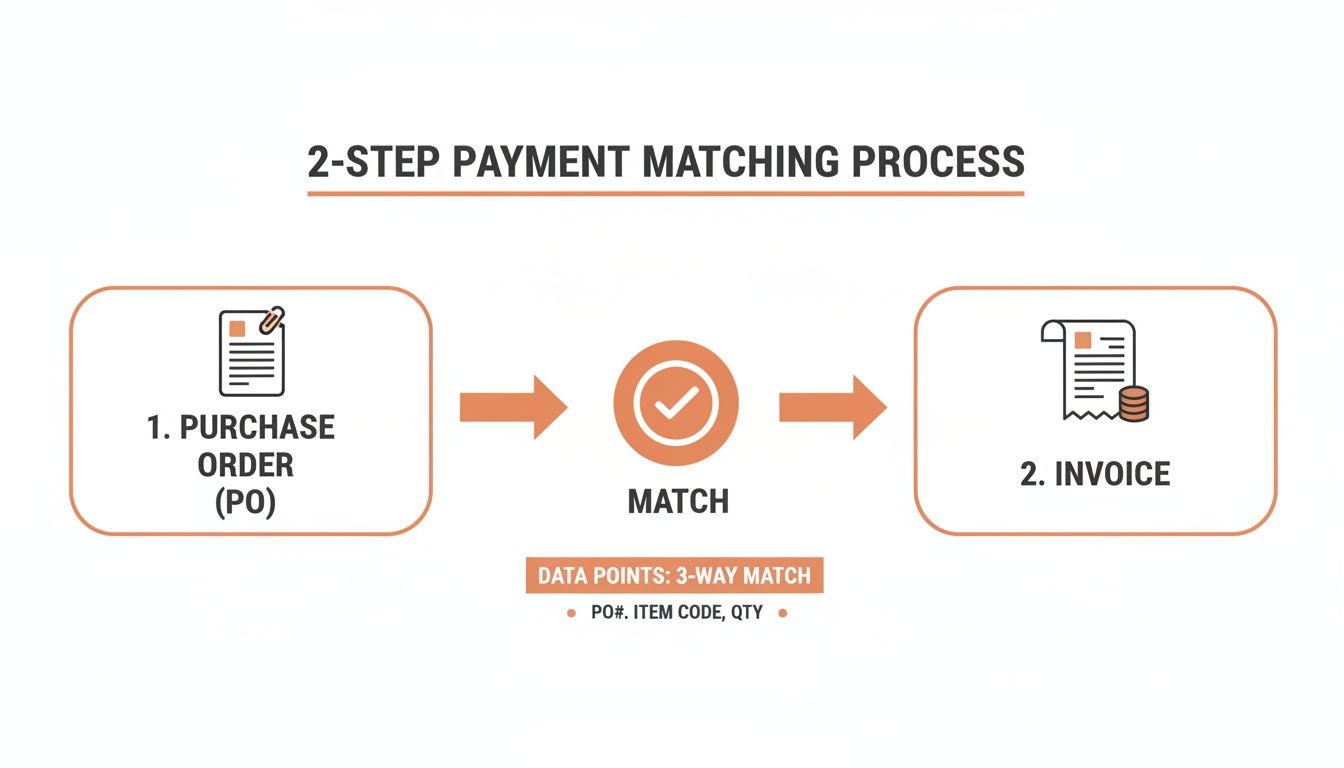
It’s just a direct comparison: does the PO line up with the invoice? This validation is what stops bad payments before they happen.
Two Potential Outcomes
After this check, the invoice goes down one of two paths. It either sails through for payment or gets flagged for a closer look. This fork in the road is what makes two-way matching such a powerful financial control.
A perfect match is the goal. The invoice for 10 laptops comes in at $1,200 each, just like the PO. Everything lines up. The invoice gets approved on the spot and queued for payment. That’s the smooth, hands-off workflow everyone wants.
But what if the invoice lists those 10 laptops at $1,250 each? Red flag. A discrepancy is immediately flagged, creating what’s known as an ‘exception.’ The payment is put on hold. Now, the AP team has to figure out what happened. Was there a price change that procurement forgot to update in the system? Or did the vendor just make a mistake?
This exception-handling step is crucial for preventing overpayments and keeping the books clean. The good news is that modern AP automation can handle this whole flow without anyone lifting a finger, from capturing the invoice data to flagging the mismatch. If you're thinking about setting up a system like this, a guide on getting started with AP automation can be a huge help in making the switch.
Two Way Matching Versus Three Way Matching
Deciding between two way matching in accounts payable and its more thorough sibling, three-way matching, really boils down to a single question: how much risk are you willing to accept? Both are designed to make sure you’re paying the right amount for the right thing, but they offer very different levels of speed and security.
Think of it as the difference between a quick ID check and a full-body scan at the airport. Both confirm you are who you say you are, but one is much more rigorous.
Two-way matching is the express lane. It simply checks the purchase order (PO) against the vendor invoice. Do the quantities and prices line up? Great. Pay it. This method is fast, efficient, and perfect for routine, low-risk purchases where you have a solid relationship with the vendor.
Three-way matching, on the other hand, pulls a third critical document into the verification process: the goods receipt note (GRN), also known as a receiving report. This is the proof that you actually received what you're being billed for. It’s a much higher level of assurance, but it naturally adds an extra step to your workflow.
The Key Differentiator: The Receiving Report
The entire game changes with that one extra document. The receiving report is the physical proof of delivery, created by your team when a shipment hits the warehouse or a service is signed off as complete.
- With two-way matching, you’re operating on trust. You assume that if the invoice lines up with the PO, the delivery went off without a hitch.
- With three-way matching, you leave nothing to chance. You verify what you ordered, what you were billed for, and what showed up at your door before a single dollar is sent.
This third checkpoint is a lifesaver for any business dealing with physical goods. It’s your best defense against paying for "phantom shipments" or invoices for products that never actually arrived—a risk that two-way matching simply can't cover. It completely closes the loop on your procurement process.
In a nutshell: two-way matching confirms you were billed correctly for what you ordered. Three-way matching confirms you were billed correctly for what you received. Getting this distinction right is the key to a smart, flexible AP strategy.
When to Use Each Method
There’s no "one size fits all" answer here. The smartest companies use both methods, applying the right level of scrutiny based on the purchase. Forcing every invoice through a three-way match creates unnecessary bottlenecks, while using a two-way match for everything can expose your business to fraud and financial loss.
So, how do you decide which one to use? Here’s a quick look at where each process shines.
Two Way Matching vs Three Way Matching at a Glance
This table breaks down the core differences, helping you see the ideal use case for each method at a glance.
| Feature | Two Way Matching | Three Way Matching |
|---|---|---|
| Documents Used | Purchase Order & Invoice | Purchase Order, Invoice & Receiving Report |
| Best For | Services, subscriptions, recurring bills, low-value items, trusted vendors | Physical goods, inventory, high-value assets, new vendors |
| Primary Goal | Speed and efficiency | Accuracy and security |
| Risk Level | Higher (assumes delivery) | Lower (verifies delivery) |
| Example | Monthly software license, utility bills, consulting fees | Raw materials for manufacturing, new computer hardware, bulk office furniture |
By segmenting your purchases this way, your AP team can become much more agile. You can fast-track routine payments for services with two-way matching while applying the full security of a three-way match for high-stakes inventory orders. It’s all about striking the perfect balance between control and efficiency.
The Real World Benefits and Hidden Risks
Adopting two-way matching in accounts payable is a smart move for efficiency, but let's be clear—it's not a silver bullet. You need to understand both its strengths and its limitations to really make it work for your business. On one hand, it’s an incredible tool for speeding up your entire payment cycle.
On the other hand, it creates a very specific blind spot. If you don't address it, you could be exposing your business to some serious financial loss.

The biggest win here is a massive boost in processing speed. By boiling the verification down to just two documents, you dramatically cut the administrative load on your AP team. This means faster approvals and, ultimately, more on-time payments.
The Upside of Simplicity
This newfound efficiency isn't just about saving your team a few headaches; it has a real impact on your bottom line and how vendors see you. The main advantages really boil down to:
- Reduced Administrative Costs: Less time spent on manual checks and shuffling paperwork means lower labor costs for every single invoice. This frees up your finance pros to focus on high-value strategy instead of mind-numbing data entry.
- Stronger Vendor Relationships: Paying your partners on time, every time, builds a ton of trust and goodwill. That can lead to better payment terms down the road, priority service, and a much more reliable supply chain.
- Improved Fraud Prevention: This method is surprisingly effective at catching basic invoice fraud. Two-way matching can stop 85% of common issues like duplicate invoices or sneaky price hikes, all without the heavy lifting of more complex systems. You can find more details about how matching prevents fraud on brex.com.
These benefits make two-way matching a fantastic choice for predictable, low-risk payments, like software subscriptions or recurring services from partners you've worked with for years.
The Downside of Assumption
But all that speed comes from one core assumption: that if the invoice matches the purchase order, the goods or services must have been delivered correctly. This is its single biggest weakness.
The critical risk of two-way matching is that it cannot confirm physical receipt. It verifies what you ordered, not what you received.
This opens the door to paying for "phantom shipments"—invoices for goods that never showed up, were incomplete, or arrived damaged. The risk is especially high when you're dealing with physical inventory, valuable assets, or suppliers you haven't fully vetted yet. Without a receiving report to confirm delivery, you're essentially operating on trust.
To counter this, you need to build other controls into your process. This means making two-way matching part of a bigger financial framework that includes regular vendor audits, solid receiving procedures for high-value goods, and a clear workflow for handling exceptions. For a deep dive into building a secure system, it's worth checking out a guide on accounts payable best practices. This approach lets you get the speed you want without taking on unnecessary risk.
Automating Two-Way Matching with Modern AP Tools
Let's be honest: manually checking every single invoice against its purchase order is a grind. It's a tedious, error-prone process that simply doesn't belong in a modern finance department. This is where AP automation tools completely change the game for two-way matching in accounts payable, transforming a slow, hands-on task into a fast, accurate, and mostly hands-off operation.
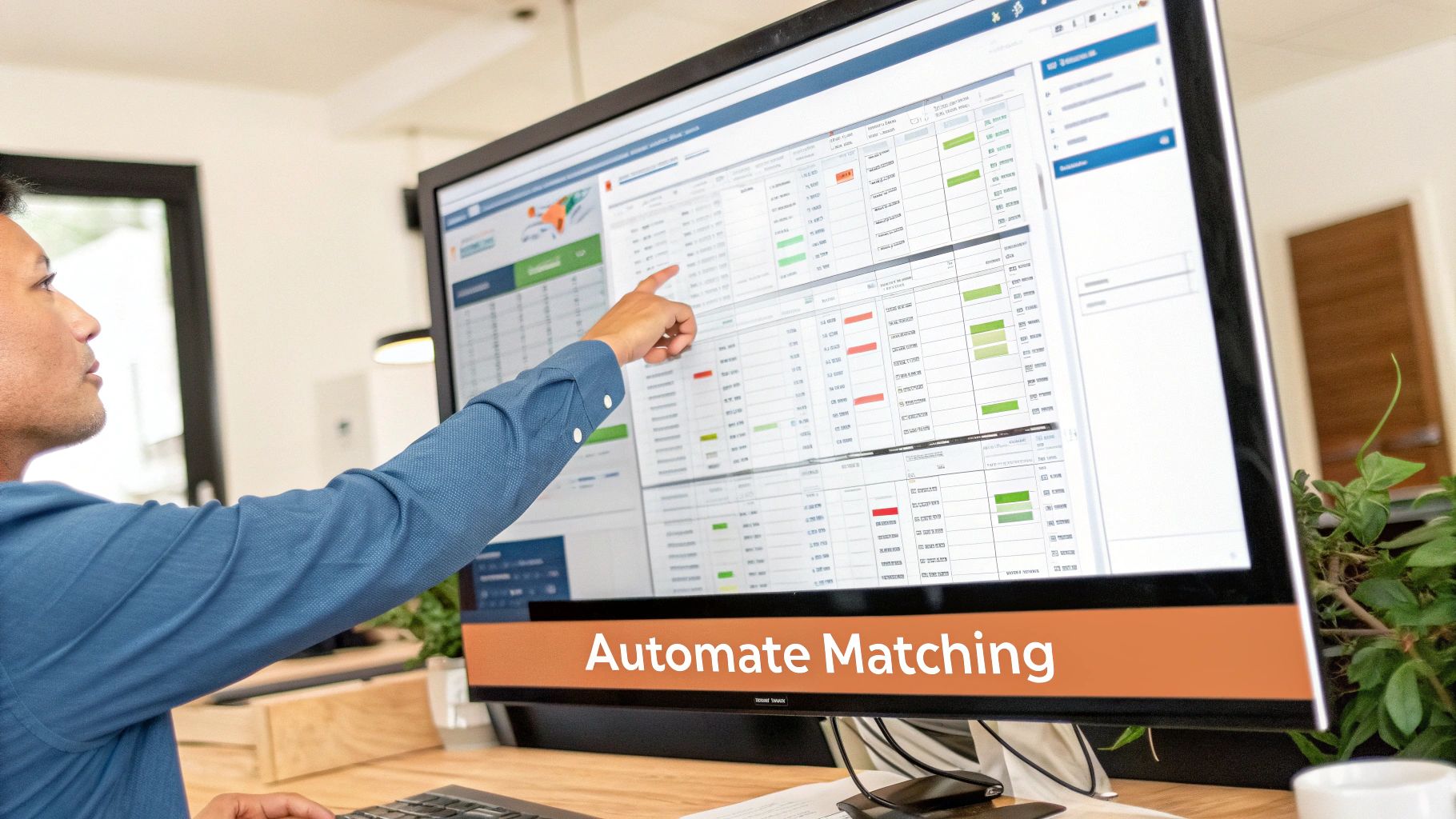
Today's AI-powered solutions can read and pull critical data from invoices the second they land in your inbox, no matter the format—PDF, JPG, or even an email attachment. We're not talking about basic text recognition here. This is intelligent data capture that understands context, identifies individual line items, and extracts specific details like PO numbers, quantities, and unit prices with incredible accuracy.
Slashing Processing Times with AI
The real magic happens when this extracted data is seamlessly fed into your accounting or ERP system. Instead of someone manually pulling up a PO and visually comparing it to an invoice, the system does it all in seconds. The impact on efficiency is massive.
This push toward automation isn't new; it really started gaining steam in the early 2000s when companies realized that a staggering 80% of AP delays were caused by mismatches between POs and invoices. Businesses still stuck in manual mode often take 5-10 days to approve a single invoice. In stark contrast, teams using digital tools get it done in just 1-2 days.
By automating the two-way matching process, businesses can reallocate thousands of hours from manual data verification to strategic financial analysis. It's about letting software handle the repetitive work so your team can focus on what truly matters.
But this isn't just about speed—it's also about precision. An automated system can be programmed with specific business rules and tolerance levels. For instance, you could set it to automatically approve any invoice with a price variance under 2% but flag anything higher for a human to review. That kind of consistent control is nearly impossible to maintain with manual checks.
The Core Components of an Automated Workflow
An effective automated two-way matching system isn't just one piece of software; it's a few key technologies working together in harmony. This combination creates a powerful, end-to-end workflow that kicks off the moment an invoice arrives.
Here’s a breakdown of how it works:
- Intelligent Data Extraction: The process starts with a tool that uses AI to "read" the invoice. Solutions like ExtractBill are built for this critical first step, turning messy, unstructured invoice data into a clean, standardized format.
- ERP or Accounting System Integration: That structured data is then pushed directly into your company’s financial system. This simple step eliminates the risk of manual entry errors and keeps your data consistent across platforms.
- Automated Matching and Exception Handling: Your ERP then performs the two-way match automatically based on the rules you've set. If the invoice and PO line up, the invoice is routed for payment. If they don't, it’s flagged as an exception and sent to the right person for review, with all the necessary documents already attached.
By connecting these technologies, you can see how the features of invoice parsing APIs form the backbone of a modern, efficient accounts payable department. It’s a hands-off approach that ensures your finance team only steps in when their expertise is genuinely needed.
Answering Your Questions About Two-Way Matching
Even after you get the hang of the process, a few practical questions always pop up. Let's tackle the most common ones that teams run into when they start using two-way matching in accounts payable.
When Should I Use Two-Way Matching Instead of Three-Way Matching?
Think of two-way matching as the express lane for your AP process. It's the perfect choice when the risk of something going wrong with delivery is incredibly low.
You’ll want to use it for recurring bills like software subscriptions or rent, services from consultants, and any purchases from your long-term, trusted suppliers. It’s also ideal for low-value items where the time and effort of a full three-way match just isn't worth it. If your main goal is simply to confirm the purchase was approved and the price is right, two-way matching gives you the perfect blend of speed and control.
What Are the Most Common Discrepancies Found in This Process?
The number one issue caught by two-way matching is a price mismatch. This is when the price on the invoice doesn't line up with what’s on the purchase order. It often happens when a discount was agreed upon but never made it to the final bill, or if a vendor recently updated their pricing.
Other common flags you’ll see are:
- Wrong quantities: The vendor bills you for more items than you actually ordered.
- Surprise charges: The invoice tacks on shipping fees or taxes that weren’t mentioned in the PO.
- Bad PO numbers: The invoice lists the wrong purchase order number, or even one that doesn't exist in your system.
Finding these discrepancies—or "exceptions"—is the whole point. The system is designed to catch these problems before you pay, preventing overpayments and keeping your books clean.
Remember, an "exception" isn't a failure—it's the system working perfectly. Each flagged mismatch is a potential financial error caught before it impacts your bottom line, proving the value of a solid two-way matching workflow.
How Can Small Businesses Automate Two-Way Matching?
You don't need a huge budget to automate this process. For small businesses, the trick is to connect a couple of smart, affordable tools. Most small companies already use some form of cloud accounting software with purchasing and AP features—that's your foundation.
The next step is to integrate an AI-powered data extraction tool using its API. This simple connection creates a powerful, automated workflow. The tool pulls all the data from your invoices, digitizes it, and sends it straight to your accounting system, which then handles the match automatically. It's a surprisingly simple and scalable way for smaller teams to get the same efficiencies as a big corporation, saving a ton of time on manual work.
Ready to stop typing in invoice data by hand and put your AP workflow on autopilot? ExtractBill uses advanced AI to capture invoice data with 99.9% accuracy. It plugs right into your accounting system to make two-way matching completely effortless. Try ExtractBill for free and see how fast you can transform your accounts payable process.
Ready to automate your documents?
Start extracting invoice data in seconds with ExtractBill's AI-powered API.
Get Started for Free