Automate: automate accounts payable process for faster, cheaper payments
Before we dive into how to automate your accounts payable process, we need to talk about the real cost of not doing it. This is more than just a time-saving exercise; it’s a strategic move that turns your finance team from reactive data entry clerks into proactive financial guardians. Making this shift unlocks working capital, builds stronger supplier relationships, and ultimately creates a more resilient business.
Why Manual AP Is Quietly Killing Your Bottom Line
Forget the generic "save time and money" pitch for a second. The reality of a manual AP process is a chain reaction of small problems that snowball into a huge drain on your resources and a magnet for unnecessary risk. It's the ultimate bottleneck, creating friction where you need smooth, predictable flow.
Picture a fast-growing e-commerce brand hitting its peak holiday season. As orders pour in, so does a tidal wave of supplier invoices. The AP team, already stretched, is now drowning in paper stacks and overflowing inboxes. Every single invoice demands a human touch—manual data entry into the ERP, triple-checking it against a purchase order, and then the dreaded hunt for a department head to sign off.
This isn't just inefficient. It's a breeding ground for expensive mistakes.
The Hidden Costs of Typing It All In
Manual keying is, without a doubt, the #1 source of errors in the entire AP lifecycle. A simple fat-finger mistake—an extra zero, a misplaced decimal, or the wrong vendor ID—can lead to massive overpayments or duplicate invoices that are a nightmare to claw back. These aren't just numbers on a spreadsheet; they're real financial losses that damage supplier trust and burn precious team hours tracking down and fixing the mess.
But the bigger issue is the opportunity cost. Your most talented finance pros are stuck doing repetitive, low-value work instead of focusing on what really matters: strategic financial analysis, cash flow forecasting, or negotiating better payment terms. Their expertise is being wasted on administrative quicksand.
The true cost of manual AP isn't the salary of the person doing the data entry. It's the strategic work they aren't doing because they're trapped in a cycle of paperwork.
Slow Approvals and Strained Supplier Relationships
The moment an invoice needs a manager's approval, the manual process often grinds to a halt. It gets buried on a desk or lost in a chaotic email inbox, delaying payment for days, sometimes weeks. This has a few nasty side effects:
- You're Missing Out on Free Money: Many suppliers offer 2-3% discounts for paying early. A sluggish approval chain means you're literally leaving money on the table—savings that could go straight to your bottom line.
- You're Paying Unnecessary Fees: Consistently paying late often leads to penalties and interest charges, adding pointless costs to your operations.
- You're Damaging Your Reputation: Good partners are everything. When your payments are always late, suppliers might become less flexible, prioritize other customers, or even refuse to work with you in the future.
These problems underscore why sticking to established accounts payable best practices is so critical for maintaining a healthy business.
Here's a quick look at how the old way stacks up against an automated workflow.
Manual vs Automated AP: A Side-by-Side Comparison
This table breaks down the key differences at each stage of the process, showing just how stark the contrast is between a manual, error-prone system and a modern, automated one.
| AP Stage | The Manual Approach | The Automated Workflow |
|---|---|---|
| Invoice Arrival | Invoices arrive via mail and email, creating a disorganized pile of paper and PDFs. | Invoices are funneled into a central digital inbox, regardless of format (email, PDF, photo). |
| Data Entry | An AP clerk manually types every field from the invoice into the accounting system. High risk of typos. | AI-powered OCR automatically and accurately extracts all key data in seconds. No manual keying. |
| PO Matching | Someone has to manually find the corresponding purchase order and line items to verify the invoice. | The system instantly performs a 2-way or 3-way match against POs and goods receipts. |
| Approvals | The invoice is physically walked over or emailed to a manager, where it can sit for days or weeks. | The invoice is digitally routed to the correct approver, who gets an instant notification and can approve on their phone. |
| Payment | Payments are processed in batches, often involving printed checks and manual reconciliation. | Approved invoices are queued for payment via ACH, virtual card, or wire, with automatic reconciliation. |
As you can see, automation doesn't just speed things up—it fundamentally changes the nature of the work from tedious and risky to strategic and controlled.
You're Not Alone in This Struggle
If this sounds familiar, you're in good company. This isn't some niche problem; it's a massive challenge across industries. A 2023 study found that only 17.7% of businesses had fully automated their AP process. That means a staggering 82% of AP teams are still manually keying invoices into their systems.
The same research from Stampli and Probolsky revealed that over 56% of these teams spend more than 10 hours a week just on invoice processing.
When you automate the accounts payable process, you tackle these headaches head-on. You swap error-prone typing for pinpoint data extraction, turn slow approval chains into lightning-fast digital workflows, and finally free your team to focus on driving real financial value for the business.
From Invoice to Payment: Mapping Your New Automated AP Workflow
To really get accounts payable automation right, you have to think of it as a connected journey, not just a single piece of software. It’s a sequence of stages that work together, taking an invoice from the moment it lands on your digital doorstep to the final payment confirmation in your ERP. When these pieces click into place, you get a smooth, hands-off system that frees up your finance team from the daily grind.
Most of us are painfully familiar with the old way of doing things.
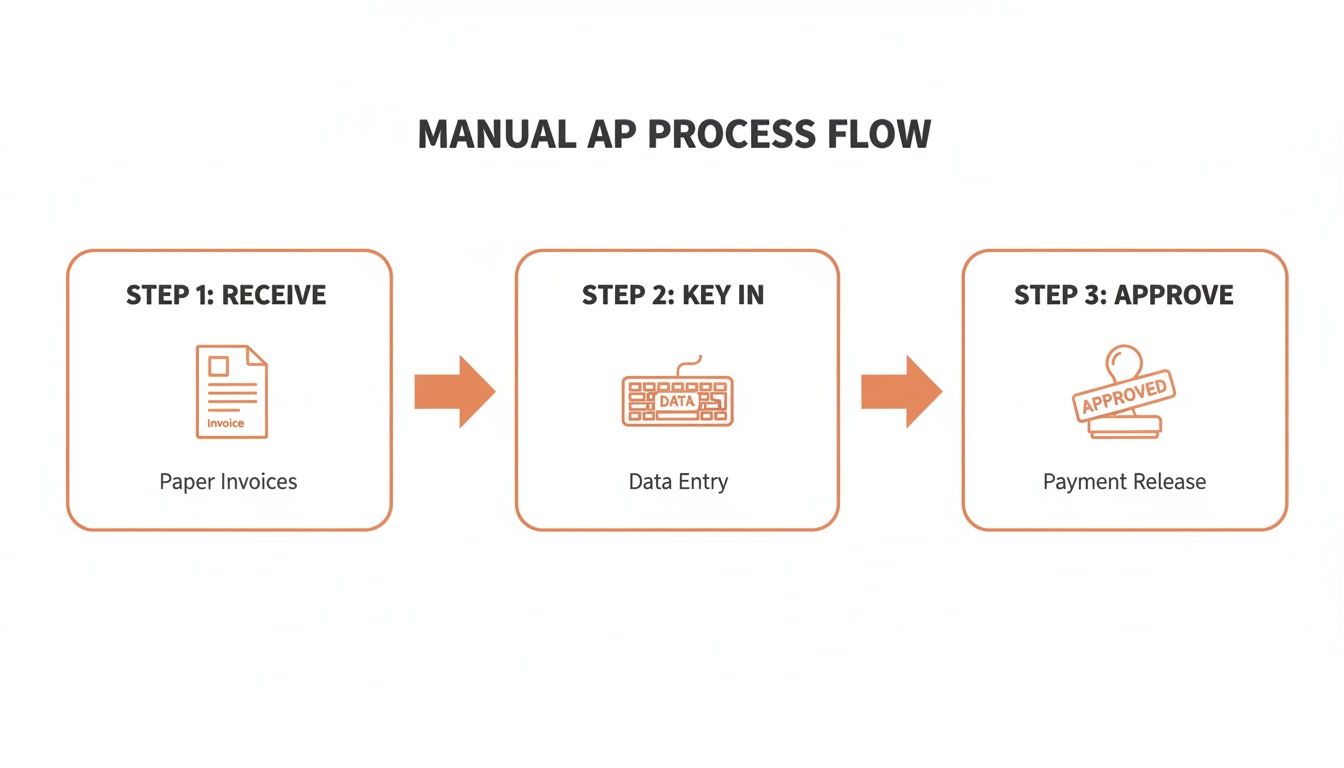
Each of those manual steps—receiving, keying in, and approving—is a potential chokepoint. It's where invoices get lost, data gets entered wrong, and payments get delayed.
Let's walk through how automation completely rebuilds this flow, stage by stage.
Stage 1: Invoice Capture and Digitization
It all starts the second an invoice arrives. In the manual world, this is pure chaos: paper mail, PDFs buried in different inboxes, maybe even a blurry photo from a vendor. An automated system brings order by creating one central, digital front door.
Every invoice, no matter the source or format, gets funneled into a single pipeline. This could be a dedicated email address like invoices@yourcompany.com or a monitored cloud folder. The goal is simple: kill the paper chase and turn every bill into a clean digital asset, ready for the next step.
This first move alone gives you instant visibility. No more invoices sitting on someone's desk for a week.
Stage 2: Intelligent Data Extraction
Once the invoice is digitized, the magic happens. This is where modern AI-powered tools go way beyond what old-school Optical Character Recognition (OCR) could ever do. Instead of just guessing at text, these systems actually understand the document's layout and context.
An AI model can instantly pinpoint and pull out key information without you having to build a custom template for every single vendor. It knows what to look for:
- Header-Level Data: Vendor name, invoice number, due date, and total amount.
- Line-Item Details: Individual product descriptions, quantities, unit prices, and subtotals.
- Associated Data: Purchase order (PO) numbers, tax details, and shipping costs.
The accuracy here is everything. A system that hits 99% or higher accuracy means your team isn't wasting time fixing the machine's mistakes. That's the whole point, right? It's the difference between a tool that helps a little and a truly hands-off workflow.
Stage 3: Automated Matching and Verification
With clean, structured data in hand, the system can now automatically verify the invoice. This is a critical control point for preventing fraud and stopping incorrect payments before they go out the door.
The gold standard here is the three-way match. The system cross-references the invoice with its corresponding purchase order and the goods receipt note (GRN). It’s essentially asking three questions: Did we order this? Did we receive it? And are we being billed the right amount?
If all three documents line up perfectly, the invoice is flagged as "matched" and sails through to the next stage. If there's a mismatch—maybe the price is off or the quantity is wrong—the system flags it as an exception for a human to review. For simpler purchases, you can also learn more about the role of two-way matching in accounts payable, which just compares the invoice to the PO.
Stage 4: Dynamic Approval Workflows
Invoices that pass the matching stage (or don't require a PO in the first place) are now routed for approval. Forget chasing people down with emails and follow-ups. An automated system uses predefined rules to get the invoice in front of the right person, instantly.
These workflows can be as simple or as complex as your business needs:
- Amount-Based Routing: Invoices under $500 go straight to the department manager, but anything over $10,000 also needs a thumbs-up from the CFO.
- Departmental Routing: A bill for marketing software is automatically sent to the CMO. No guesswork involved.
- Multi-Step Approvals: A large capital expense might need sequential sign-offs from the project manager, then a director, and finally the head of finance.
Approvers get a notification on their phone or via email, and they can approve or reject with a single click. This simple change can shrink the approval cycle from weeks down to just a few hours.
Stage 5: Payment Execution and Reconciliation
The final piece of the puzzle is paying the supplier and closing the loop in your accounting system. Once an invoice is fully approved, it’s queued up in a payment batch, either in the automation platform or directly in your ERP.
From there, you can execute payments using your preferred method—ACH, virtual card, wire transfer, you name it. The system automatically records the payment transaction, marks the invoice as paid, and then syncs all this data back to your accounting software.
This final sync is crucial. It creates a perfect, reconciled record without a single line of manual data entry, ensuring your books are always accurate and providing a crystal-clear audit trail for every single transaction.
Choosing the Right AP Automation Technology
Diving into the tech to automate your accounts payable process can feel like you're navigating a maze of acronyms and competing claims. The real key is to cut through all that noise and figure out what your business actually needs for a smooth, hands-off workflow. It’s not about grabbing every shiny new tool; it's about picking the right pieces for your company's scale, budget, and internal know-how.
The market is clearly heading toward smarter tools. A Deloitte survey from Q4 2023 showed that 80% of CFOs are planning to embed automation into their finance operations this year. Even more telling, 85% of finance leaders are specifically looking at AI-powered AP automation, which signals a huge shift away from the old, rigid rules-based systems. You can read more about what these trends mean for finance automation over on Stampli.com.
AI and OCR The Brains of the Operation
The heart of any modern AP system is its ability to actually read and understand an invoice. This is where the difference between old-school Optical Character Recognition (OCR) and intelligent AI really matters.
- Traditional OCR: Think of this as a basic text scanner. It can turn a picture of a document into text, but it has zero context. This tech often needs strict templates for every single vendor and chokes on different invoice formats, which means your team is stuck fixing errors by hand.
- Intelligent AI: This is the real deal. Modern AI models don't just "read" text; they understand the document's layout. They can spot the vendor, find the total amount, and pull out individual line items, even if it's a messy, multi-page invoice they’ve never seen before.
This AI-first approach is what makes true "touchless" processing possible. Invoices can fly through the system without a human ever looking at them because the data extraction is spot-on from the get-go. To see how this actually works, you can check out some of the best invoice OCR software options that use this kind of advanced tech.
Robotic Process Automation (RPA) vs. Specialized AP Platforms
Okay, so you've got clean data. Now you need something to act on it. This brings up another common fork in the road: do you use a general tool like RPA, or a platform built specifically for AP?
RPA bots are great at one thing: mimicking simple, repetitive human clicks. You could absolutely program a bot to log into an email, download an attachment, and copy-paste data into another system. The problem is, RPA is brittle. The moment a website layout changes or an invoice format is tweaked, the bot breaks, and you have to call a developer to fix it.
On the other hand, specialized AP platforms are purpose-built to handle the entire invoice lifecycle. They come with intelligent data extraction, three-way matching logic, approval workflows, and payment processing all baked into one system that understands the unique quirks of accounts payable.
For most companies, a dedicated AP platform is a far more robust and scalable choice than a patchwork of RPA bots. It gives you a single source of truth and is much easier to manage without needing a dedicated IT team babysitting it.
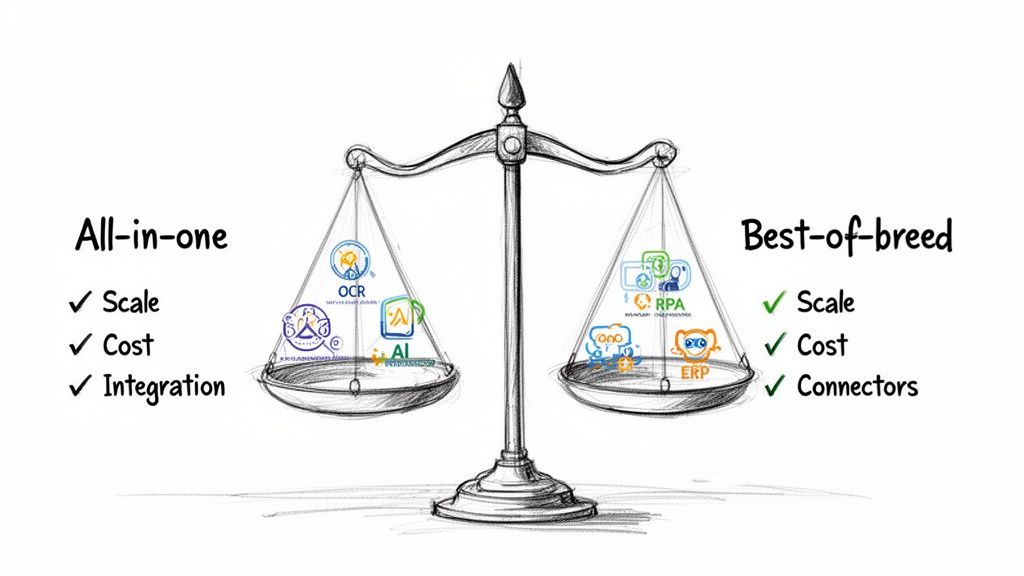
All-In-One Suites vs. Best-of-Breed Stacks
The final decision usually boils down to two philosophies: go all-in with a single, comprehensive solution, or build a "best-of-breed" stack using specialized tools.
The All-in-One Approach
An all-in-one platform gives you a single, tidy environment for your entire AP workflow. These are often part of larger ERP systems and promise seamless integration and one consistent user experience.
- Pros: Vendor management is simpler, you have a single point of contact for support, and integration costs might be lower upfront.
- Cons: You run the risk of getting a "jack of all trades, master of none." You might have to compromise on the quality of specific features, like the accuracy of data extraction or how flexible the payment options are.
The Best-of-Breed Approach
This strategy is all about picking the absolute best tool for each part of the job and connecting them with APIs. For instance, you might use ExtractBill for its top-tier AI data extraction, pipe that into a slick approval workflow tool, and then sync the final, approved data to your existing ERP.
- Pros: You get best-in-class functionality at every stage. It’s also much more flexible—you can swap out components as your needs evolve.
- Cons: It definitely requires more work to get the different systems talking to each other, and you'll have more vendor relationships to manage.
Which path is right for you? It really depends on your company's DNA. A small business with limited IT resources might find an all-in-one solution much easier to handle. But a tech-forward company obsessed with peak performance will almost always get better results by building a curated stack that absolutely nails every single step.
Building a Practical API-Driven Integration
Okay, let's get our hands dirty. Connecting your tools is where the real magic happens in AP automation. This is the moment we move past the theory and actually build the digital plumbing that connects your invoices to your accounting system. A solid, API-driven workflow is what makes the whole system tick—creating a reliable process your finance team can trust, day in and day out.
Let's walk through a super common and effective setup. Picture this: your vendors email their PDF invoices to a dedicated inbox, something like invoices@yourcompany.com. From there, a simple rule you set up (or use a tool like Zapier for) automatically grabs that PDF attachment and saves it to a specific folder in Google Drive or Dropbox.
That simple file drop is the starting pistol for the entire automated race.
Triggering the Extraction Process
The second a new PDF lands in that cloud folder, an event is triggered. This is the first, crucial link in our automation chain. Instead of someone on your team manually downloading that file, a serverless function (think AWS Lambda or Google Cloud Functions) or a low-code platform is already listening. It wakes up the instant it detects the new file.
This trigger immediately fires off an API call to your intelligent document extraction service. The function securely sends the invoice file to the service’s endpoint, kicking off the data extraction process. It all happens in the background, completely hands-off, within seconds of the email hitting your inbox.
Getting Back Structured JSON
A few moments later, the extraction API sends back the results. It doesn't just dump a wall of text on you. Instead, you get a clean, structured JSON (JavaScript Object Notation) object. This format is the universal language of the web, making it incredibly easy for any developer or modern application to understand and use.
A typical JSON response from an invoice might look something like this:
{
"vendor_name": "Office Supplies Co.",
"invoice_id": "INV-2024-881",
"invoice_date": "2024-10-26",
"due_date": "2024-11-25",
"total_amount": 149.99,
"line_items": [
{
"description": "Premium Printer Paper (Case)",
"quantity": 5,
"unit_price": 25.00,
"line_total": 125.00
},
{
"description": "Shipping Fee",
"quantity": 1,
"unit_price": 24.99,
"line_total": 24.99
}
]
}
This structured data is pure gold. Every piece of information is perfectly labeled, so mapping vendor_name to the supplier field in your ERP or total_amount to the bill total is dead simple.
Creating Bills in Your ERP, Programmatically
With that clean JSON in hand, the next step is to create the actual bill in your accounting software, whether that's NetSuite, QuickBooks, or Xero. Your code or automation platform simply takes the values from the JSON and makes another API call, this time to your accounting system.
You map vendor_name to the supplier field, invoice_id to the reference number, and so on. The line_items array is especially powerful, as it lets you programmatically add every single item from the invoice to the bill, ensuring perfect accuracy down to the last cent. This step turns raw invoice data into a perfectly formed, ready-to-pay bill in your financial system.
Pro Tip: Before you create a new vendor, always do a quick API lookup to see if they already exist in your system. Matching on the vendor name or tax ID is a simple check that prevents a ton of headaches caused by duplicate supplier records.
Must-Have Best Practices for a Resilient Workflow
Just connecting the dots isn't enough. You need to build a system that can handle the messy realities of the real world.
- Secure Authentication: Please, never hardcode API keys in your scripts. Use environment variables or a secrets manager like AWS Secrets Manager or HashiCorp Vault. It’s the only way to keep your credentials safe.
- Graceful Error Handling: What if an API is down for a minute or sends back an error? Your integration needs a plan. Build in retry logic (with exponential backoff, ideally) for temporary glitches and set up alerts to ping your team if an error just won't go away.
- Real-Time Updates with Webhooks: Constantly asking an API "Are you done yet?" is inefficient. A much smarter approach is using webhooks. When you submit an invoice, you also give the extraction service a URL. Once the processing is finished, the service sends a notification (a payload of data) directly to your URL. This event-driven pattern is way more efficient and scalable.
By weaving these components together, you move from a clunky, manual process to a sleek, automated machine. For developers ready to start building, diving into the API reference documentation is the best next step to find the exact endpoints and request formats you'll need.
Measuring What Matters: AP Automation KPIs and ROI
An automation project is only as good as its results. You can feel like things are running smoother, but without hard numbers, it's just a hunch. When you automate your accounts payable process, you're making a strategic investment, and you need to prove its worth to the rest of the business.
This means moving beyond vague feelings of "being more efficient" and tracking the metrics that actually matter.
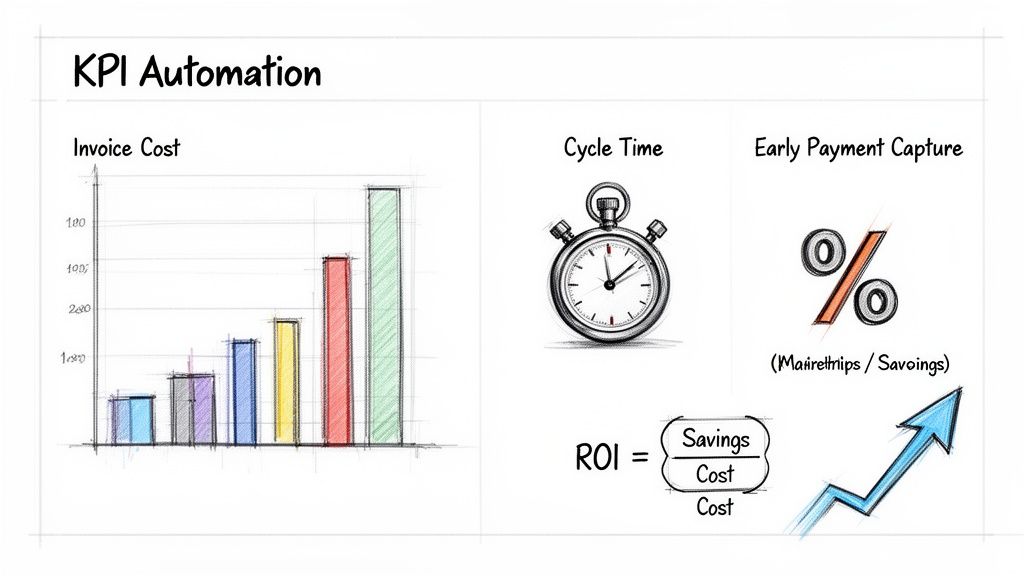
By focusing on a handful of critical key performance indicators (KPIs), you can create a clear before-and-after snapshot. This data lets you build a powerful return on investment (ROI) case that speaks directly to stakeholders in the language they understand: financial impact.
Key Metrics for AP Automation Success
Your entire goal here is to quantify improvements in three areas: speed, cost, and accuracy.
Before you flip the switch on your new system, you need a baseline. Be brutally honest about your current manual process—those numbers are what will make your success story so compelling later on.
To get started, here are a few of the most important metrics to track:
This table provides a quick reference for the most important metrics to track when automating your accounts payable process, including how to calculate them and what they signify.
Essential KPIs for Tracking AP Automation Success
| KPI | What It Measures | Industry Benchmark |
|---|---|---|
| Cost Per Invoice Processed | The total labor and overhead cost to process a single invoice from receipt to payment. | Manual: $15-$20+ Automated: $2-$5 |
| Invoice Cycle Time | The average time it takes from receiving an invoice to it being fully approved and paid. | Manual: 20-30 days Automated: 3-8 days |
| Early Payment Discount Capture Rate | The percentage of available early payment discounts that your team successfully captures. | Top Performers: >90% Average: ~47% |
| Straight-Through Processing (STP) Rate | The percentage of invoices that are processed from end to end with zero human intervention. | Varies by system, but 50-70% is a great starting goal. |
| First-Pass Match Rate | The percentage of invoices that are successfully matched to a PO on the first try. | Good: >85% |
Tracking these KPIs isn't just a one-time project for an ROI report. Monitoring them monthly or quarterly helps you spot trends, identify new bottlenecks, and continuously fine-tune your automated workflows.
From Metrics to a Compelling ROI Calculation
Once you have a few months of data from your automated system, you can build your ROI argument. The formula itself is simple, but the story it tells is what really sells the project.
ROI (%) = [(Financial Gain - Investment Cost) / Investment Cost] x 100
Let's break down how to get those numbers.
Calculating Your Financial Gain
This isn't just about cutting costs; it's also about creating new value. Your financial gain is a combination of a few key things:
- Reduced Labor Costs: This is the big one. Compare your old cost-per-invoice to the new one. If you reduced your cost from $15 to $3 per invoice and process 1,000 invoices a month, that’s $144,000 in annual savings right there.
- Captured Early Payment Discounts: This is money that was previously left on the table. If you start capturing an additional $2,000 per month in 2% discounts, that's $24,000 added straight to the bottom line each year.
- Eliminated Late Payment Fees: Tally up what you used to spend on penalties and add it to your gains. This one should drop to zero.
The impact on speed alone is often staggering. A market study found that companies using AP software cut invoice cycle times by an average of 62%, shrinking processing from 20.8 days down to just 7.9 days per invoice. Faster processing directly enables higher discount capture rates. You can read more about these AP automation market findings to see how automation drives tangible results.
Defining Your Investment Cost
This part is much more straightforward. It’s the total cost of your automation solution over a specific period (usually the first year). Make sure you include everything:
- Software subscription or licensing fees.
- Any one-time implementation or professional services costs.
- The cost of your team's time spent in training.
By plugging these real-world numbers into the ROI formula, you create a clear, data-backed case. It proves that automating accounts payable isn't just an operational upgrade—it's a powerful financial lever for the entire business.
Answering Your AP Automation Questions
Even with the best plan, you're going to have questions. You should. When you set out to automate the accounts payable process, you’re not just swapping out software—you're fundamentally changing how your team operates, how you pay suppliers, and how you protect financial data.
Let's get into some of the most common questions and roadblocks I see teams run into.
How Long Does Implementation Actually Take?
This is always the first question, and the only honest answer is: it depends.
For a small business plugging into an off-the-shelf system, you could be up and running in a few days. But for a larger company with a custom ERP and a web of complex approval rules? That could be a few weeks to a couple of months. Don't let anyone tell you otherwise.
The real drivers of your timeline are:
- Integration Complexity: Hooking into a modern system like QuickBooks is straightforward. Trying to make a new platform talk to a 15-year-old legacy ERP is a different beast entirely.
- Data Migration: How clean is your vendor data? If it's a mess of duplicates and outdated info, the cleanup and migration process can add significant time.
- Workflow Customization: If you have unique, multi-step approval chains or nuanced rules for handling exceptions, defining and testing that logic takes real collaboration.
My advice? Go with a phased rollout. Start small. Pick one department or a select group of friendly vendors. Work out the kinks there before you flip the switch for the whole company.
Managing Change with Your Team and Suppliers
Let’s be real: automation can sound scary to people who have been doing the same manual process for years. The key is how you frame it. This isn't about replacing people; it's about freeing them from mind-numbing data entry so they can focus on higher-value work like analyzing spend, managing vendor relationships, and optimizing cash flow.
Your team's historical knowledge is pure gold. Bring them into the process early. Have them help design and test the new workflows. Once they see how the new system vaporizes their biggest daily headaches, they'll become your biggest champions.
Getting suppliers on board is usually the easy part. Most vendors are thrilled to use a system that means they get paid faster and more reliably.
A simple, clear email campaign is usually all it takes. Explain the new process and—most importantly—what’s in it for them. Give them clear instructions and a real person to contact if they have questions.
Ensuring Security and Compliance
Handing your financial data to a new system is a big deal, and security should be a top concern. Any modern AP automation platform worth its salt is built with security as a non-negotiable foundation.
Here’s what to look for as a bare minimum:
- Data Encryption: All data—whether it's sitting on a server or moving across the internet—must be encrypted with current, industry-standard protocols.
- Access Controls: Role-based permissions are critical. Your AP clerks shouldn't have the same access as the CFO. The system must let you control who can see and do what.
- Audit Trails: Every single action, from the moment an invoice is uploaded to the second a payment is sent, needs to be logged in an unchangeable audit trail. This isn't just for fraud prevention; it's essential for passing financial audits and proving compliance.
Choosing a platform with a rock-solid security posture does more than just protect you from bad actors. It makes your life dramatically easier when auditors come knocking, whether you’re dealing with SOX, GDPR, or other regulations. By tackling these very practical concerns from the start, you set yourself up for a project that actually delivers.
Ready to eliminate manual data entry and reclaim hours every week? ExtractBill uses advanced AI to convert invoices and receipts into structured data with 99.9% accuracy in seconds. Try it for free at https://www.extractbill.com and see how easy it is to automate your accounts payable process.
Ready to automate your documents?
Start extracting invoice data in seconds with ExtractBill's AI-powered API.
Get Started for Free