The 12 Best AP Automation Software Solutions for 2026
Chasing approvals, manually keying in invoice data, and printing checks isn't just slow-it's a significant drain on resources and a major source of errors. The cost of manual accounts payable processing continues to rise, impacting everything from supplier relationships to strategic financial planning. The right technology can transform this cost center into a streamlined, data-driven engine for growth.
But with hundreds of tools on the market, how do you choose the best AP automation software for your specific needs? This guide cuts through the noise. We've analyzed the 12 leading solutions available today, evaluating them on critical factors like invoice capture accuracy, integration depth, approval workflow flexibility, and overall value.
This comprehensive resource is designed to help you make an informed decision quickly. For each tool, we provide a detailed analysis covering:
- Key features and ideal use cases.
- Honest pros and cons based on real user feedback.
- Clear pricing information and target company size.
- Screenshots and direct links to explore further.
We've done the heavy lifting so you don't have to. Whether you're a developer needing a robust document parsing API, a small business digitizing its first invoices, or an enterprise streamlining global back-office operations, this list will help you find the perfect fit. We'll compare platforms like ExtractBill, BILL, Tipalti, and others to help you eliminate manual work and reclaim control over your finances. Let's find the right solution to move your AP process forward.
1. ExtractBill
Best For: Developer-led integration and high-speed, high-accuracy document parsing.
ExtractBill distinguishes itself as a premier choice in the AP automation landscape by focusing on a developer-first, API-driven approach to invoice and receipt data extraction. Instead of a monolithic platform, it provides a powerful, AI-driven engine designed to be integrated directly into existing accounting, ERP, or custom-built financial workflows. This makes it an exceptional solution for businesses that prioritize speed, accuracy, and seamless system integration over an all-in-one, standalone software suite. Its core strength lies in transforming unstructured documents like invoices, receipts, and purchase orders into clean, standardized JSON data with near-instantaneous processing times.
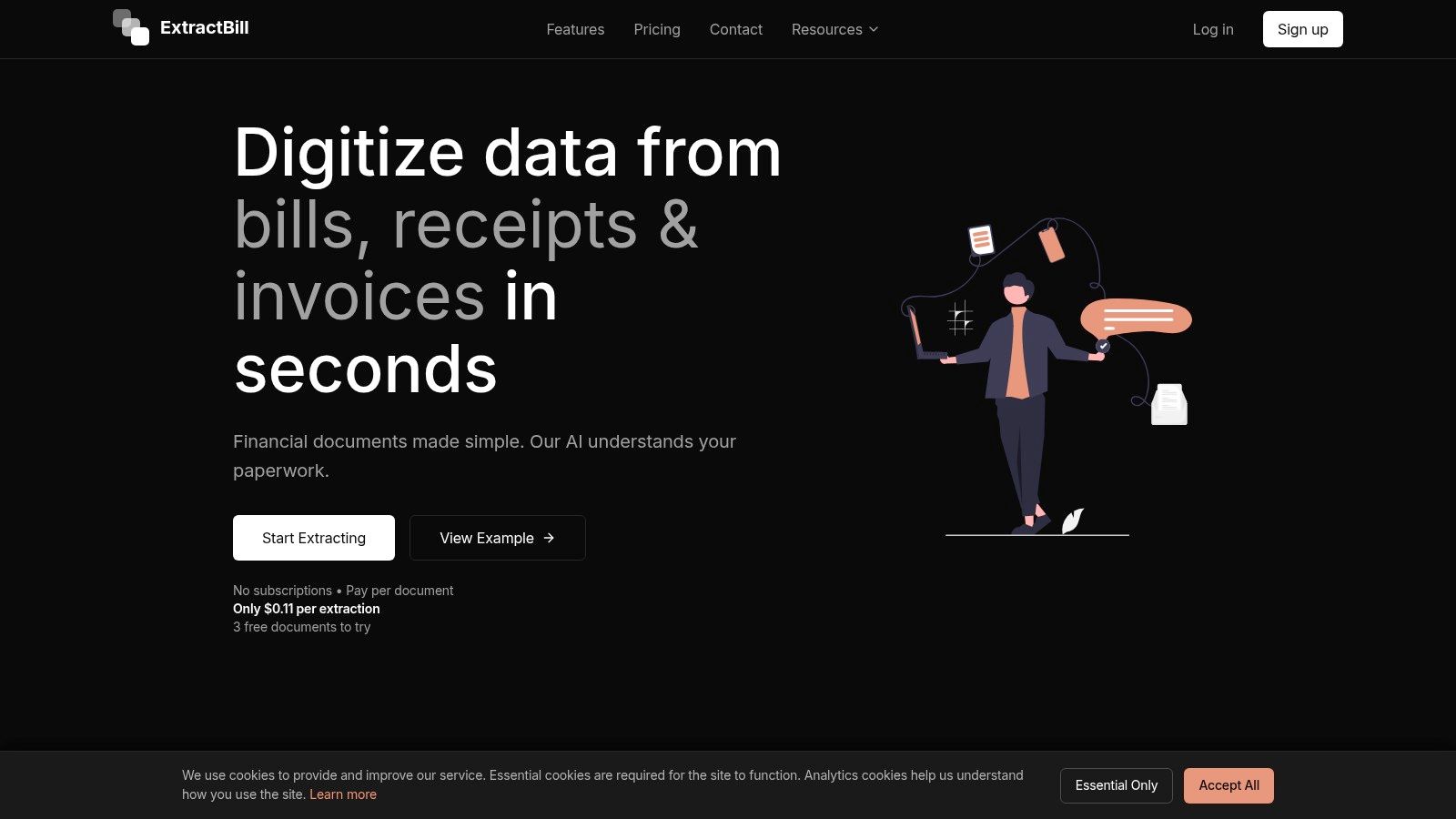
This tool is engineered for organizations that need to eliminate manual data entry bottlenecks at the source. The platform claims an impressive 99.9% accuracy rate across more than 50 financial document types, powered by an AI Vision engine trained on millions of documents. The result is reliable extraction of critical data points, including line items, totals, dates, and vendor information, which significantly reduces the need for manual review and correction. The clear benefits of accounts payable automation become readily apparent as teams can reclaim hours previously spent on tedious data entry.
Standout Features & Analysis
- Processing Speed: A key differentiator is its lightning-fast performance. Documents are processed in an average of 2-5 seconds with parallel handling, meaning there are no queues or batch processing delays. This is critical for real-time applications like expense approvals or immediate data synchronization with an ERP.
- Integration-Ready Output: ExtractBill is built for developers. It provides a RESTful API, comprehensive documentation, and webhook notifications for event-driven workflows. The output is consistently structured JSON with standardized field names, simplifying the mapping process into other systems.
- Transparent Pricing Model: The platform uses a straightforward, pay-as-you-go model at $0.11 per document extraction. This approach avoids subscriptions and long-term commitments, offering a low-friction entry point with three free documents to test the API and a money-back guarantee on unused credits.
Pros & Cons
| Pros | Cons |
|---|---|
| Speed: Averages ~3 seconds per document with parallel processing. | Cost at Scale: Per-document pricing may become less competitive for enterprises with extremely high monthly volumes. |
| Accuracy: Enterprise-grade 99.9% accuracy on over 50 document types. | File Limitations: Has a 10MB file size limit and only accepts PDF, JPG, or PNG formats. |
| Developer-Focused: Excellent API, webhooks, and documentation for easy integration. | |
| Simple Pricing: Transparent, usage-based model with no subscriptions. | |
| Security: Features encrypted data transfers and is built for secure, scalable workflows. |
2. BILL (Bill.com)
BILL (formerly Bill.com) is a titan in the AP automation space, trusted by small to mid-sized businesses and accounting firms alike. Its core strength lies in providing a centralized platform that seamlessly connects and automates the entire payment lifecycle, from invoice capture and approval routing to a wide array of payment options. For businesses seeking a mature, well-integrated solution, BILL stands out as one of the best AP automation software options available.
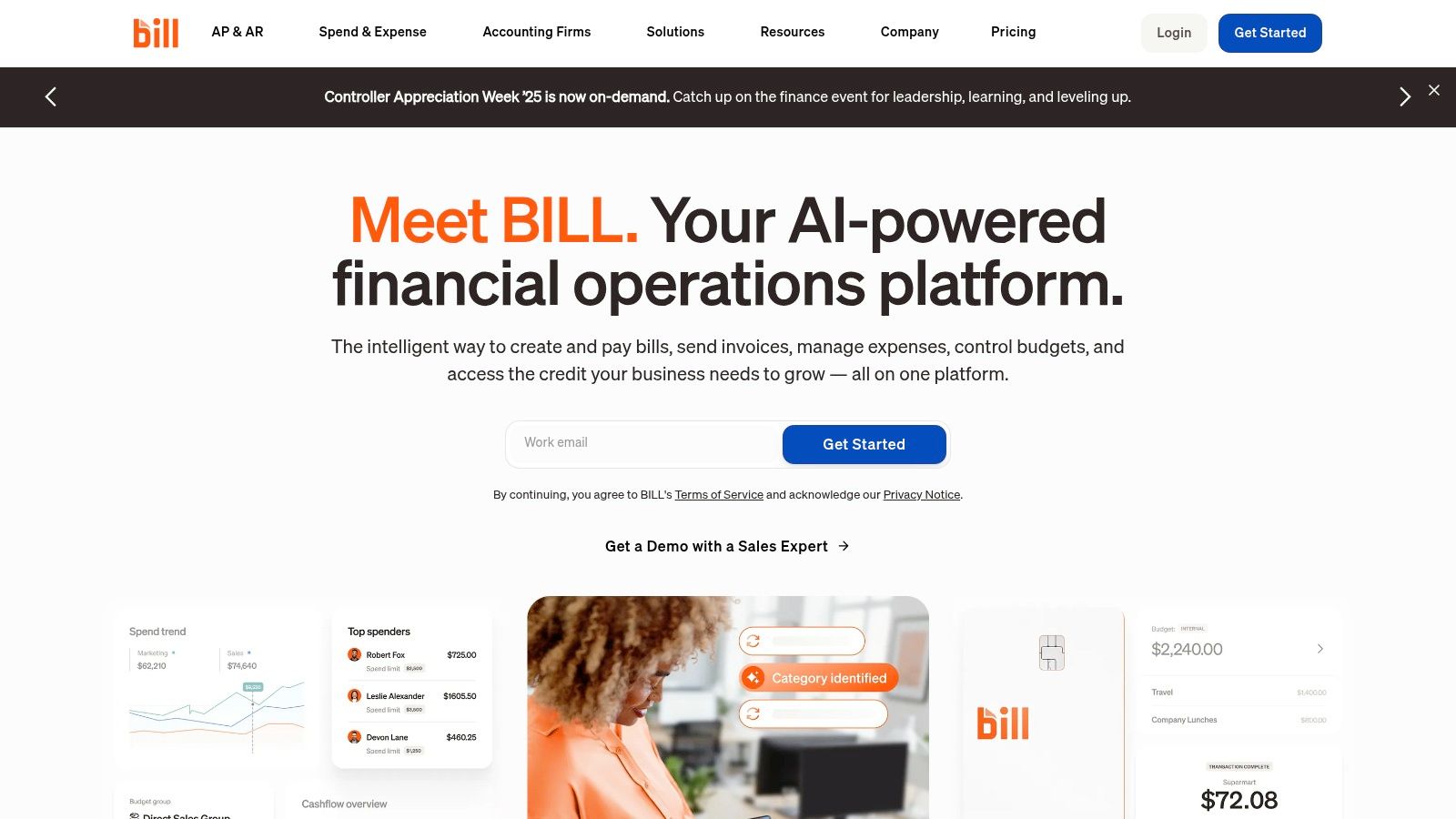
The platform offers deep, two-way synchronization with popular accounting systems like QuickBooks and Xero, alongside advanced integrations for NetSuite and Sage Intacct. This ensures that financial data remains consistent across systems with minimal manual effort. Its intelligent invoice processing, configurable approval workflows, and robust audit trails provide the control and visibility that growing finance teams need.
Key Features and Considerations
BILL’s platform is built around efficiency and connectivity. It boasts an extensive network of over four million vendors, which can significantly speed up payment processing times. It also supports multiple payment methods, including ACH, virtual cards, international wires, and standard checks, giving users flexibility in how they pay suppliers.
What Makes BILL Stand Out:
- Transparent Pricing: BILL provides clear, published pricing for its plans, making it easier for businesses to budget and predict costs.
- Extensive Integrations: Its deep ecosystem of accounting and ERP integrations is a major differentiator, ensuring it fits within existing financial tech stacks.
- PO Matching: The platform supports 2- and 3-way purchase order matching, a critical feature for controlling spend and preventing fraudulent payments. To understand this process better, you can learn more about three-way matching.
| Feature | Details |
|---|---|
| Best For | SMBs and mid-market companies needing a robust AP/AR solution |
| Pricing | Starts at $45 per user/month (billed annually) |
| Pros | Mature platform, large vendor network, strong integrations |
| Cons | Per-transaction fees can add up with high payment volumes |
| Website | https://www.bill.com |
3. Tipalti
Tipalti is an end-to-end powerhouse designed for mid-market and enterprise companies with complex, global payables. Its primary strength lies in automating the entire supplier payments operation, from self-service onboarding and tax compliance to multi-entity payment execution and reconciliation. For businesses managing a high volume of international suppliers or intricate payment workflows, Tipalti is one of the best AP automation software solutions available.
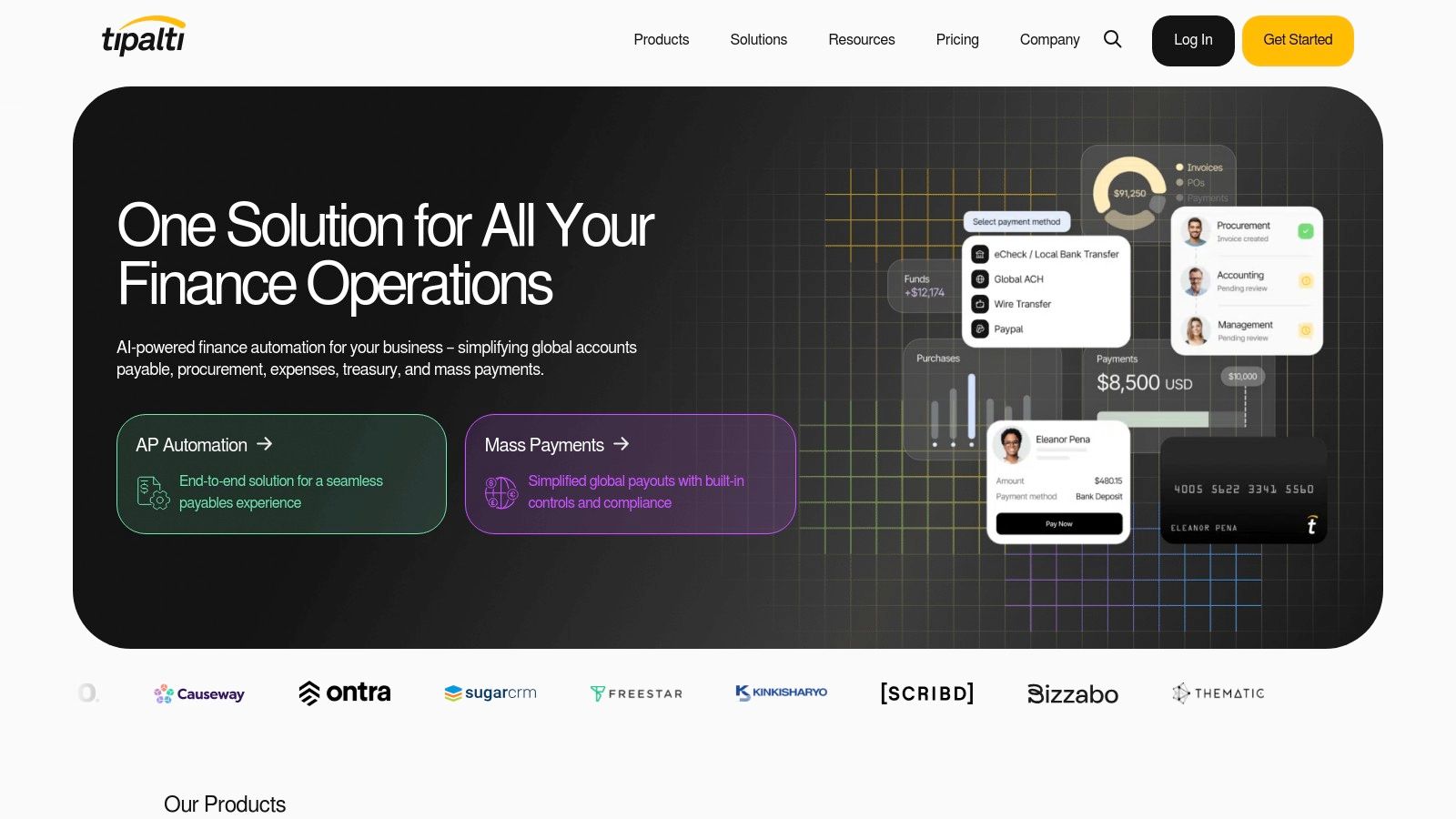
The platform handles the full lifecycle, starting with a supplier portal for onboarding and W-9/W-8 form collection, backed by a KPMG-approved tax engine. It uses AI-powered optical character recognition (OCR) for invoice processing and supports 2- and 3-way PO matching. Its seamless integration with major ERPs like NetSuite and Sage Intacct ensures data consistency, providing a single source of truth for global accounts payable.
Key Features and Considerations
Tipalti’s global payment infrastructure is its standout feature, enabling payments to over 200 countries in more than 120 currencies across 50+ different methods. The platform also offers advanced FX and multi-entity capabilities, simplifying financial management for companies with international subsidiaries. This comprehensive approach minimizes manual work and mitigates compliance risk.
What Makes Tipalti Stand Out:
- Global Mass Payments: Its ability to handle complex cross-border payments, tax compliance, and currency conversions is a major competitive advantage.
- End-to-End Automation: The platform covers everything from supplier onboarding and invoice processing to global payment execution and real-time reconciliation. More on how this process starts can be found in our guide to invoice data capture software.
- Scalability: Tipalti is built to scale with growing businesses, supporting multi-entity structures and increasingly complex compliance requirements without needing additional headcount.
| Feature | Details |
|---|---|
| Best For | Mid-market to enterprise companies with complex global payment needs |
| Pricing | Starts at $149 per month (billed annually) |
| Pros | Strong cross-border payments, robust compliance, unlimited users |
| Cons | Implementation can be involved for complex, multi-entity setups |
| Website | https://tipalti.com |
4. AvidXchange
AvidXchange offers enterprise-grade AP automation and a unique "AP as a Service" model, targeting mid-market and enterprise companies. Its strength lies in its comprehensive, managed approach that combines AI-enhanced invoice processing with a massive supplier payment network. For organizations looking to offload a significant portion of their AP operations, AvidXchange provides one of the most robust, service-oriented solutions on the market.
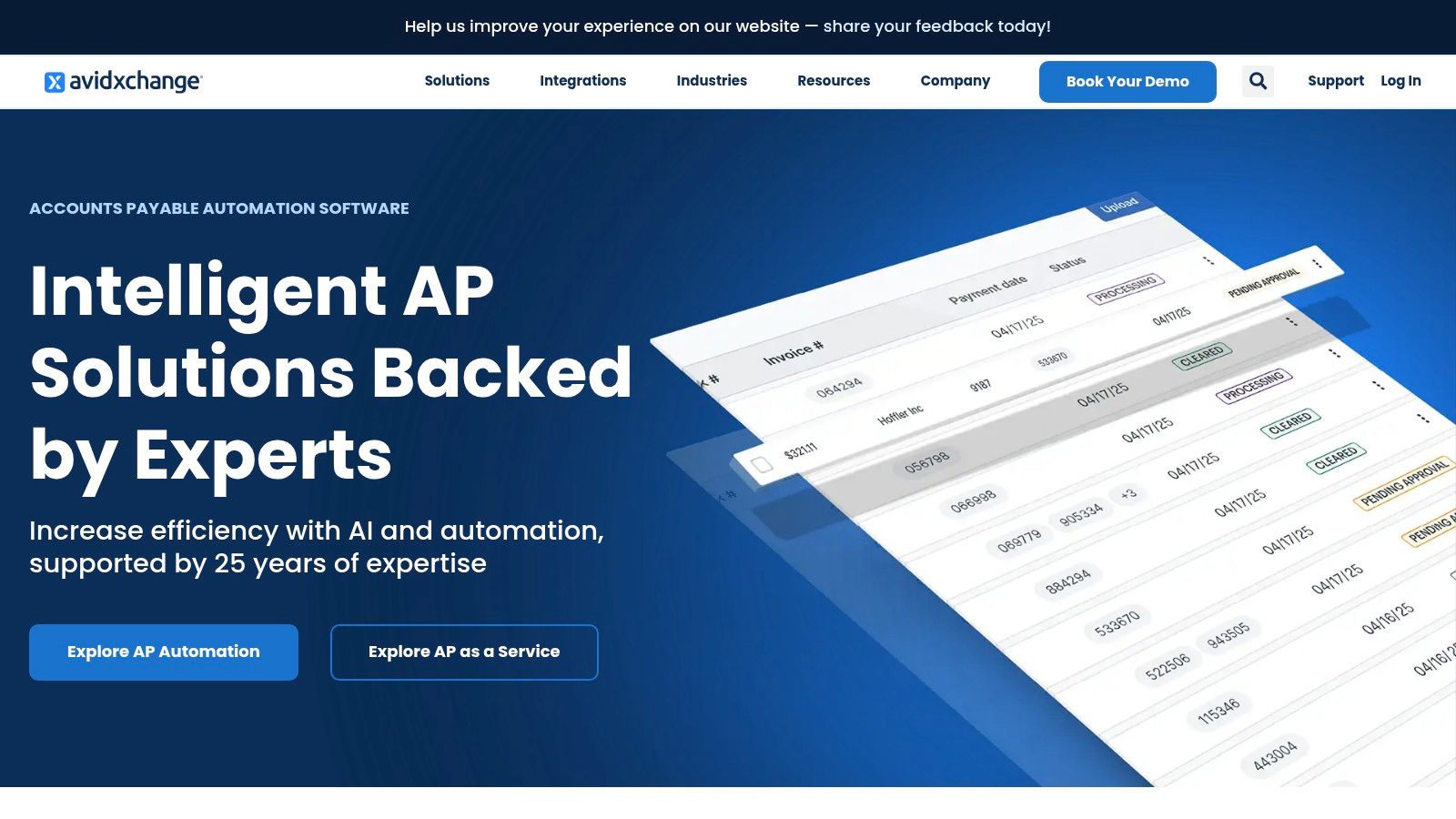
The platform is designed to handle high volumes of invoices and payments, integrating directly with leading ERP systems to create a seamless workflow. By managing the entire payment execution process through its AvidPay Network, it reduces the in-house burden of vendor management, payment processing, and fraud prevention. This full-service model appeals to finance teams focused on strategic initiatives rather than transactional tasks.
Key Features and Considerations
AvidXchange's two-decade history has allowed it to build an extensive network of US-based suppliers, which accelerates payment cycles and encourages vendor adoption of electronic payments. The platform's solutions are tailored to specific industries, including real estate, construction, and healthcare, addressing unique AP challenges within those sectors. Adopting this type of system aligns well with accounts payable automation best practices for scaling businesses.
What Makes AvidXchange Stand Out:
- Managed Payment Services: Its AvidPay Network handles payment execution, which significantly reduces the internal workload for AP teams.
- Large Supplier Network: With hundreds of thousands of suppliers, it streamlines vendor payments and boosts e-payment adoption.
- Industry-Specific Solutions: Offers tailored workflows and integrations for industries with complex AP needs, like real estate and construction.
| Feature | Details |
|---|---|
| Best For | Mid-market to enterprise companies seeking managed AP and payment services |
| Pricing | Custom pricing based on invoice volume and services; requires a quote |
| Pros | Large US supplier network, reduces internal AP workload, deep ERP integrations |
| Cons | Pricing is not transparent; longer sales and implementation cycles are common |
| Website | https://www.avidxchange.com |
5. Stampli
Stampli excels in providing a collaborative AP automation platform that places communication at the center of the invoice management process. Built to handle the complexities of real-world accounts payable, it combines AI-driven invoice capture with seamless, in-app communication tools that connect approvers, vendors, and the AP team directly on top of each invoice. This approach drastically reduces the time spent chasing approvals and resolving discrepancies, making it a top contender for the best ap automation software for teams that value speed and user adoption.
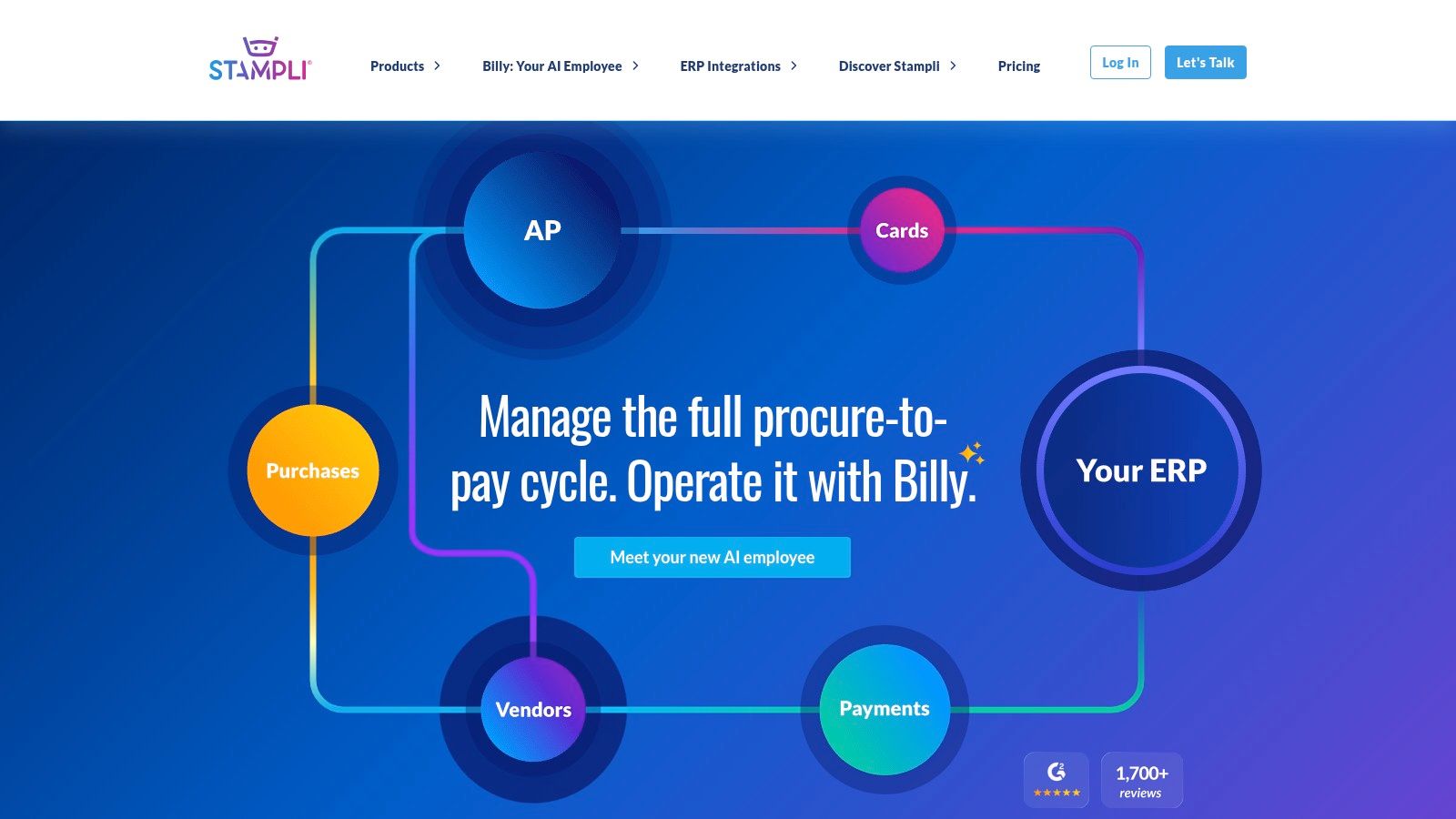
The platform is designed for rapid deployment, often getting new users up and running in days, not weeks. Its strength lies in its user-friendly interface and its ability to work with a company’s existing ERP and business processes, rather than forcing a complete overhaul. With features like automated PO matching and integrated payments, Stampli offers a comprehensive solution that scales from mid-market businesses to enterprise-level organizations.
Key Features and Considerations
Stampli's core is its Cognitive AI, "Billy the Bot," which learns an organization's patterns to automate GL coding, approvals, and fraud detection. This is complemented by its emphasis on customer success, providing unlimited support and a dedicated manager to ensure teams get the most value from the platform. The ability to handle unlimited entities and vendors within its pricing model is a significant advantage for growing or complex businesses.
What Makes Stampli Stand Out:
- Collaborative Focus: All communication is centralized on the digital invoice, creating a clear and auditable trail that eliminates back-and-forth emails.
- Fast Implementation: The company prioritizes a fulfillment-first approach, ensuring quick and seamless integration with existing ERP systems and processes.
- User Adoption: Its intuitive interface is designed for non-accountants, leading to high adoption rates across departments and faster approval cycles.
| Feature | Details |
|---|---|
| Best For | Mid-market to enterprise companies seeking a collaborative, user-friendly AP solution |
| Pricing | By quote only; pricing is customized based on features and volume |
| Pros | Rapid deployment, strong user adoption, unlimited entities/vendors, excellent support |
| Cons | Pricing is not transparently published, some procurement features are add-ons |
| Website | https://www.stampli.com |
6. Coupa (Invoicing/AP Automation)
Coupa positions itself as a comprehensive Business Spend Management (BSM) platform, where AP automation is a critical component of a much broader procurement-to-pay ecosystem. It is designed for mid-market and enterprise organizations that require tight control over spending and global compliance. Its strength lies in linking procurement directly with accounts payable, creating a "no PO, no pay" environment that drives visibility and eliminates rogue spending.
The platform focuses on creating a touchless invoice processing experience by ensuring most spend is pre-approved through its procurement module. AI-driven data extraction, configurable matching tolerances, and a fee-free supplier portal encourage high e-invoicing adoption. For large businesses seeking one of the best AP automation software solutions integrated within a unified spend management system, Coupa is a powerful contender.
Key Features and Considerations
Coupa’s invoicing and AP automation capabilities are built to handle complexity and scale. It features advanced fraud detection and global e-invoicing compliance to support international operations. The tight integration between procurement and AP means invoices matched against pre-approved purchase orders can be processed and paid automatically, significantly reducing manual intervention and cycle times.
What Makes Coupa Stand Out:
- Procurement-Led AP: Its unique strength is the seamless connection to procurement, ensuring that invoices arriving in AP are already linked to approved spend.
- Supplier Adoption: The free supplier portal, Coupa Supplier Portal (CSP), removes barriers to e-invoicing, helping organizations digitize their entire supply chain.
- Global Compliance: The platform is built to handle complex global tax and e-invoicing regulations, making it ideal for multinational corporations.
| Feature | Details |
|---|---|
| Best For | Mid-market and enterprise companies needing a unified spend management platform |
| Pricing | By quote only; tailored to enterprise-level needs |
| Pros | Strong compliance, high touchless AP rates, excellent spend visibility |
| Cons | High implementation complexity; pricing is not transparent |
| Website | https://www.coupa.com/products/ap-automation/invoicing |
7. SAP Concur Invoice
SAP Concur Invoice is an enterprise-grade solution that integrates accounts payable management directly into the broader Concur ecosystem for travel and expense management. It is particularly powerful for global organizations and companies already invested in SAP products. Its strength lies in providing a unified system to manage all employee-initiated spending, from travel bookings to invoice payments, ensuring consistent policy enforcement and visibility.
The platform leverages OCR and machine learning for invoice capture, automates complex approval workflows, and provides robust reporting capabilities. By centralizing invoice data alongside travel and expense information, finance teams gain a complete picture of spend before it happens. This makes it one of the best AP automation software choices for large businesses seeking comprehensive spend management and global compliance support.
Key Features and Considerations
SAP Concur Invoice is designed to handle the complexities of large-scale operations. It offers features like duplicate invoice detection, detailed audit trails for compliance, and mobile approvals that empower budget owners to review and approve invoices on the go. Its native integration with SAP ERP systems simplifies data synchronization and financial reconciliation.
What Makes SAP Concur Invoice Stand Out:
- Unified Spend Management: Combines invoice, travel, and expense management into a single, integrated platform for holistic financial oversight.
- Global Compliance: Built to support multi-national organizations with features tailored for international tax regulations and compliance requirements.
- Enterprise-Grade Support: Backed by SAP's extensive documentation, training resources, and proven ROI calculators to help quantify business impact.
| Feature | Details |
|---|---|
| Best For | Enterprises and global organizations, especially those using SAP or Concur |
| Pricing | Available by quote only; not publicly listed |
| Pros | Integrates with T&E, strong global capabilities, robust reporting |
| Cons | Pricing is not transparent; may be overly complex for smaller businesses |
| Website | https://www.concur.com/en-us/invoice-processing |
8. Yooz
Yooz delivers AI-powered AP automation with a strong focus on quick time-to-value and simplicity, making it a compelling choice for small and mid-market businesses. The platform is designed for rapid implementation, allowing teams to get up and running quickly while automating the entire invoice and payment process. For organizations that prioritize ease of use, transparent packaging, and fast results, Yooz is one of the best AP automation software solutions to consider.
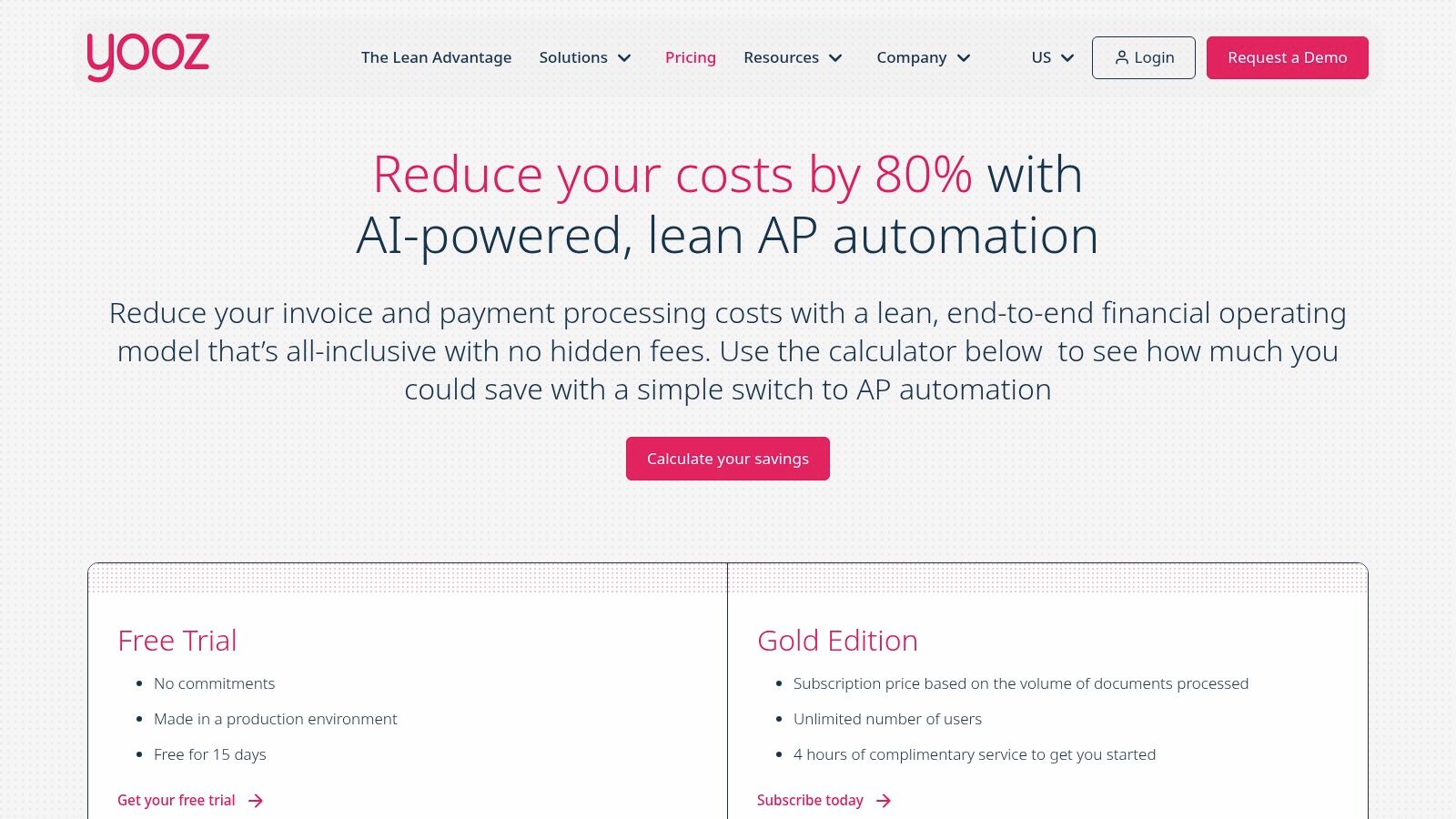
The platform offers a complete, end-to-end workflow covering everything from invoice capture and matching to approvals and payments. Its packaging is straightforward, and its AI-driven data extraction technology helps minimize manual entry from day one. Yooz also provides a unique 15-day free trial in a live production environment, giving finance teams a hands-on opportunity to evaluate its real-world performance before committing.
Key Features and Considerations
Yooz stands out with its user-centric approach and an emphasis on accessibility. Its pricing model is based on document volume rather than user seats, and its Gold edition includes unlimited users, which is a significant advantage for growing teams. This all-inclusive pricing strategy removes barriers to adoption and encourages collaboration across departments without incurring extra costs.
What Makes Yooz Stand Out:
- Rapid Onboarding: Yooz claims that businesses can start automating their AP processes within an hour, a key benefit for teams needing immediate efficiency gains.
- Unlimited Users: The platform's paid plans offer unlimited users, making it a cost-effective solution for organizations of all sizes.
- Production Free Trial: Its 15-day free trial allows users to test the full platform with their own documents and workflows, providing a clear picture of its value.
| Feature | Details |
|---|---|
| Best For | SMBs and mid-market teams looking for a fast, user-friendly, all-in-one AP solution |
| Pricing | Based on monthly invoice and document volume; custom quotes are provided |
| Pros | Simple packaging, fast onboarding, strong support, and unlimited users |
| Cons | Pricing depends on document volume; fewer native procurement controls |
| Website | https://www.getyooz.com/pricing |
9. Oracle NetSuite — AP Automation / Bill Capture
For companies already invested in the Oracle NetSuite ecosystem, the native AP Automation suite is a powerful and logical choice. Rather than being a separate application, NetSuite’s capabilities are built directly into the ERP, offering a seamless and unified experience. Its strength lies in leveraging the core ERP data for enhanced control, providing features like Bill Capture, PO matching, and payment automation without the need for complex third-party integrations.
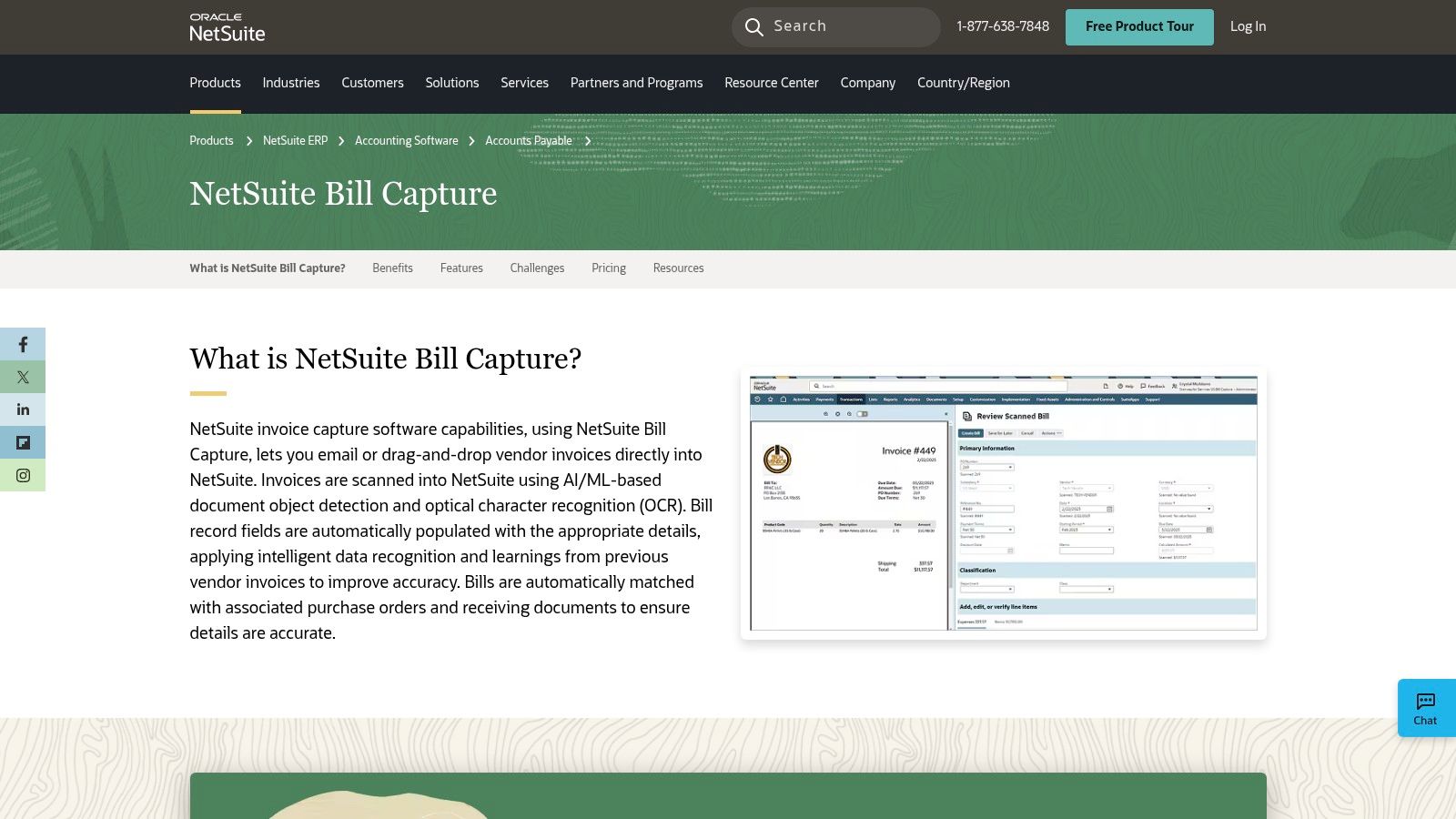
The platform’s Bill Capture feature uses AI and machine learning to scan and enter invoice data from emails or uploads, improving its accuracy over time as it learns from user corrections. This embedded functionality simplifies reconciliation and provides ERP-grade auditability, making it one of the best AP automation software solutions for existing NetSuite users. It is particularly well-suited for growing mid-market and enterprise businesses with multi-entity structures that demand a single source of truth for financial data.
Key Features and Considerations
NetSuite’s approach eliminates the common pain points of data synchronization and integration maintenance. All invoice processing, matching, and approvals occur within the same environment where the general ledger, inventory, and purchasing data reside. This creates unparalleled visibility and control over the entire procure-to-pay lifecycle, all backed by NetSuite’s robust security and reporting infrastructure.
What Makes NetSuite AP Automation Stand Out:
- Native ERP Experience: Being built-in reduces integration overhead, eliminates reconciliation issues between systems, and provides a consistent user interface.
- Intelligent Data Capture: The AI-powered Bill Capture learns from corrections, progressively enhancing data entry accuracy and reducing manual intervention.
- Unified Approval Workflows: Leverages NetSuite's core workflow engine to create sophisticated, multi-level approval chains that align with existing business processes.
| Feature | Details |
|---|---|
| Best For | Mid-market and enterprise companies already using the NetSuite ERP |
| Pricing | Quote-based; functionality is typically an add-on to a NetSuite subscription |
| Pros | Seamless ERP integration, strong audit trails, scales with the business |
| Cons | Only available to NetSuite customers; not a standalone AP application |
| Website | https://www.netsuite.com/portal/products/erp/financial-management/finance-accounting/accounts-payable-software/invoice-management/invoice-capture.shtml |
10. Airbase
Airbase offers a comprehensive spend management platform that goes beyond traditional accounts payable. It consolidates AP automation, guided procurement, expense management, and corporate cards into a single, unified system. This approach is designed for mid-market to enterprise-level finance teams aiming to gain holistic control over all company spending, from initial request to final reconciliation. For organizations looking to replace multiple disparate systems with one cohesive solution, Airbase is one of the best AP automation software choices available.
The platform shines in its ability to enforce pre-approval policies before spending occurs, a concept it calls "guided procurement." This proactive control, combined with automated invoice processing, multi-step approval workflows, and seamless accounting sync, ensures both compliance and efficiency. By integrating AP with corporate cards and expense reimbursements, Airbase provides finance leaders with real-time visibility and control across the entire spectrum of non-payroll spend.
Key Features and Considerations
Airbase’s all-in-one model is its defining characteristic. It provides a consistent user experience for employees making requests, managers approving them, and finance teams processing them, regardless of the spend category. The system is built to provide deep accounting accuracy, with robust controls and detailed audit trails that scale as a company grows, making it a strong contender for businesses with complex operational needs.
What Makes Airbase Stand Out:
- Unified Platform: It successfully combines AP automation, corporate cards, and expense management, eliminating the need for separate tools and simplifying the tech stack.
- Proactive Spend Control: The emphasis on guided procurement and pre-spend approvals helps companies control costs before they are incurred, not just track them after the fact.
- Scalable Controls: Airbase is designed for growing organizations, with features and workflows that support increasing transaction volumes and complex compliance requirements.
| Feature | Details |
|---|---|
| Best For | Mid-market to enterprise companies wanting a unified spend management system |
| Pricing | Not public; must request a custom quote for tiered plans |
| Pros | Consolidates multiple finance tools, strong focus on controls and accuracy |
| Cons | May be more comprehensive than needed for a simple AP-only solution |
| Website | https://www.airbase.com/pricing |
11. Ramp — Bill Pay
Ramp offers a modern, all-in-one spend management platform where AP automation is a core, integrated component. Initially known for its corporate cards, Ramp has expanded into a powerful financial operations hub with its Bill Pay feature, making it a compelling choice for startups and SMBs. It combines invoice processing, approval workflows, and multi-rail payments into a single, intuitive interface, positioning it as one of the best AP automation software solutions for businesses prioritizing consolidation and cost-efficiency.
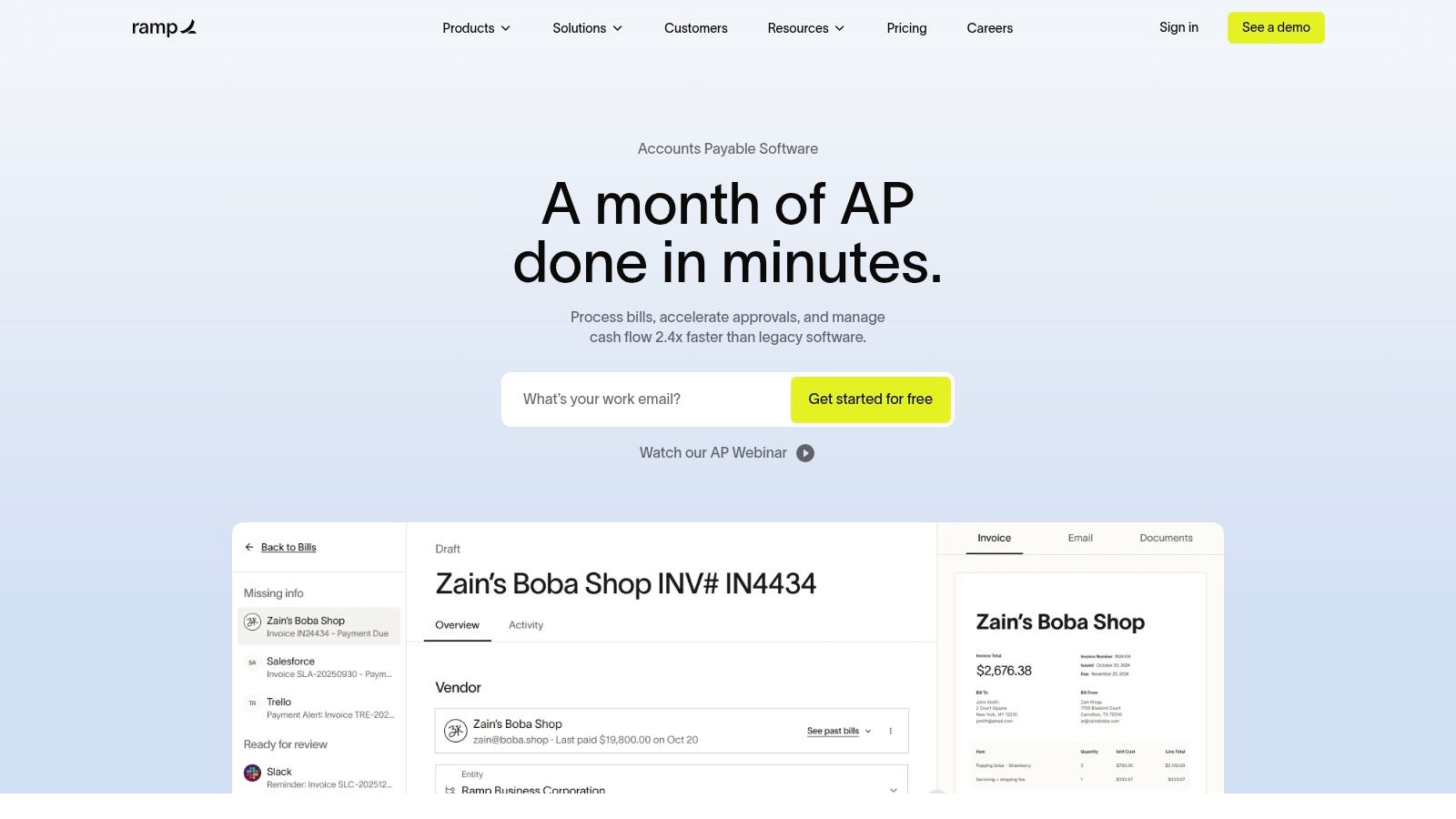
The platform is engineered for speed and ease of use, featuring AI-powered invoice capture that automatically extracts key details and codes them for accounting. Ramp integrates directly with major accounting systems like QuickBooks Online and Xero, with its paid tier, Ramp Plus, adding support for NetSuite, Sage Intacct, and others. This unified approach allows finance teams to manage cards, expenses, and bill payments without switching between disparate systems.
Key Features and Considerations
Ramp’s primary appeal is its free-to-start model, which provides robust AP automation capabilities without upfront software costs. The base platform includes unlimited users, AI-based invoice data entry, customizable approval rules, and standard payments via ACH, check, or Ramp card. Businesses can scale into paid tiers for more advanced features like purchase order management and multi-entity support as they grow.
What Makes Ramp Stand Out:
- Unified Spend Platform: It combines corporate cards, expense management, and AP automation, offering a holistic view of company spend in one place.
- Cost-Effective Model: The core Bill Pay platform and standard payment methods are free, making it highly accessible for startups and small businesses.
- Modern User Experience: Ramp is known for its clean, intuitive interface and quick setup, which reduces the learning curve for finance teams and employees.
| Feature | Details |
|---|---|
| Best For | Startups and SMBs looking for an integrated, low-cost spend management tool |
| Pricing | Core platform is free; Ramp Plus starts at $12 per user/month |
| Pros | Free core AP features, excellent UX, all-in-one spend platform |
| Cons | Advanced ERP integrations and PO matching require a paid plan |
| Website | https://ramp.com/bill-pay |
12. G2 — Accounts Payable Automation Software Category
While not a software itself, G2’s AP Automation category is an indispensable resource for anyone researching the market. It functions as a comprehensive peer-review hub and marketplace where businesses can compare hundreds of the best ap automation software solutions side-by-side. Its value lies in aggregating real user reviews, detailed feature comparisons, and satisfaction ratings, offering an unbiased layer of validation that goes beyond vendor marketing materials.
The platform’s powerful filtering tools allow you to narrow down options based on specific criteria like business size, required features, budget constraints, and integration needs. G2’s Grid reports provide a visual map of the landscape, plotting vendors by market presence and user satisfaction. This helps finance teams quickly create a shortlist of relevant tools before investing time in demos, making the evaluation process far more efficient and data-driven.
Key Features and Considerations
G2’s primary strength is its sheer volume of crowd-sourced data, which provides authentic insights into a product’s real-world performance. Users can read detailed reviews from peers in similar industries or company sizes, uncovering potential strengths and weaknesses that might not be apparent during a sales call. It also provides direct links to vendor websites, pricing pages, and demo requests.
What Makes G2 Stand Out:
- Broad Market Coverage: It lists over 300 AP automation products, from established leaders to emerging niche players, providing a complete market overview.
- Authentic Peer Feedback: Real user reviews and satisfaction metrics offer an unbiased perspective to help validate vendor claims and build confidence.
- Advanced Filtering: The ability to filter solutions by features, integrations, and company size is crucial for creating an effective software shortlist.
| Feature | Details |
|---|---|
| Best For | Businesses in the research phase looking to compare vendors with user data |
| Pricing | Free to browse and compare solutions |
| Pros | Extensive vendor list, real user reviews, powerful filtering and reports |
| Cons | Sponsored placements can influence visibility; listed pricing may be outdated |
| Website | https://www.g2.com/categories/ap-automation |
Top 12 AP Automation Software Comparison
| Product | Core features | Speed & accuracy | Target audience | Pricing & value | Unique selling points |
|---|---|---|---|---|---|
| ExtractBill | AI Vision OCR; line‑item & table parsing; REST API + webhooks; PDF/JPG/PNG upload | 2–5s avg (~3s); 99.9% accuracy; parallel processing, no queues | SMBs, accounting/finance teams, expense mgmt, software vendors | $0.11/extraction; 3 free docs; no subscription; money‑back token guarantee | Standardized JSON; developer‑first docs/GitHub; secure encrypted transfers |
| Bill (Bill.com) | Invoice capture, approvals, payments; deep ERP/Acct integrations | Mature platform reliability; enterprise workflows | SMB to mid‑market; accounting firms | Published plans; transaction fees on some rails | 4M+ vendor network; multiple payment rails (ACH, card, check, wires) |
| Tipalti | Global payables, supplier onboarding, tax engine; multi‑currency payments | AI‑assisted capture; strong compliance & validation | Companies with global supplier/payables needs | Quote‑based; scalable for high volumes | KPMG‑approved tax engine; payments to 200+ countries, 120+ currencies |
| AvidXchange | AI invoice mgmt; managed payments; ERP integrations | Enterprise‑grade accuracy; long track record | Mid‑market to enterprise needing managed AP | Custom pricing; longer implementation cycles | AP as a Service; large US supplier network; managed payment services |
| Stampli | AI capture + in‑app collaboration; PO matching; integrated payments | Fast deployments; strong user adoption focus | Teams prioritizing collaborative invoice processing | Quote‑based pricing | In‑app vendor/approver collaboration; Stampli Cognitive AI |
| Coupa (Invoicing) | Procurement‑led e‑invoicing; configurable matching; fraud detection | Touchless AP + compliance focus for enterprises | Mid‑market & enterprise with procurement control needs | Enterprise quote pricing | Tight procurement‑to‑AP linkage; global e‑invoicing capabilities |
| SAP Concur Invoice | OCR/ML capture; automated routing & approvals; mobile approvals | Enterprise compliance & global support | Organizations using Concur/SAP; global enterprises | Quote‑based; SAP‑aligned pricing | Backed by SAP ecosystem, tools, training and ROI resources |
| Yooz | End‑to‑end capture, matching, approvals, payments; 15‑day trial | Quick onboarding; short time‑to‑value | SMBs and mid‑market teams | Volume‑based pricing; flexible subscriptions; free trial | Unlimited users on some editions; fast onboarding and support |
| Oracle NetSuite — AP Automation | Native AP in NetSuite; AI/ML bill capture; PO matching | Embedded ERP experience; improves over time | Organizations already on NetSuite (mid‑market/enterprise) | Quote‑based; requires NetSuite | Native ERP integration reduces reconciliation/integration overhead |
| Airbase | Unified spend management: AP, procurement, cards, expenses | Modern UX; consolidates workflows & controls | Finance teams seeking consolidated spend platform | Quote‑based tiers | All‑in‑one spend controls with corporate card integration |
| Ramp — Bill Pay | Invoice capture, approval routing; ACH/check/card/wires; ERP sync | Quick setup; free core plan for many users | Startups and SMBs wanting low cost start | Free‑to‑start; optional Ramp Plus for advanced controls | Core features free; modern UX and corporate card + payments bundle |
| G2 — AP Automation Category | Marketplace: rankings, filters, user reviews, deal listings | N/A (research platform) | Buyers researching AP automation vendors | Free to browse; links to vendor pricing/demos | Large product coverage; real user reviews and shortlisting tools |
Your Next Step: Take Control of Your AP Process
The journey from a manual, paper-burdened accounts payable process to a streamlined, automated, and strategic business function begins now. You have navigated through a comprehensive landscape of the best AP automation software available today, from all-in-one platforms like BILL and Tipalti designed for holistic financial management to specialized, high-accuracy data extraction engines like ExtractBill that power custom workflows. The path to efficiency is clear, but the first step is making an informed choice.
We've explored how different solutions cater to vastly different needs. Enterprise-level organizations might gravitate towards the deep integration and procurement capabilities of SAP Concur or Oracle NetSuite, while mid-market companies could find the blend of control and usability in Stampli or AvidXchange to be the perfect fit. For smaller businesses and startups, the integrated spend management of Airbase or Ramp offers a modern, unified approach to financial operations. The key takeaway is that there is no single "best" solution for everyone; the right software is the one that directly solves your most pressing challenges.
From Analysis to Action: A Practical Framework
Moving forward requires a structured approach. Simply choosing the platform with the most features is a common pitfall. Instead, focus on a methodical evaluation that prioritizes your unique operational needs. Let this guide be your starting point for creating a shortlist.
-
Define Your Core Problem: Are you drowning in manual data entry? Is your approval workflow slow and opaque? Do you lack visibility into cash flow and spending? Pinpoint your primary pain point. If invoice data extraction is the main bottleneck, a tool focused on OCR/AI accuracy is paramount. If workflow management is the issue, prioritize platforms with highly configurable approval chains.
-
Create a Shortlist (2-3 Vendors): Based on your core problem, company size, and existing tech stack (especially your ERP or accounting software), select two or three vendors from this list for a deeper dive. For instance, a mid-sized business using QuickBooks might shortlist BILL, Stampli, and Yooz. A developer building a custom expense management app would focus solely on an API-first solution like ExtractBill.
-
Conduct Hands-On Testing: Demos are helpful, but real-world testing is non-negotiable. Insist on a free trial or a proof-of-concept. The most critical test for any AP automation software is its ability to handle your documents. Gather a representative sample of your invoices: include multi-page documents, invoices with complex line items, and some from your most frequent vendors. Run them through each platform to directly compare data extraction accuracy and exception handling.
Key Implementation Factors to Remember
As you finalize your decision, keep implementation at the forefront of your mind. A powerful tool is only effective if it's adopted successfully. Consider the user experience for your entire team, from the AP clerk to the department head who needs to approve payments on their mobile device. Evaluate the quality of customer support and the availability of onboarding resources. Finally, map out the integration process with your accounting system. A seamless, bi-directional sync is crucial for maintaining a single source of truth for your financial data.
Choosing the right AP automation software is more than a technology upgrade; it's a strategic business decision that unlocks efficiency, enhances financial control, and frees your team to focus on higher-value activities. You now have the information and the framework to move forward with confidence. The time for manual processes has passed. Embrace the automation that will propel your business forward.
Ready to test the most critical component of any AP automation system? See how accurately your own invoices can be processed. ExtractBill offers a powerful, developer-friendly API for best-in-class data extraction that can either power your custom solution or enhance an existing platform. Sign up for free and get instant credits to start parsing your documents in minutes.
Ready to automate your documents?
Start extracting invoice data in seconds with ExtractBill's AI-powered API.
Get Started for Free