A Guide to Three Way Matching Invoices for Flawless AP
Picture this: you order a specific high-end laptop for your new graphic designer, but a cheaper, lower-spec model shows up at the office. To make matters worse, you get billed for the expensive one you originally wanted. Three-way matching is the accounts payable process that stops this exact scenario from costing your business money.
It’s the gold standard for verifying invoices, making sure you only ever pay for exactly what you ordered and actually received.
Understanding the Core of Three Way Matching
At its heart, three-way matching is a straightforward but incredibly effective verification system. It works by cross-referencing three key documents to confirm they all tell the same story before any cash leaves your bank account. Think of it as a three-point security check for every single payment.
This isn’t just about catching typos or simple mistakes; it’s about building a rock-solid financial process. A proper three-way match protects your cash flow, slams the door on potential fraud, and creates a crystal-clear, auditable trail for every dollar spent. Flying blind without it means you're just hoping every invoice that lands in your inbox is accurate—a gamble that can get very expensive, very fast.
The Three Pillars of Invoice Validation
The whole system hinges on lining up the data from three distinct documents. Each one provides a crucial piece of the puzzle by answering a simple, critical question about the purchase.
Here's a quick breakdown of the three core documents involved in the matching process and the critical question each one answers.
| Document | What It Is | The Question It Answers |
|---|---|---|
| Purchase Order (PO) | The official order document you send to the supplier. | "What did we agree to buy and at what price?" |
| Goods Receipt Note (GRN) | The internal document confirming what was delivered. | "What did we actually receive from the supplier?" |
| Supplier Invoice | The bill sent by the supplier requesting payment. | "What is the supplier charging us for?" |
When all the critical details—like item descriptions, quantities, and prices—line up perfectly across all three, the invoice gets the green light for payment. If anything is off, even by a small amount, the invoice is flagged for someone to investigate.
While it sounds simple, this check is a massive leap forward from more basic verification methods. You can learn more about the distinction in our guide comparing two way vs three way matching.
Why It's a Non-Negotiable Process
Making this a standard part of your AP workflow is absolutely vital for financial health. This is especially true for smaller businesses, which are often prime targets for billing scams. In fact, research shows small businesses are hit with billing fraud at double the rate of larger companies. This process acts as a powerful first line of defense.
The difference between average companies and top performers is staggering. A typical company only has a purchase order to back up 44.3% of its invoices. In contrast, best-in-class organizations using automation hit an impressive 80.2% PO-backed invoice rate. You can dive deeper into the numbers in this report on accounts payable benchmarks.
A Step-by-Step Guide to the Matching Process
To really get a feel for three-way matching, let's walk through the whole dance from start to finish. Think of it as a financial quality control checkpoint, where each step has to get a green light from the one before it.
We'll use a simple, real-world example: your company needs to buy 20 new ergonomic office chairs.
This diagram lays out how the three key documents—the order, the receipt, and the invoice—work together to get a payment approved.
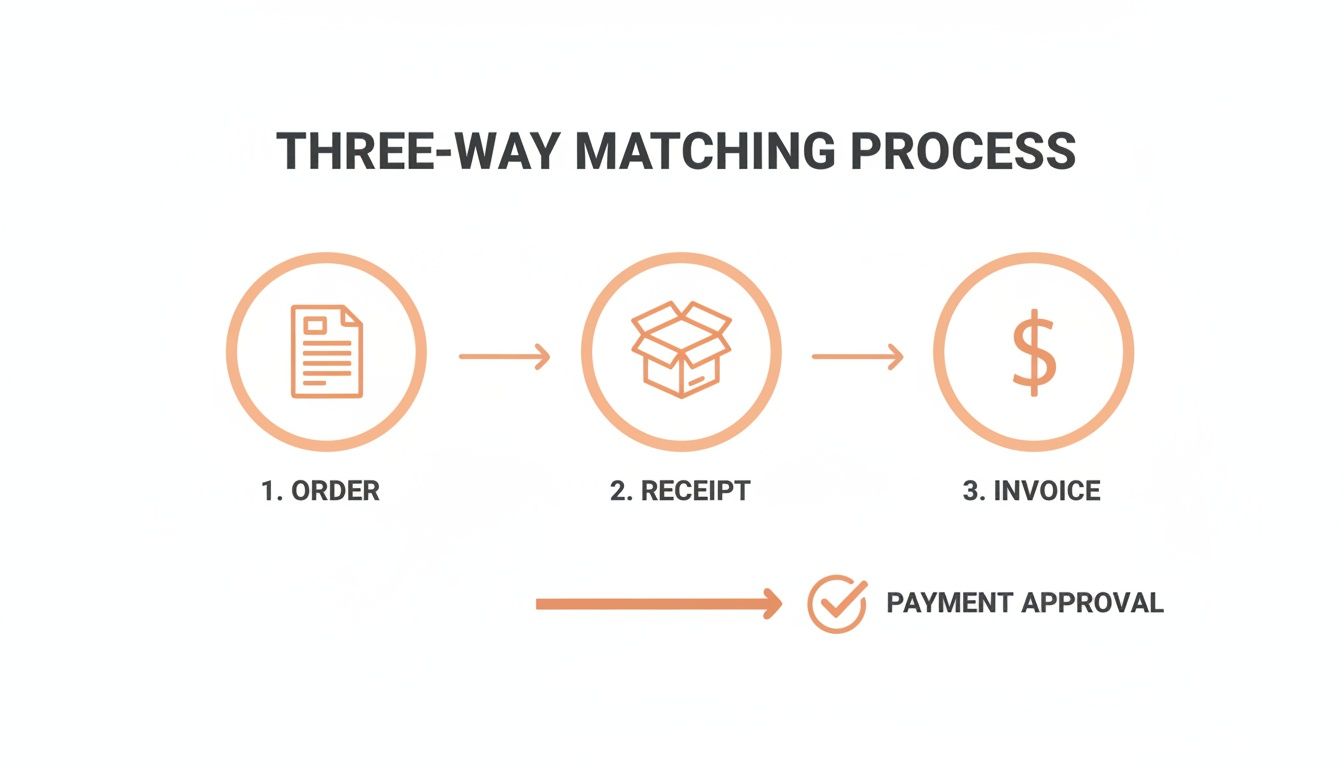
As you can see, each document acts as a gatekeeper. It ensures all the details line up perfectly before any money leaves your bank account.
Stage One: The Purchase Order
It all starts when the procurement team issues a Purchase Order (PO). This isn't some casual request; it's a formal, legally binding contract you send to the supplier.
For our office chairs, the PO would lock in the specifics:
- Item: Ergonomic Office Chair, Model #XYZ-123
- Quantity: 20 units
- Unit Price: $150
- Total Amount: $3,000
This document sets the ground rules. It clearly states what your company expects to get and exactly what it has agreed to pay. From this point on, the PO is the benchmark everything else gets measured against.
Stage Two: The Goods Receipt Note
A few weeks later, a truck pulls up with your chairs. This is where the second critical document enters the picture: the Goods Receipt Note (GRN), often just called a receiving report. This is an internal record created by your warehouse team.
Their job is to physically count and inspect what just came off the truck. They don't just scribble a signature on the driver's slip; they methodically check the delivery against the original PO.
Let's imagine only 18 chairs were delivered, and one of them has a nasty crack in its base. The GRN captures this reality. It will state that 18 chairs were received, with one noted as damaged. This step is your physical proof of what actually arrived, preventing you from paying for "ghost" inventory that never showed up.
Stage Three: The Supplier Invoice
Finally, the supplier's invoice lands in your accounts payable (AP) department. This is their official request for payment. Before anyone cuts a check, the AP team performs the crucial "match."
The AP clerk pulls up all three documents for a side-by-side comparison:
- The Purchase Order: Ordered 20 chairs @ $150 each.
- The Goods Receipt Note: Received 18 chairs (17 good, 1 damaged).
- The Supplier Invoice: Billing for 20 chairs @ $150 each.
Red flag. The invoice is asking for the full $3,000, but the GRN proves you only received 18 chairs, and one of them is useless. This mismatch brings the payment process to a dead stop.
Without this three-way check, the company might have blindly paid for an incomplete and partially damaged order. Instead, the AP team can confidently call the supplier to sort it out and ask for a corrected invoice for the 17 chairs they actually kept.
This verification process became a business staple in the 1990s to stop these exact kinds of costly errors. Its power lies in confirming PO details, verifying physical fulfillment through the GRN, and ensuring invoice accuracy. This is especially vital as duplicate payments can cost firms an average of $10-20 per invoice.
This is where modern tools really shine. Instead of a clerk digging through files, software can do this comparison in seconds. You can learn more about how technology helps by reading our guide to automatically extract data from invoices. This level of automation is the key to an efficient and accurate AP department, turning a tedious manual task into a seamless background operation that guards your company’s cash.
Handling Common Mismatches and Discrepancies
In a perfect world, every PO, goods receipt, and invoice would line up perfectly. But back in the real world, the three way matching invoices process is designed to catch the inevitable hiccups. These mismatches aren't failures; they're proof the system is doing its job, flagging problems before they drain your bank account.
A strong accounts payable process is built to handle these exceptions smoothly, not grind to a halt. Think of it less as a roadblock and more as a quick detour to verify the details before getting back on the main road to payment approval.
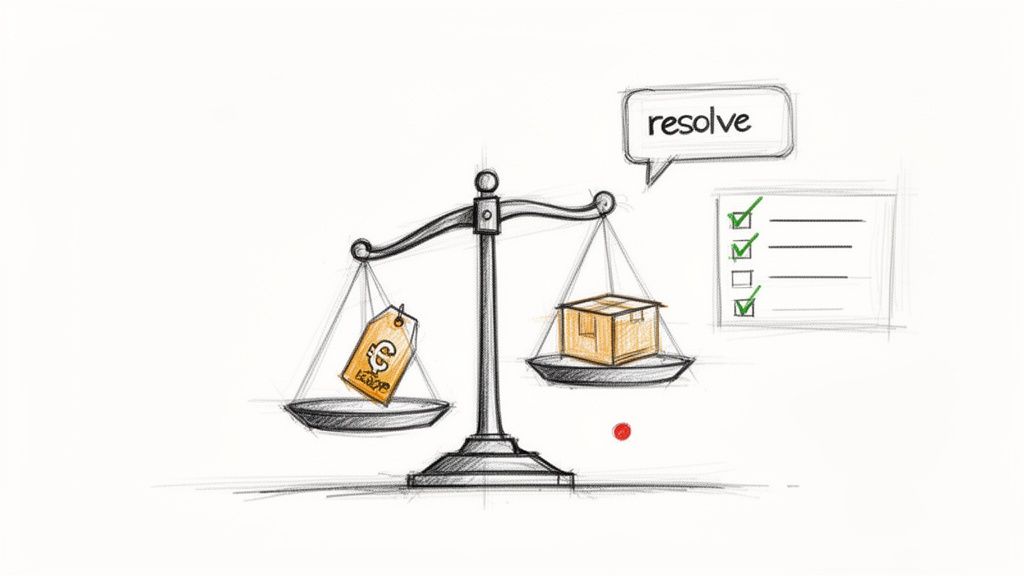
Common Types of Invoice Mismatches
Most discrepancies fall into a few familiar buckets. Knowing what they are is the first step to building a fast and effective fix.
- Price Discrepancies: The unit price on the invoice is different from the price on the PO. Maybe a supplier increased their price and forgot to tell you, or it could be a simple data entry mistake.
- Quantity Discrepancies: The invoice bills you for a different number of items than what your team actually counted and recorded on the goods receipt note. This happens all the time with partial shipments or backorders.
- Damaged or Incorrect Goods: The receiving report clearly notes that some items arrived broken or were the wrong model, but the invoice still lists the full, original order.
- Other Variances: Little things like incorrect tax calculations, surprise shipping fees, or missing line-item details can also trigger a mismatch.
Building a Smart Resolution Workflow
When a mismatch pops up, the invoice is immediately put on hold. This is a critical stopgap that prevents payment until the issue is sorted out. A clear, structured workflow is your best friend here, keeping things from piling up and creating a bottleneck in your AP department.
1. Investigate the Source: First, you have to play detective. What’s the root cause of the problem? Was it a typo on the invoice? A counting error during receiving? Or a pricing change from the supplier? Your AP team needs to talk to the procurement and receiving departments to get the full story.
2. Communicate with the Supplier: Once you have your facts straight, it's time to contact the supplier. Lay out your findings—backed by the PO and GRN—and explain what doesn't match. Most of the time, these are honest mistakes that can be cleared up quickly.
3. Request a Corrected Invoice or Credit Memo: For bigger errors, the standard fix is to ask the supplier for a revised invoice. For smaller issues, like one damaged item in a large shipment, they might just issue a credit memo to apply against the payment.
This workflow isn't just about fixing mistakes; it's a vital financial control. Sometimes, persistent issues with the same supplier can be a red flag. To learn more about identifying bigger problems, take a look at our guide on detecting fraudulent documents in your AP process.
The Power of Tolerance Levels
Chasing down every single mismatch is a massive waste of time, especially for tiny amounts. A $0.05 difference doesn't deserve the same level of investigation as a $500 one. This is where tolerance levels are a game-changer.
Tolerance is a predefined threshold that allows minor discrepancies to be automatically approved. For example, you can set a rule to auto-approve any invoice where the total amount is within 1% or $5 of the purchase order total.
This simple rule makes a huge difference. It lets your AP team focus their energy on significant issues that pose a real financial risk, instead of getting bogged down by trivial rounding errors. It's a pragmatic approach that perfectly balances tight financial control with operational efficiency, keeping the entire process flowing.
The Tangible Business Benefits of Three Way Matching
Let's move past the theory. A well-oiled three-way matching process delivers real, measurable returns that make your whole business stronger. This isn't just about keeping your books tidy; it's a strategic move that directly pads your bottom line, improves supplier relationships, and speeds everything up. This is the "why" behind the work—the clear business case for making this a non-negotiable part of your financial operations.
At its heart, three-way matching invoices is your company's financial bodyguard. By insisting that the purchase order, goods receipt, and invoice all sing the same tune, it becomes your number one defense against expensive payment mistakes. This simple, systematic check practically kills the risk of paying for stuff you never got, settling the same invoice twice, or getting duped by a clever billing scam.
Without this rigor, those kinds of losses can bleed your company dry without anyone even noticing.
Fortify Financial Security and Prevent Fraud
The first and most obvious win is a massive drop in financial risk. This process creates a clean, auditable trail for every single purchase, making it incredibly tough for a bogus invoice to sneak past your defenses. It flags problems early, turning your accounts payable team from payment processors into proactive guardians of the company’s cash.
A solid three-way match is your best weapon against common payment headaches. When you make sure every detail lines up, you effectively shut down overpayments, duplicate payments, and billing scams before they ever hit your balance sheet.
This kind of detailed verification doesn't just catch errors—it prevents them. When suppliers know you have a tight, evidence-based payment system, you'd be surprised how quickly the number of "accidental" invoice mistakes goes down.
Strengthen Supplier Relationships
Nothing builds a strong supplier relationship like paying your bills on time. When your three-way matching process is running smoothly, invoices get approved faster and more accurately. That means your vendors get paid promptly, every time, without having to chase down your AP team for an update.
This kind of reliability builds an incredible amount of trust and makes you a customer worth keeping. A happy supplier is more likely to:
- Bump your orders to the front of the line when they're swamped.
- Offer you better credit terms or even special pricing.
- Be more accommodating when you need a rush order or have a special request.
Prompt, accurate payments transform a simple transactional relationship into a true strategic partnership, creating value that goes way beyond the price on the PO.
Unlock Operational Efficiency and Cost Savings
Manual matching is a notorious black hole for your AP team's time. They burn countless hours hunting for paperwork, calling warehouses to confirm deliveries, and manually squinting at line items. It's not just slow and painful; it’s a recipe for human error.
An optimized three-way matching system, especially one that's automated, is a total game-changer. It puts the entire workflow on rails, allowing perfectly matched invoices to sail through for payment without anyone touching them. This frees up your finance pros to stop being paper-pushers and start focusing on high-value work like analyzing cash flow, forecasting budgets, and negotiating better deals with vendors.
Even better, a faster approval cycle directly leads to real cost savings. Lots of suppliers offer early payment discounts—like a 2% discount for paying within 10 days. A slow, manual process makes it almost impossible to grab these deals consistently. By speeding up approvals, three-way matching lets you cash in on these discounts regularly, turning your AP department from a cost center into a quiet little profit-driver.
How AI Puts Three-Way Matching on Autopilot
What if you could ditch 95% of the manual work that goes into three-way matching invoices? For years, this has been a necessary evil for accounts payable teams, drowning them in paperwork and tedious cross-referencing. Modern AI completely flips the script, turning that grind into a smooth, automated workflow.
Forget about a clerk manually digging through files for POs and GRNs. AI-powered systems now do all that heavy lifting in a matter of seconds. This isn't just about moving faster—it's about fundamentally changing how your finance department works, freeing up your team from the paper chase to focus on work that actually matters.
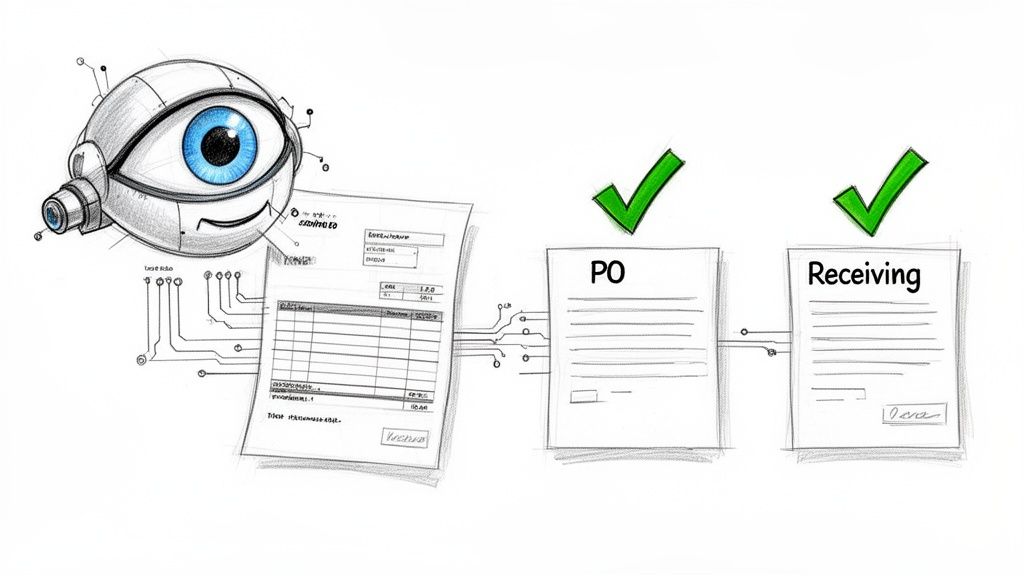
This is the essence of automation: an intelligent system that instantly connects the dots between all your key financial documents, taking human hands almost entirely out of the matching game.
The Power of AI Vision and Data Extraction
The first step in any automation is teaching a machine how to read. Tools like ExtractBill use a technology called AI Vision, which is miles ahead of old-school Optical Character Recognition (OCR). While basic OCR just scans for text, AI Vision actually understands the context of the document.
It knows what an "invoice number" is versus a "PO number" or a "total amount," no matter how the invoice is laid out. It thinks like a human, but at machine speed. This intelligent reading is the bedrock of automated three-way matching.
The process kicks off in a few lightning-fast steps:
- An invoice lands in your system, whether it's a PDF, a JPG, or another image file.
- The AI scans the document instantly, pulling out all the critical info: supplier name, line items, quantities, prices, and totals.
- This data is then neatly packaged into a structured format (like JSON) that your accounting or ERP system can read and understand immediately.
This first step alone wipes out hours of painful manual data entry—the single biggest source of errors in the entire AP process. To see how this tech works under the hood, check out our guide on modern invoice data capture software.
Creating a Straight-Through Processing Workflow
Once the invoice data is captured and structured, the real magic starts. The AI system plugs directly into your accounting or ERP software, where all your purchase orders and goods receipt notes live.
From there, it performs the three-way match automatically, comparing the newly extracted invoice data against the corresponding PO and GRN in real time.
- Does the PO number on the invoice match an open PO in your system? Check.
- Do the line items, quantities, and prices on the invoice line up with what's on the PO? Check.
- Does the quantity billed match the quantity you actually received, according to the GRN? Check.
If all three documents are in perfect harmony, the invoice is approved for payment right then and there. Nobody ever has to touch a keyboard. This is called straight-through processing, and it's the ultimate goal of AP automation. The only invoices that need a human to look at them are the exceptions—the ones with actual discrepancies.
This shift from manual chore to AI-powered necessity is exploding. The AI Invoice Management market is set to grow by USD 6.44 billion through 2029. While manual processes are lucky to get a 'perfect match' rate above 30%, automated systems can hit 80-95% auto-clearance, unlocking massive efficiency gains. You can explore the full market dynamics and discover more insights about the rise of AI in invoice management.
The Game-Changing Benefits of Automation
Automating your three-way matching process sends a powerful ripple effect across the entire business. The benefits aren't just about saving time; they create real financial and strategic advantages.
Key Advantages of AI-Powered Matching:
- Near-Instant Processing Times: Invoices that once took days or even weeks to get approved are now cleared in seconds. This shortens the entire procure-to-pay cycle dramatically.
- Elimination of Data Entry Errors: When you take manual keying out of the equation, you virtually eliminate the costly typos and human errors that lead to overpayments and payment delays.
- Massive Scalability: An automated system doesn't flinch when invoice volume spikes. Whether you process 100 or 10,000 invoices a month, the system handles it effortlessly without you needing to hire more people.
- Strategic Team Focus: With all the tedious matching work handled by AI, your finance team can finally stop chasing paperwork. They can now focus on high-value tasks like strategic analysis, cash flow management, and negotiating better terms with suppliers.
Ultimately, automation turns your AP department from a reactive cost center into a proactive, data-driven engine that fuels the financial health and growth of your business.
Still Have Questions? Let's Clear Them Up
Even with the process laid out, a few common questions always pop up when teams start putting three-way matching into practice. Let's tackle them head-on to clear up any lingering confusion and get your team on the same page.
What's the Real Difference Between Two-Way and Three-Way Matching?
The difference is all about how many checkpoints you have. Think of it like this:
Two-way matching is a basic check. It compares just two documents: the purchase order (PO) and the supplier’s invoice. It essentially asks, "Are we being billed for what we agreed to buy at the price we agreed on?" It's simple, but it has a massive blind spot—it never confirms if the stuff actually showed up.
Three-way matching adds that crucial third checkpoint: the goods receipt note (GRN). This step confirms that the items were physically delivered before any money leaves your account. It protects you from paying for things that never arrived, were wrong, or showed up damaged. It's the gold standard for a reason, especially if you deal with physical products.
Can We Do This Without a Big, Expensive ERP System?
Absolutely. You don't need a massive Enterprise Resource Planning (ERP) system to get this done. While an ERP makes it seamless, a disciplined process is far more important than the specific software you use.
Smaller businesses can build a really effective "lean" system that gives them all the core benefits. For example:
- Handle your invoices in your accounting software, like QuickBooks or Xero.
- Keep your purchase orders and goods received logs in well-organized spreadsheets.
- Plug in an AI-powered tool to read and digitize your invoices, which cuts out all the manual typing.
This setup is a huge leap forward from doing everything by hand and works as a great stepping stone before you're ready to invest in a full-blown ERP.
How Does Automation Handle Tricky Stuff Like Partial Shipments?
This is where automated systems really shine. They're built to handle partial shipments without anyone getting confused.
Here’s how it works: say only half of an order arrives. The receiving team creates a goods receipt note that only lists what was actually delivered.
The system then matches the supplier’s invoice against that partial receipt and the original PO. If the invoice is just for the goods you received, it gets a green light for payment. The original PO stays "open," waiting for the rest of the order. When the backordered items finally show up, the next invoice is matched against the new receipt and that same open PO.
This guarantees you only ever pay for what's physically in your warehouse at any given time. It keeps the audit trail perfectly clean for complex orders and stops you from accidentally paying for items still on a truck somewhere.
Honestly, this capability alone is a game-changer. Trying to track partial shipments manually is a nightmare of paperwork and potential errors for any AP team.
What Numbers Should We Be Tracking to See If It's Working?
To know if your three-way matching process is healthy and efficient, you need to watch a few key performance indicators (KPIs). Tracking these numbers helps you spot bottlenecks and measure how much of an impact your improvements—especially automation—are having.
Focus on these four essential metrics:
- First-Pass Match Rate: This is the big one. It's the percentage of invoices that sail through the matching process automatically on the first try, no human touch required. A high rate (you should be aiming for 80% or more) is a crystal-clear sign of an efficient system.
- Exception Rate: This is the flip side of the first-pass rate. It tracks the percentage of invoices that fail the match and get kicked out for a manual review. You want this number to be as low as possible.
- Average Invoice Processing Time: How long does it take from the moment an invoice hits your inbox to when it's approved for payment? Automation should shrink this down from weeks or days to just a few hours, or even minutes.
- Cost Per Invoice: This is your bottom line. Calculate your total AP labor and system costs, then divide that by the number of invoices you process. As you get more efficient and reduce manual work, this number should drop like a rock.
Ready to stop typing and start matching? ExtractBill uses advanced AI to pull data from any invoice with 99.9% accuracy in seconds, setting up a perfect workflow for three-way matching. Try it for free and see for yourself.
Ready to automate your documents?
Start extracting invoice data in seconds with ExtractBill's AI-powered API.
Get Started for Free