Extract data from invoices: AI-powered automation for faster processing
If you’re still manually keying in invoice data, you’re not just wasting time—you’re actively draining your company’s resources. The shift to automated, AI-driven invoice processing isn't just a trend; it's a fundamental change in how modern finance teams operate. It’s about eliminating the soul-crushing task of data entry, slashing costly errors, and getting your vendors paid faster.
The whole point is to have technology read and understand an invoice with the same nuance as a human, but at a speed and scale we could never match.
Why Manual Invoice Processing Slows You Down
Before we jump into the "how" of automation, let's get real about the cost of doing nothing. Sticking with manual processing is a direct hit to your bottom line, and the damage goes way beyond lost time. Every single minute an AP clerk spends transcribing details from a PDF into an accounting system is a minute they could have spent negotiating better terms with a vendor or analyzing spend patterns.
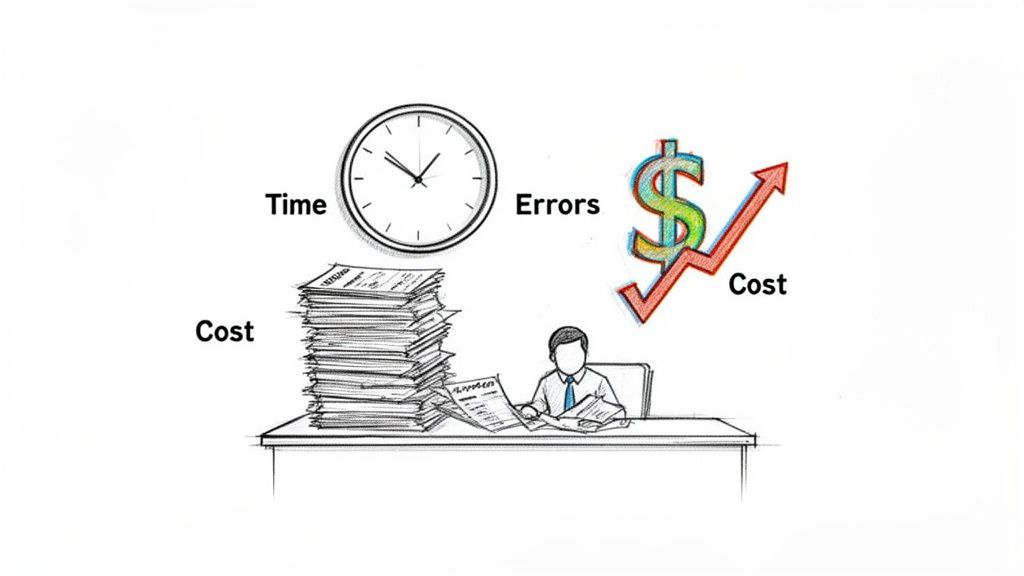
This manual grind is a breeding ground for risk. A single typo—a misplaced decimal or an extra zero—can easily lead to overpayments or duplicate payments. It can also cause delayed payments, which hurts your vendor relationships and racks up late fees. For a business processing thousands of invoices a month, these "small" mistakes snowball into a significant financial leak.
The Hidden Financial Drain of Manual Entry
The numbers don't lie. Research shows that manual invoice processing can cost anywhere from $9.40 to $22.75 per invoice once you account for labor, error correction, and approval routing.
Let's put that in perspective. A mid-sized company churning through 3,000 invoices a month could be burning over $800,000 a year on this one task alone. On top of that, roughly 14% of all invoices need some form of exception handling, a headache almost always caused by manual entry errors. You can dig deeper into these numbers over at Parseur.com, but the conclusion is clear: the cost is staggering.
This inefficiency sends ripples across the entire company. When the AP department is buried in paperwork, it creates a bottleneck that slows down everything from financial reporting to project purchasing.
Think about this: the average AP team takes 9.2 days to process one invoice from receipt to payment. In contrast, top-performing teams using automation get it done in just 3.1 days. That’s a 66% reduction in processing time.
The Opportunity Cost of Slow Workflows
It’s not just about the direct costs, either. There’s a huge opportunity cost at play.
Slow processing means you’re almost certainly missing out on early payment discounts. Many vendors offer a 2% discount for paying within 10 days, and that adds up to serious savings over a year. Capturing these discounts is Finance 101, but it’s impossible when your process is bogged down.
Optimizing your payables process is a cornerstone of smart financial management. If you want to dive deeper into the strategies behind this, check out our complete guide on accounts payable automation best practices.
Ultimately, when you choose to extract data from invoices automatically, you’re not just saving a few bucks. You’re building a more resilient, efficient, and strategic finance operation from the ground up.
Comparing Invoice Data Extraction Methods
When it comes to getting data off an invoice and into your systems, not all technologies are built the same. The methods businesses use today span a huge range, from what’s basically digital copy-pasting to truly intelligent AI. Each approach comes with its own trade-offs in accuracy, setup headaches, and how well it can grow with you.
Picking the right path for your business means understanding these differences inside and out.
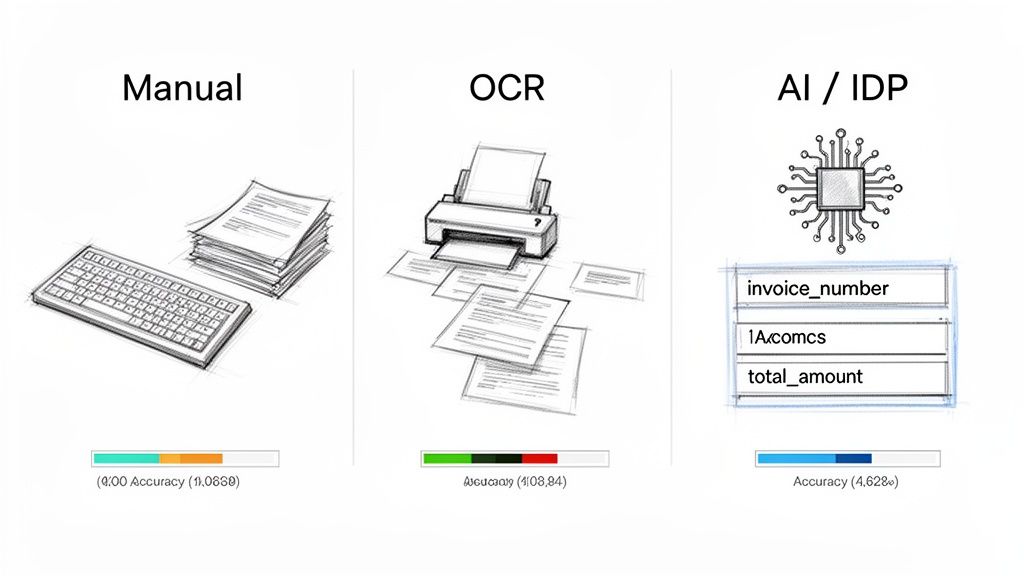
Let's start with the classic approach that moved us past pure manual entry: traditional Optical Character Recognition (OCR). At its core, OCR is a digital eye that scans a page, recognizes characters, and spits out raw text. It was a good first step, but it’s a blunt instrument.
The problem is, basic OCR has zero understanding of context. It can't tell the difference between a date and a total just because one is labeled "Invoice Date." If a vendor moves the invoice number to a new spot on their template, a basic OCR tool gets completely lost.
This is why old-school OCR often forces you into building rigid, vendor-specific templates. It's a brittle system that breaks the moment an invoice format changes, throwing your team right back to the keyboard.
The Leap to Intelligent Document Processing
The modern answer to this is Intelligent Document Processing (IDP). This is where we stop just reading text and start understanding it. IDP combines OCR with a layer of artificial intelligence and machine learning to grasp a document's structure and context.
An IDP system doesn't need to be told where to find the "invoice number." It has learned what an invoice number is by analyzing millions of examples, so it can find it anywhere on the page.
This contextual awareness is the game-changer. IDP solutions identify and pull key fields with incredible precision because they're not just matching patterns—they're interpreting information. This is what finally kills the need for those frustrating vendor-specific templates.
The entire market is shifting this way. The invoice processing software space is expected to jump from $33.59 billion in 2024 to an enormous $87.95 billion by 2029, according to a detailed market report. That kind of growth doesn't happen by accident; it's a clear signal that businesses are moving on from outdated, inflexible methods.
A Side-by-Side Comparison
To really put these choices into perspective, let's look at how the different methods stack up against each other. Each has a very different profile when you consider accuracy, setup time, and ongoing costs.
Comparison of Invoice Data Extraction Methods
The table below breaks down the key trade-offs between manual entry, template-based OCR, and a modern AI-powered service.
| Method | Accuracy | Setup Time | Per-Invoice Cost | Scalability |
|---|---|---|---|---|
| Manual Entry | Low to Medium | None | High | Poor |
| Basic OCR | Medium | High (Templates) | Medium | Moderate |
| AI/IDP Service | Very High | Low (API Key) | Low | Excellent |
As you can see, the path forward is pretty clear. An AI-powered API service like ExtractBill delivers the best of all worlds: top-tier accuracy, almost no setup time, and the ability to scale up instantly. While basic OCR had its day, it has been completely outclassed by more intelligent and adaptable solutions.
For a deeper dive into the specific tools in this space, our guide on the best invoice OCR software is a great next step. Ultimately, you want a system that just works, no matter what invoice lands on your desk, and without needing constant babysitting.
Building Your Automated Invoice Workflow
Alright, let's move from theory to practice. This is where you see the real payoff. Setting up a system to automatically pull data from invoices doesn't have to be some massive IT project. With a modern, API-first service like ExtractBill, you can stand up a powerful, event-driven pipeline in a single afternoon. You’re essentially shifting the work from human hands to automated code, creating a workflow that grows with your business without breaking a sweat.
The first step in any API-based workflow is always authentication. Once you've signed up for a service, your immediate goal is to find your unique API key. Think of this key as the secure password that lets your application talk to the extraction service. Guard it carefully—never expose it in your website's front-end code or check it into a public code repository.
Making Your First API Call
With your API key ready, you can make your first request. The idea is simple: you send an invoice file (like a PDF or JPG) to the API endpoint and get structured data back. Most services provide clear documentation with code snippets in several languages, which makes this first step pretty painless for any developer.
Here’s a glimpse of what the API documentation might look like for a service like ExtractBill, showing you exactly how to structure your request.
The docs lay out all the critical details for a successful API call, including the endpoint URL and the headers you'll need.
This makes it incredibly easy to run a quick test with a sample file. You can use a tool like Postman or whip up a simple script in Python or JavaScript to send a document and see what comes back. This initial hands-on test confirms your setup is working before you dive into building out the full automation logic.
Handling Data with Webhooks
While you could keep checking the API to see if your invoice is done processing (a method called polling), a far more efficient approach is using webhooks. A webhook is basically a reverse API. Instead of your application constantly asking the service for data, the service automatically sends the data to your application the moment it's ready. This creates a real-time, event-driven system that just works.
To get this going, you just need to provide a URL endpoint in your application that can receive incoming POST requests. When ExtractBill finishes processing an invoice, it will immediately push the complete, structured JSON data to that URL.
This method is hands-down better than polling. It cuts down on useless network chatter, gives you instant notifications, and lets your system react immediately—like kicking off the next step in your accounts payable process without any delay.
This real-time capability is what makes true, end-to-end automation possible. There's no waiting and no manual checks, just a seamless flow of information from an invoice document straight into your business systems.
Understanding the JSON Response
When you receive the data from the webhook, it’ll be in a structured JSON (JavaScript Object Notation) format. JSON is lightweight, easy for humans to read, and a breeze for any programming language to parse. This is where the magic of AI-powered extraction really shines—the chaos of an unstructured invoice is transformed into predictable, organized data.
A typical JSON response will contain key-value pairs for all the critical invoice fields. You'll find things like:
"vendor_name": "Office Supplies Co.""invoice_date": "2024-10-26""total_amount": 149.99"line_items": [...]
Your job is to map these JSON fields to the corresponding columns in your database, accounting software, or ERP. For instance, you'd write a bit of code that takes the value from "total_amount" and plugs it into the 'Total' field of a new bill in QuickBooks. Because the field names are standardized, this mapping logic is consistent and super reliable. For anyone looking to get this part right, understanding how to convert PDF data into a usable JSON structure is a must-have skill.
Integrating Extracted Data with Your Business Tools
Getting the data out of an invoice is a huge win, but honestly, it’s just the starting line. The real magic happens when that clean, structured data flows directly into the business tools you already use every day. This is the step that turns a neat time-saving trick into a completely hands-off, end-to-end accounts payable machine.
This integration eliminates that last, soul-crushing manual step: copying and pasting data from one screen to another. Instead of just having a JSON file sitting on a server, you can automatically create a new bill in QuickBooks, update a budget tracker in Google Sheets, or populate a record in your company’s ERP system.
The workflow is actually quite simple, but incredibly powerful. An API call takes a raw invoice and turns it into structured data that instantly updates your core business systems.
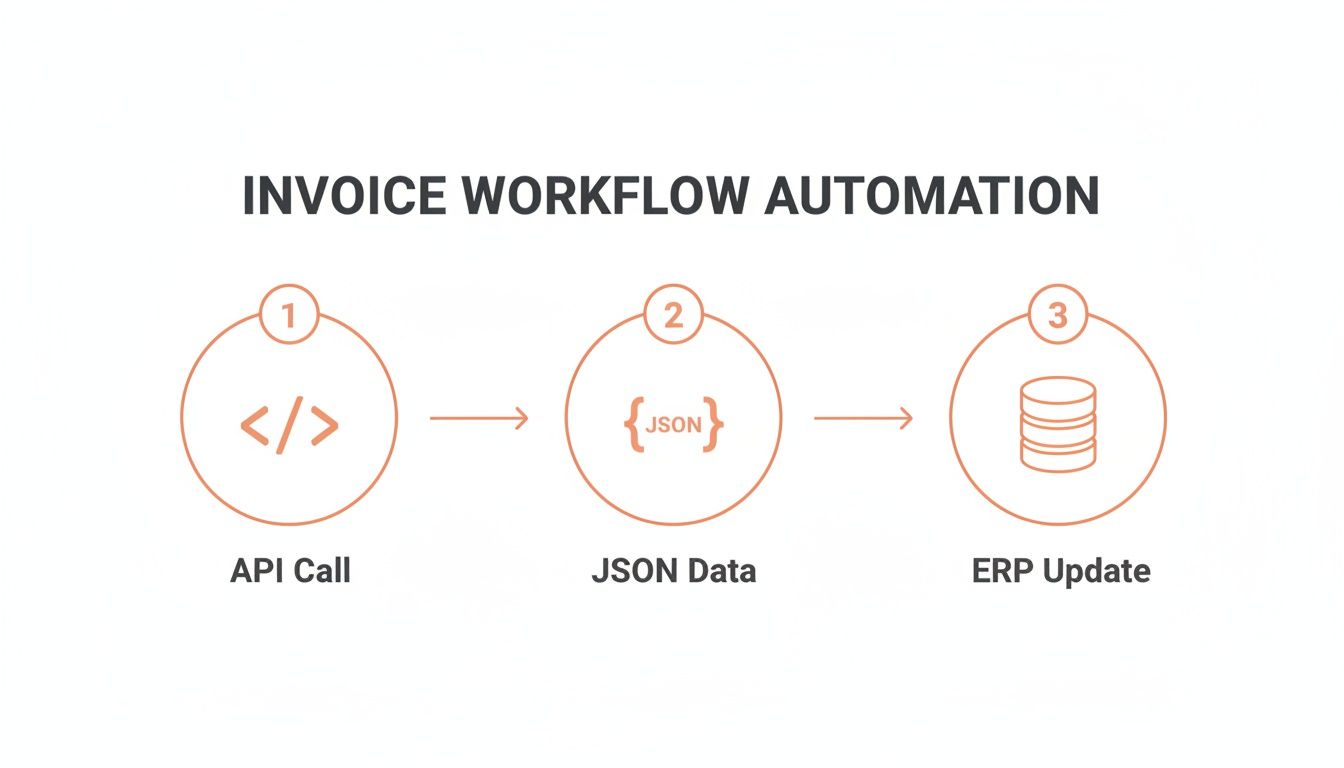
This whole process moves information from a document to your database in seconds, completely taking people out of the data entry loop.
Connecting to Accounting Software
For most businesses, the main destination for invoice data is accounting software. Platforms like QuickBooks, Xero, and NetSuite all have APIs that let you programmatically create and manage financial records. This is where the JSON output from a service like ExtractBill becomes your superpower.
Think about it: a new invoice comes in. Your system fires it off to ExtractBill, and a moment later, a webhook delivers perfectly structured JSON data back to your server. Your integration code then springs into action:
- It parses the JSON to grab key fields like
vendor_name,invoice_id,due_date, andtotal_amount. - Next, it makes an API call to your accounting software's "Create Bill" endpoint.
- Finally, it maps the extracted fields to the corresponding fields in the software's API.
The result? A new bill, entered flawlessly and ready for approval, without anyone ever touching a keyboard. This direct connection doesn't just save time; it ensures accuracy and tightens up payment cycles in a big way.
Pro Tip: Before you write any data to your live system, build in a simple validation check. Does the
vendor_namefrom the invoice already exist in your accounting software? If not, your code could either flag it for a human to review or even automatically create a new vendor record. This small step prevents a mountain of future headaches from duplicate or mismatched records.
Building Custom Integrations
Not every workflow needs to end in a massive ERP system. Sometimes, the goal is simpler but just as valuable. For a small team or a specific department, the destination might just be a shared Google Sheet used for tracking project expenses.
Using a tool like Zapier or by writing a quick script with Google Apps Script, you can easily set up a workflow that adds a new row to a spreadsheet every time an invoice is processed. You could map fields like:
invoice_dateto a 'Date' columnvendor_nameto a 'Supplier' columntotal_amountto an 'Amount' columnline_itemsto a 'Description' column
This creates a self-updating, real-time expense log that gives you instant visibility without any manual work.
The key to making these live connections work is using webhooks. To get this running smoothly, you'll want to learn how to configure webhooks for instant data delivery. When you automatically extract data from invoices and push it exactly where it needs to go, you’re building a much smarter, more responsive financial operation.
Optimizing Your Workflow for Accuracy and Security
Getting your automated pipeline up and running is just the first step. The real magic happens when you start refining it—turning a good workflow into a great one that’s not just fast, but consistently accurate, secure, and cost-effective.
Think of it this way: the initial setup is about building the engine. Now, it's time to fine-tune it for peak performance.
Accuracy, for example, goes way beyond the raw performance of the AI model. No AI is infallible, so a truly robust system has a plan for when things get fuzzy. This is where you bring in a human-in-the-loop (HITL) process, guided by the AI’s own confidence scores.
When an invoice comes through with a low confidence score—maybe from a blurry scan or a bizarre layout—your system should automatically flag it. That invoice then gets routed to a human for a quick, two-second sanity check. This simple step keeps your process humming along at automated speeds but adds that crucial layer of human oversight to catch errors before they become problems.
Strengthening Security and Managing Costs
Beyond getting the numbers right, security is absolutely non-negotiable. You're handling sensitive financial data, so your workflow needs to be locked down from end to end. And that means more than just a strong password.
- API Key Management: Treat your API keys like the keys to your financial kingdom. Store them in a secure secrets manager or as environment variables. Never, ever hard-code them directly into your application.
- Encrypted Data Transfer: Make sure every single call to the extraction API is over HTTPS (SSL/TLS). This wraps the data in a layer of encryption as it travels, protecting it from anyone trying to peek as you extract data from invoices.
Just as important is keeping an eye on the bottom line. Modern API services like ExtractBill offer predictable, pay-per-use pricing. This transparency makes it incredibly simple to calculate your ROI, especially when you compare it to the staggering—and often hidden—costs of doing things the old way.
The efficiency gap is massive. Recent studies show that 68% of companies are still stuck entering invoice data by hand. With manual processing costs averaging between $9.40 and $15 per invoice, a business handling just 10,000 invoices a month could be burning over $1.1 million a year on this one task.
Automation can slash invoice processing time by more than 60%, turning a weeks-long ordeal into a matter of days. This chasm between outdated manual practices and what's possible with automation is exactly why API-first platforms are no longer a luxury—they're essential.
To get a clearer picture of the financial drain from manual work, you can dig into the latest current AP automation statistics. By optimizing your automated workflow, you're not just cutting costs; you're building a more resilient and efficient financial operation from the ground up.
Got Questions? We've Got Answers.
When businesses first look at automating their finances, a few practical questions always pop up. It makes sense. Moving from manual data entry to an automated system is a big change, and it’s smart to ask about accuracy, what it can handle, and the tech lift required.
Let's dive into the most common ones we hear.
How Accurate Is This Stuff, Really?
This is always the first question, and for good reason. Modern AI-powered services can hit accuracy rates up to 99.9%. The magic isn't just basic text recognition (OCR); the AI actually understands the context of an invoice. It knows what an "Invoice Number" or "Total Amount" is, no matter where a vendor decides to place it on the page.
What about those rare cases where a scan is terrible or the handwriting is illegible? The best systems handle this with a "human-in-the-loop" workflow. If the AI's confidence is low, it flags the document for a quick manual review. This simple step ensures you get 100% accuracy without grinding the whole process to a halt.
What Kind of Documents Can I Process?
While invoices are the main event, the technology is far from a one-trick pony. Leading platforms are built to be flexible. You can extract data from invoices, sure, but also a whole range of other financial documents.
Most services can easily handle:
- Receipts: Perfect for nailing down employee expenses and reimbursements.
- Purchase Orders: A must-have for automating the three-way matching process.
- Bank Statements: Makes reconciliation practically effortless.
These systems typically accept common file formats like PDF, JPG, and PNG. This versatility means you can automate data entry across your entire finance operation, not just one small piece of it.
By handling multiple document types and formats, a single API can become the central engine for your entire accounts payable and expense management workflow, creating a unified and efficient system.
Is an API Integration Going to Be a Headache?
Nope. Modern extraction services are built by developers, for developers. They almost always offer standard RESTful APIs, which is the native language of the web. This is usually backed up with crystal-clear documentation and copy-paste code examples in languages like Python and JavaScript.
And with tools like webhooks that push data to your system in real-time, a developer can often get a basic integration up and running in a few hours. Because the output is standardized JSON, mapping the extracted data to the fields in your accounting software or ERP is the easy part.
Ready to stop typing and start automating? ExtractBill can help you extract data from invoices in seconds. Try ExtractBill for free and process your first three documents on us.
Ready to automate your documents?
Start extracting invoice data in seconds with ExtractBill's AI-powered API.
Get Started for Free