Automate Documents with a Data Extraction API
A data extraction API is a pretty straightforward tool: it automatically grabs specific information from documents like invoices and receipts, then organizes that messy, unstructured data into a clean, usable format. Think of it as a tireless digital assistant who can read, understand, and sort your financial paperwork 24/7 without ever making a typo.
Moving Beyond Manual Data Entry
Picture an accounting team buried under a mountain of invoices. Every single document represents a ticking clock of manual labor, another chance for a costly mistake, and one more delay in getting critical financial reports out. This isn't a hypothetical—it's the daily reality for countless businesses still stuck on manual data entry. It’s slow, and it’s a massive drain on resources.
The hidden costs start piling up fast. You see them in the hours employees spend just typing out line items. You feel them in the money lost to accidental typos in payment amounts. And you suffer from the slow decision-making that comes from working with outdated financial data. For any business trying to grow, this manual bottleneck simply isn't sustainable.
The True Cost of Inefficient Workflows
Manual data entry is far more than just a boring task; it's a direct roadblock to getting anything done efficiently. A single misplaced decimal point or an overlooked detail on an invoice can set off a chain reaction—leading to incorrect payments, compliance headaches, and even damaged relationships with vendors. The time spent hunting down and fixing these tiny errors is time that could have been spent on actual strategic work.
This is exactly where a data extraction API comes in. It’s designed to be the bridge from old-school, manual processes to modern, automated workflows, tackling these specific pain points head-on.
A data extraction API doesn't just read text; it understands the context behind it. It knows the difference between a shipping address and a billing address, or an invoice number and a PO number, giving you structured data that your software can use right away.
This capability is completely changing how businesses operate. The market for tools that pull data from documents like PDFs is exploding as companies race to get rid of tedious manual work. In fact, projections show this sector hitting USD 4.9 billion by 2033, a growth fueled by the sheer volume of unstructured financial documents businesses are drowning in. With over 80% of companies still relying on manual processes for accounts payable, the shift to automation isn't just a trend—it's a competitive necessity. You can find more insights on the data extraction market at Parseur.com.
To put it in perspective, here's a quick look at the core benefits of switching to an API-driven approach.
Table: Key Benefits of Using a Data Extraction API
| Benefit | Impact on Business Operations |
|---|---|
| Drastically Reduced Errors | Eliminates typos and human mistakes, leading to accurate financial records and payments. |
| Increased Speed & Throughput | Processes thousands of documents in the time it takes a human to do a handful. |
| Lower Operational Costs | Frees up employee time from manual data entry, reallocating labor to higher-value tasks. |
| Real-Time Data Access | Provides instant access to financial data, enabling faster, more informed decision-making. |
| Improved Scalability | Easily handles fluctuating document volumes without needing to hire more staff. |
| Enhanced Security | Reduces the number of people handling sensitive financial documents, minimizing risk. |
Ultimately, the impact is clear: you move faster, make fewer mistakes, and get a much clearer picture of your business's financial health.
Embracing a Smarter Approach
By automating the very first, most labor-intensive step of collecting data, an extraction API frees up your team to focus on work that actually matters. Instead of keying in data, they can analyze it. Instead of chasing down paperwork, they can manage cash flow and plan for the future. You can learn more about how to automate document workflow and the huge advantages it offers.
In the end, this isn't about replacing people; it's about empowering them. It gives your team accurate, real-time data so they can work faster and smarter. This simple shift moves your business from a reactive state of just managing paperwork to a proactive one where you're using information to drive real growth.
How a Data Extraction API Understands Your Documents
So, how does a data extraction API look at a messy PDF invoice and pull out the right information, almost like a human would? It's not magic, but it is a pretty sophisticated process that stitches together a few powerful technologies. The API doesn't just see words on a page; it actually understands what they mean in context.
Think of it like handing a jumbled pile of puzzle pieces to an expert puzzle solver. They don't just look at the colors; they recognize shapes, patterns, and how individual pieces fit together to form a complete picture. The API does the same with your documents, turning chaos into a perfectly structured result.
This diagram shows the leap from tedious manual work to a fully automated system, with the API right in the middle.
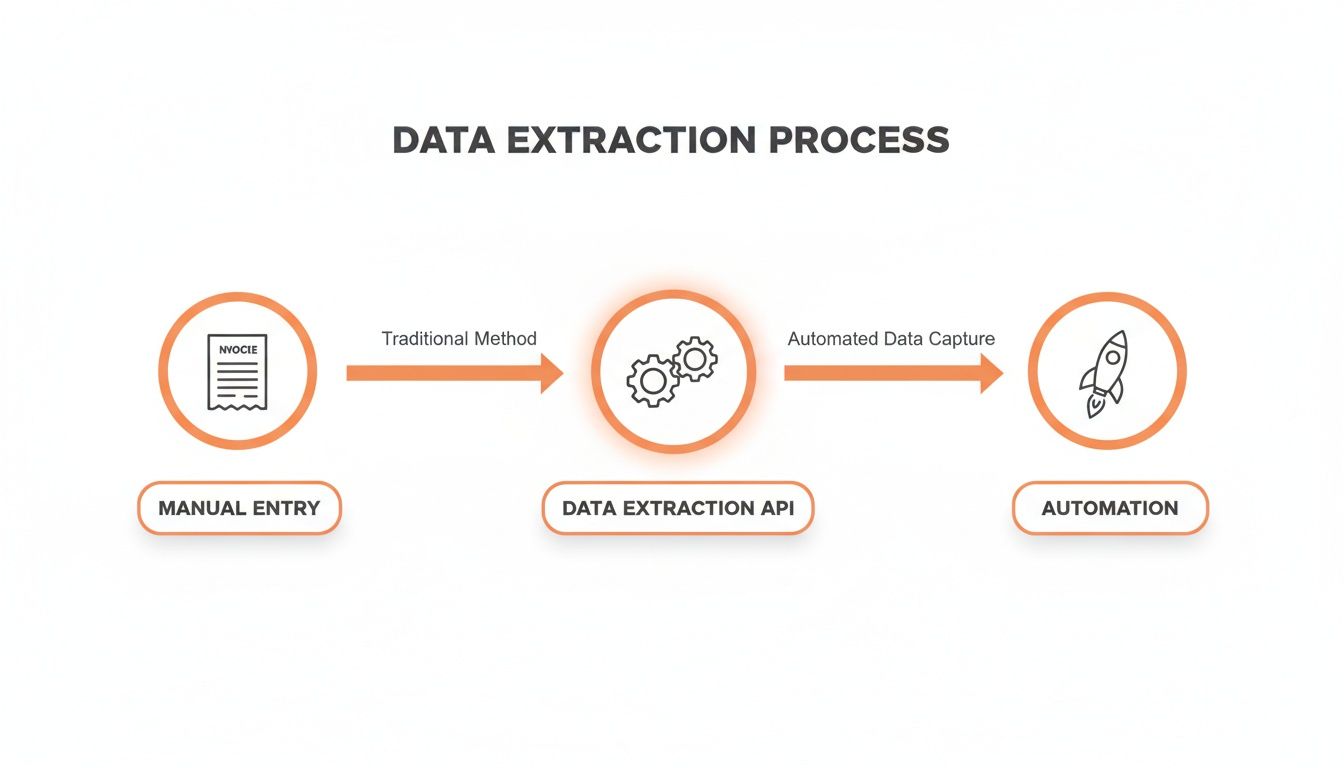
As you can see, the API is the engine that transforms a manual headache into a smooth, automated workflow.
The Technology Behind the Scenes
Under the hood, an intelligent API relies on a trio of technologies working together. Each one plays a specific role, and when they combine forces, they can do much more than any single tool could alone.
-
Optical Character Recognition (OCR): This is the first and most basic step. Think of it as simply turning a picture of text into actual, editable text. OCR scans the document and converts every letter and number into machine-readable characters. It's the foundation, but by itself, it has no clue what any of that text means. It just gives you a massive, unstructured block of words.
-
Natural Language Processing (NLP): This is where the machine starts to comprehend language. NLP analyzes the raw text from the OCR and begins to understand grammar, context, and meaning. It's smart enough to know that "Due Date" is a date field, "Total" is a dollar amount, and "Acme Corp" is a company name.
-
AI Vision (Computer Vision): This piece of the puzzle understands the document's layout. AI Vision analyzes the visual structure—things like where text is located, the font size, and how different sections are grouped. It can see that the block of text in the top-left is probably the vendor’s address and that a grid of numbers in the middle is a table of line items.
This combination is what separates a modern data extraction API from a simple OCR tool. It's not just reading characters; it's interpreting the document's visual and linguistic clues to figure out its purpose.
An advanced data extraction API doesn't just extract text; it performs intelligent parsing. It breaks down the document's structure and content to deliver clean, labeled data fields like
invoice_numberandline_items, ready for immediate use in your software.
From Raw Text to Structured JSON
When you send an invoice to an API like ExtractBill, this entire process unfolds in a matter of seconds. First, OCR digitizes all the text. Then, AI Vision and NLP work in tandem to spot key-value pairs—like "Invoice #: INV-123"—and find all the tabular data.
Because the system has been trained on millions of real-world documents, it recognizes common patterns without needing you to create rigid templates for every vendor. It learns to tell the difference between a company name and a contact person's name, even if they're right next to each other. For a closer look at this, check out our guide on what data parsing is and how it makes automation possible.
This intelligent analysis helps the API tackle common document headaches, such as:
- Varied Layouts: Every vendor's invoice looks completely different.
- Complex Tables: Line items with multiple columns for quantity, taxes, and discounts.
- Positional Ambiguity: Knowing which address is the "shipping address" and which is the "billing address."
The end result is a clean, structured JSON file. Every piece of information is neatly labeled and organized, making it incredibly easy for your accounting software, ERP, or database to read and use. This is how a messy PDF becomes a perfectly organized dataset your systems can act on, all without a single keystroke.
Choosing the Right Data Extraction API
Let's be honest—not all data extraction APIs are created equal. You’ll find plenty of services that promise to automate your document processing, but the reality is that their performance, security, and reliability can be all over the map.
Choosing the right tool isn’t just about buying a product. It's about finding a partner that truly gets your business needs for accuracy, speed, and security. You have to look past the flashy marketing and dig into the features that will actually make a difference in your day-to-day work. A great API should feel like a natural part of your team, not another technical problem to solve.
Evaluating API Accuracy and Intelligence
When you're dealing with financial data, accuracy is everything. A 99% accuracy rate sounds great on paper, but think about what that means. For an invoice with 100 different fields, that's potentially one error on every single document. If you process thousands of invoices, those little mistakes snowball into huge financial headaches and hours of manual cleanup.
This is where modern, AI-powered APIs really shine. They go beyond just reading text; they actually understand the context of the document.
Instead of getting tripped up by a vendor changing their invoice layout—a common failure point for older, template-based systems—a smart data extraction API uses AI Vision to interpret documents on the fly. This means it can handle a massive variety of formats right out of the box, with no manual setup. For a closer look at how this technology stacks up against traditional methods, check out our guide on the best invoice OCR software.
The real test of an API isn't its accuracy on a perfect, clean document—it's how it performs with real-world messiness. Ask potential vendors how their models handle skewed scans, low-resolution images, and invoices with complex, multi-page tables.
Speed, Scalability, and Throughput
How fast can the API process your documents? And more importantly, can it keep up when you’re swamped during month-end close? Throughput is a make-or-break factor for any business handling hundreds or thousands of documents a day. A slow API completely defeats the purpose of automation.
Look for services that offer parallel processing, which lets you send a bunch of documents at once instead of waiting for them to be processed one by one. For instance, a platform like ExtractBill crunches through most documents in just 2–5 seconds. This ensures your workflows keep humming along, even during your busiest times, and that the system can grow with your business.
Security and Compliance Standards
You’re handing over sensitive financial data, so security can't just be a bullet point on a feature list—it has to be foundational. A provider worth their salt will be completely transparent about their security measures and how they handle your data.
When you're vetting a data extraction API, make sure to ask these critical security questions:
- Data Encryption: Is my data encrypted both when I upload it (in transit) and when it's stored on your servers (at rest)?
- Compliance: Does your service meet key data protection standards like GDPR or SOC 2?
- Data Retention: What’s your policy for storing and deleting my documents after they’ve been processed?
A trustworthy API provider will have clear, confident answers that give you peace of mind.
Comparing Your Options
The market is full of data extraction tools, from simple OCR software to sophisticated AI-powered APIs. Knowing the core differences is key to making a smart investment. Old-school methods usually demand more manual work and can't adapt to changes, while modern APIs are built for true, hands-off automation.
Here’s a quick look at how the different approaches stack up.
Comparing Data Extraction Approaches
This table breaks down how modern AI-powered APIs compare to older, more manual methods across the metrics that matter most to your business.
| Feature | Manual Data Entry | Basic OCR Software | AI Data Extraction API |
|---|---|---|---|
| Accuracy | Low (Prone to human error) | Medium (Fails on varied layouts) | Very High (99.9%+) |
| Speed | Extremely Slow | Moderate | Seconds per document |
| Setup | N/A (Labor-intensive) | High (Requires templates) | Minimal (No templates needed) |
| Scalability | Poor (Requires more staff) | Limited | Excellent (Handles high volume) |
| Data Format | Manual | Unstructured Text | Structured JSON |
Ultimately, picking the right data extraction API comes down to balancing these factors with your budget and technical needs. For financial documents, always prioritize accuracy. Make sure the speed can handle your workload, and never, ever compromise on security.
Real-World Data Extraction API Use Cases
Alright, let's move past the technical jargon and talk about what this actually looks like in the real world. While the technology is cool, the true value of a data extraction API is how it solves painful, everyday business problems. This isn't just about turning documents into data; it’s about swapping slow, manual workflows for fast, automated systems that actually make a difference.
Think about a growing e-commerce business. Their accounts payable team is drowning in a sea of supplier invoices, and every single one arrives in a different PDF format. Manually punching in invoice numbers, line items, and tax amounts is slow, tedious, and full of errors. It creates a massive bottleneck that delays payments and makes financial reporting a nightmare.
This story is incredibly common. It's why the market for this kind of software is exploding, valued at USD 1.5 billion in 2024 and on track to hit USD 3.99 billion by 2032. Businesses are desperate to escape the grind of manual entry—a process that still plagues up to 80% of workflows and leads to expensive mistakes. You can see the full breakdown of this industry shift in this comprehensive market research.
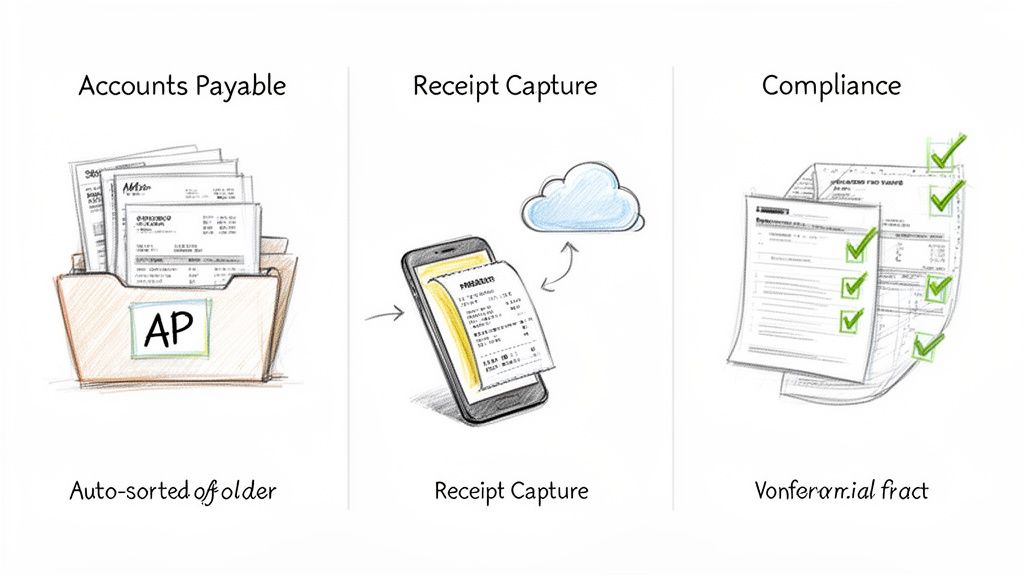
Revolutionizing Accounts Payable with Invoice Automation
By plugging in a data extraction API, that e-commerce business completely transforms its AP department. Now, when a supplier invoice lands in their inbox, it’s automatically forwarded to the API.
In seconds, the system intelligently reads and pulls out all the critical information:
- Vendor Name and Address
- Invoice Number and Due Date
- Purchase Order (PO) Number
- Individual Line Items with descriptions, quantities, and prices
- Subtotal, Tax Amounts, and Grand Total
This structured data is then instantly fired over to their accounting software, creating a draft bill that’s ready for a quick approval. What used to be a multi-day slog of typing and double-checking is now a near-instant, hands-off workflow.
The goal of AP automation isn't just about saving a few minutes on data entry. It's about getting real-time financial visibility, paying vendors on time, and freeing up your finance team to do more strategic work instead of just keying in numbers.
Streamlining Expense Reports Through Receipt Capture
Now, picture a consulting firm with employees constantly on the road. At the end of each month, the finance team gets hit with a messy pile of faded receipts for flights, meals, and hotels. They then have to spend hours squinting at each one and manually typing the details into a spreadsheet. It’s a chore nobody wants to do.
A data extraction API changes this entire game. The consultants just snap a photo of each receipt with their phone. An app, powered by the API, instantly extracts the key details like the merchant name, date, and total amount.
This data automatically populates their expense report, killing manual entry for good. Employees are happier, and the reimbursement cycle gets way faster. The finance team can approve reports in a fraction of the time, close the books sooner, and get a much clearer, up-to-the-minute view of company spending. For a deeper look at this, check out our guide on how to automate expense reports.
Simplifying Compliance and Financial Reporting
Finally, imagine a financial services firm that needs to analyze quarterly earnings reports from hundreds of public companies. These reports are often dense, multi-page PDFs. Manually digging through them to find specific figures like revenue, net income, and earnings per share is a monumental task.
Using a data extraction API, analysts can automate this whole process. The API can be set up to scan each document, pull out the exact financial metrics they need, and organize them into a structured database. This allows the firm to run large-scale analysis, spot trends, and make investment decisions much faster and more accurately than competitors still stuck doing it by hand.
Integrating the API into Your Workflow
Plugging a tool like a data extraction API into your current systems might sound like a heavy lift, but modern APIs are built to make this process surprisingly painless. The whole point is to build a seamless bridge where documents flow in, and clean, structured data flows out—triggering automated actions without anyone lifting a finger.
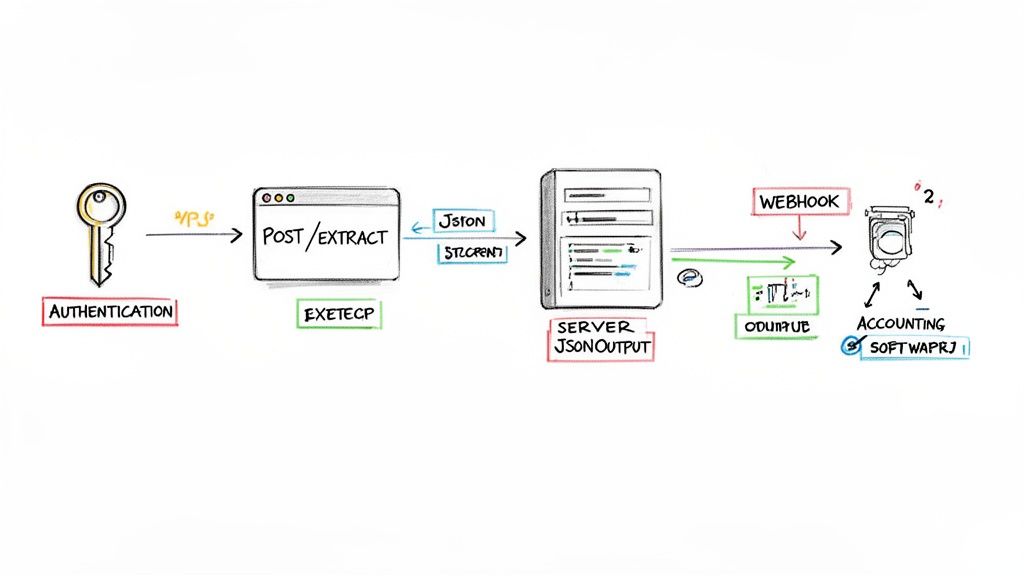
Think of it like setting up a new digital mailroom for your business. First, you give it a key so only authorized people can drop off mail (authentication). Then, you show it where the drop-off slot is (making an API call). Finally, you set up a notification system so the mailroom pings your team the instant a package is sorted and ready (handling the response).
This kind of easy integration is fueling the entire API economy, which is set to rocket from $269.9 billion in 2025 to over $420.3 billion by 2033. Why the massive growth? Because businesses are tired of slow, clunky software. In fact, 83% of companies are now using open APIs to get their tools talking to each other 53% faster than with old-school methods. For anyone building financial software, this means fast, reliable access to the tech needed to automate tedious work. You can read more about the API market explosion and its impact.
Making Your First API Call
The actual integration process boils down to a simple three-step dance that will feel very familiar to any developer.
-
Authentication: First things first, you need to secure the connection. Most APIs, including ExtractBill, give you a unique API key. This key is just a secret password you include in your request to prove who you are. It’s what keeps your data safe.
-
Making the Request: Once you're authenticated, you send your document—a PDF invoice, a JPG receipt—to a specific API endpoint using a standard HTTP POST request. It’s just like attaching a file to an email and hitting send. The document itself is included in the body of that request.
-
Handling the Response: After a few seconds, the API sends back its reply. This response is almost always in JSON (JavaScript Object Notation), a clean, human-readable format. The JSON file contains all the extracted data, neatly organized with labels like
"invoice_number"or"total_amount".
The beauty of a well-designed data extraction API is its simplicity. A single, well-formed request is all it takes to transform a messy, unstructured document into a clean, actionable dataset that your applications can immediately use.
The Power of Real-Time Automation with Webhooks
While sending a request and waiting for a response works great, there's an even smarter way to handle things, especially when you're processing a lot of documents: webhooks.
Instead of your application constantly poking the API and asking, "Are you done yet?" (a process called polling), webhooks flip the script entirely.
You just give the API a URL. The moment the document processing is complete, the API automatically sends the structured JSON data straight to that URL.
It’s the difference between hitting refresh on a package tracking page and getting an instant "Your package has been delivered!" notification on your phone.
- Instant Notifications: Your system finds out the second the data is ready.
- Reduced Server Load: No more wasting resources on constant polling.
- Real-Time Workflows: You can immediately kick off the next step, like creating a bill in QuickBooks or starting an approval process in Slack.
Robust Error Handling
Of course, no integration is complete without planning for when things go wrong. What happens if you send a blurry image or your API key is wrong? A good API will tell you exactly what happened with clear HTTP status codes and error messages.
Your application should be built to catch these errors gracefully. Maybe it logs the issue and tries again later, or it flags the document for a human to review. This kind of resilience is what turns a fragile script into a reliable, automated workflow that you can trust.
Start Your First Data Extraction Project
Alright, you've seen how a data extraction API works and what makes a good one. Now comes the fun part: putting it to work. Adopting this technology isn't some massive, rip-and-replace project. Think of it as taking one small, immediate step to get rid of a huge headache.
The problems these APIs solve are painfully simple but have a massive impact. They kill the soul-crushing boredom of manual data entry, slash the costly human errors that creep in when you're tired, and shrink financial workflows from days down to a few seconds. When you automate the most tedious part of the job, you free up your team to think, analyze, and strategize—not just type.
Launch Your Pilot Project
The absolute best way to get going is to start small and score a quick win. Don't try to boil the ocean and automate every single document on day one. Just pick one high-impact document type that causes the most pain.
The perfect candidate for a first project? Vendor invoices. Just about every business drowns in them, making them the ideal proving ground for automation.
Here’s a simple game plan to get started:
- Gather a Small Sample: Grab 3-5 different vendor invoices. Make sure you pick a mix—some clean and simple, others messy and complex. This gives you a real-world test of the API's muscle.
- Run a Test Extraction: Use a service like ExtractBill, which gives you free credits to kick the tires. Just upload your sample documents and watch the AI get to work.
- Review the Structured Output: In seconds, you'll get back a clean, structured JSON file. Pop it open and see how accurately the API nailed the key fields—invoice numbers, line items, totals, you name it.
This first test is your "aha!" moment. It's where you see a chaotic PDF instantly morph into perfectly organized data, ready to be fed right into your accounting software. It proves the concept and gets everyone excited for what's next.
This simple pilot project takes all the mystery out of the technology and gives you a tangible result you can show your team. It’s a low-risk, high-reward way to see the power of a data extraction API firsthand and start your journey to a smarter, automated back office.
Frequently Asked Questions
Jumping into document automation brings up a few common questions, especially around how this tech differs from older tools and what it takes to get started. Here are a few things we hear all the time.
What’s the Difference Between OCR and a Data Extraction API?
This is a big one. It's easy to mix them up, but they do completely different jobs.
Think of old-school Optical Character Recognition (OCR) as just the eyes. Its only job is to scan a document image and turn the characters it sees into a big, messy block of raw text. It digitizes the words, but it has zero understanding of what they actually mean.
A modern data extraction API is the brain. It takes that raw text, applies a layer of artificial intelligence, and actually understands the context. It knows "Due Date" is a date, "Total" is a dollar amount, and a grid of text is probably a list of line items. The API doesn't just give you text; it gives you clean, structured, and labeled data (like JSON) that your software can actually work with.
OCR turns a picture of words into a wall of text. A data extraction API turns that wall of text into structured, usable information.
How Secure Is It to Send Invoices and Receipts to an API?
Security isn't just a feature; it's a requirement. When you're dealing with financial documents, there’s no room for compromise. Any reputable API provider builds its entire service on a foundation of serious security protocols to protect your data from the moment you upload it.
Here are the essentials to look for:
- End-to-End Encryption: Your documents must be encrypted while they're being uploaded (in transit) and while they're stored on the provider's servers (at rest). This makes the data completely unreadable to anyone without authorization.
- Clear Data Policies: The provider should be upfront about its data retention and deletion policies. You need to be in control of how long your information is kept after it's been processed.
- Compliance Certifications: Look for standards like SOC 2 or GDPR. These aren't just acronyms; they're proof that a company has undergone rigorous audits to verify its commitment to security and privacy.
Do I Need to Be a Developer to Use It?
Yes and no. A developer is definitely needed for the initial setup—the part where the API gets connected to your accounting software, ERP, or custom workflow.
But once it’s integrated, the best platforms are built for everyone else on the team. For example, ExtractBill includes a simple web interface where non-technical users, like accountants or office managers, can just drag and drop documents. They can upload a batch of invoices, check the extracted data, and approve them without ever touching a line of code.
Can the API Read Handwritten Notes on Receipts?
That's a great question, and the honest answer is: sometimes, but you shouldn't count on it.
AI has gotten incredibly good at reading printed text, even on crumpled or blurry documents. But human handwriting is a whole different beast—the sheer variability makes it a massive challenge for algorithms. The accuracy for handwritten notes can be all over the place, depending on how neat the writing is.
A data extraction API is really built for typed or printed text on documents like invoices, receipts, and bills. While it might pick up some handwritten text, that's not its core strength. For critical information, stick to what it does best.
Ready to stop typing and start automating? With ExtractBill, you can turn messy invoices and receipts into clean, structured data in seconds. Get started for free at ExtractBill
Ready to automate your documents?
Start extracting invoice data in seconds with ExtractBill's AI-powered API.
Get Started for Free