Unlocking Efficiency with Accounts Payable Automation Tools
If you've ever seen an accounts payable department buried under stacks of invoices, you know the pain of the old-school, manual process. It’s a tedious cycle of data entry, shuffling paper for signatures, and chasing down approvals. This isn't just slow—it's a recipe for costly mistakes, from duplicate payments to missed discounts.
So, what's the alternative?
What Are Accounts Payable Automation Tools?
Imagine a different world. An invoice lands in an inbox, and a smart system immediately reads it, pulls out the key details, checks them against your purchase orders, and routes it to the right person for approval. No paper, no manual typing, no chasing signatures.
That's exactly what accounts payable automation tools do. They are software platforms designed to take over the repetitive, manual tasks that bog down your finance team, transforming the entire process from a reactive bottleneck into a smooth, digital workflow.
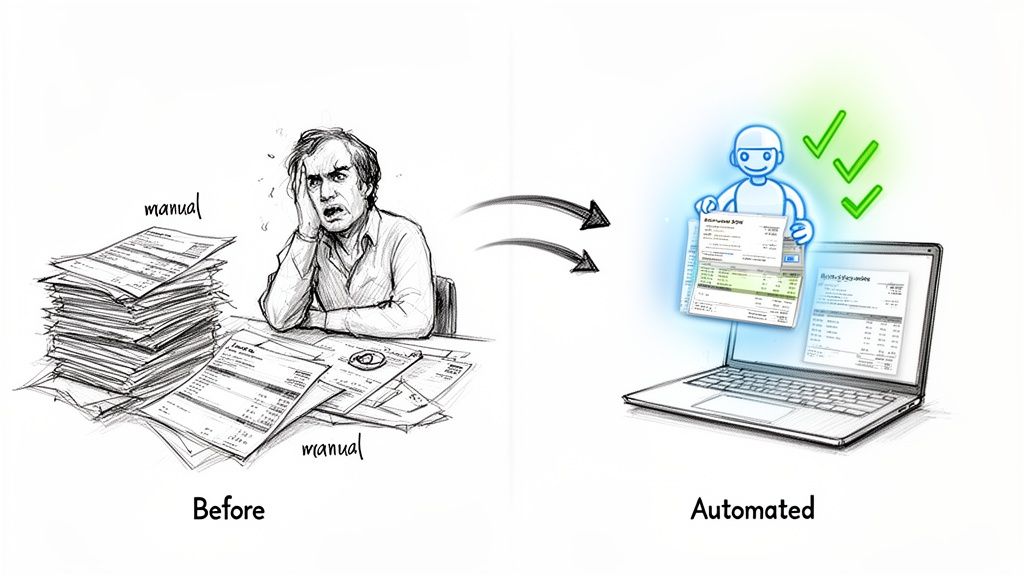
From Manual Chaos to Automated Clarity
At its core, the shift is simple: moving from physical paper to digital data. Once information is digitized, you unlock a whole new level of efficiency, control, and insight. It's no surprise that the global accounts payable automation market was valued at USD 3.07 billion in 2023 and is projected to hit USD 7.1 billion by 2030. Businesses are quickly realizing they can't afford to be left behind.
These tools handle several critical stages of the AP lifecycle:
- Invoice Capture: Forget manual data entry. The software uses technologies like OCR to automatically lift data from PDFs, emails, and scanned documents. Our guide on invoice data capture software breaks down how this foundational step works.
- Data Verification: The system automatically performs 2-way or 3-way matching, comparing invoice details against purchase orders and receiving reports to ensure everything lines up before a single dollar is spent.
- Approval Routing: No more hunting down managers for a signature. Invoices are digitally sent to the right approvers based on preset rules like department, amount, or vendor.
- Payment Processing: Once approved, payments can be scheduled and sent directly from the platform, closing the loop on a truly end-to-end automated process.
The real magic here is freeing up your finance team. Instead of spending their days chasing paper and fixing typos, they can focus on analyzing spending patterns, negotiating better terms with vendors, and providing strategic financial guidance to the business.
Let's look at a side-by-side comparison to see just how stark the difference is.
Manual AP vs Automated AP: A Quick Comparison
This table breaks down the traditional, hands-on approach versus the modern, automated workflow. The contrast highlights where the biggest time and cost savings come from.
| Process Step | Manual AP (The Old Way) | Automated AP (The New Way) |
|---|---|---|
| Invoice Receipt | Paper invoices arrive by mail, are manually sorted, and often get lost on someone's desk. | Invoices are received via email or a vendor portal and are automatically ingested into the system. |
| Data Entry | An AP clerk manually types invoice details (vendor, date, amount, line items) into the accounting system. High potential for typos. | AI-powered OCR automatically extracts all data from the invoice in seconds with near-perfect accuracy. |
| Verification | Someone physically pulls up the PO and delivery receipt, comparing them line-by-line with the invoice. | The system instantly performs 2-way or 3-way matching against digital POs and receipts, flagging any discrepancies. |
| Approval | The invoice is put in an envelope and physically walked or mailed to a manager for a signature, who may be out of the office. | The invoice is digitally routed to the correct approver's dashboard based on pre-set rules. Approvals can be done with a click, even on a mobile device. |
| Payment | AP team manually schedules and processes payments, often by printing and mailing paper checks. | Approved invoices are queued for payment, which can be executed via ACH, virtual card, or wire transfer directly from the platform. |
| Record Keeping | Approved invoices are stored in bulky filing cabinets, making audits a painful, time-consuming search for documents. | All invoices, approvals, and payment records are stored in a secure, searchable digital archive. Audit trails are created automatically. |
Ultimately, this isn't just about going faster. It’s about building a smarter, more resilient finance operation that eliminates costly errors, slashes processing costs, and gives you a crystal-clear, real-time view of your company’s financial obligations.
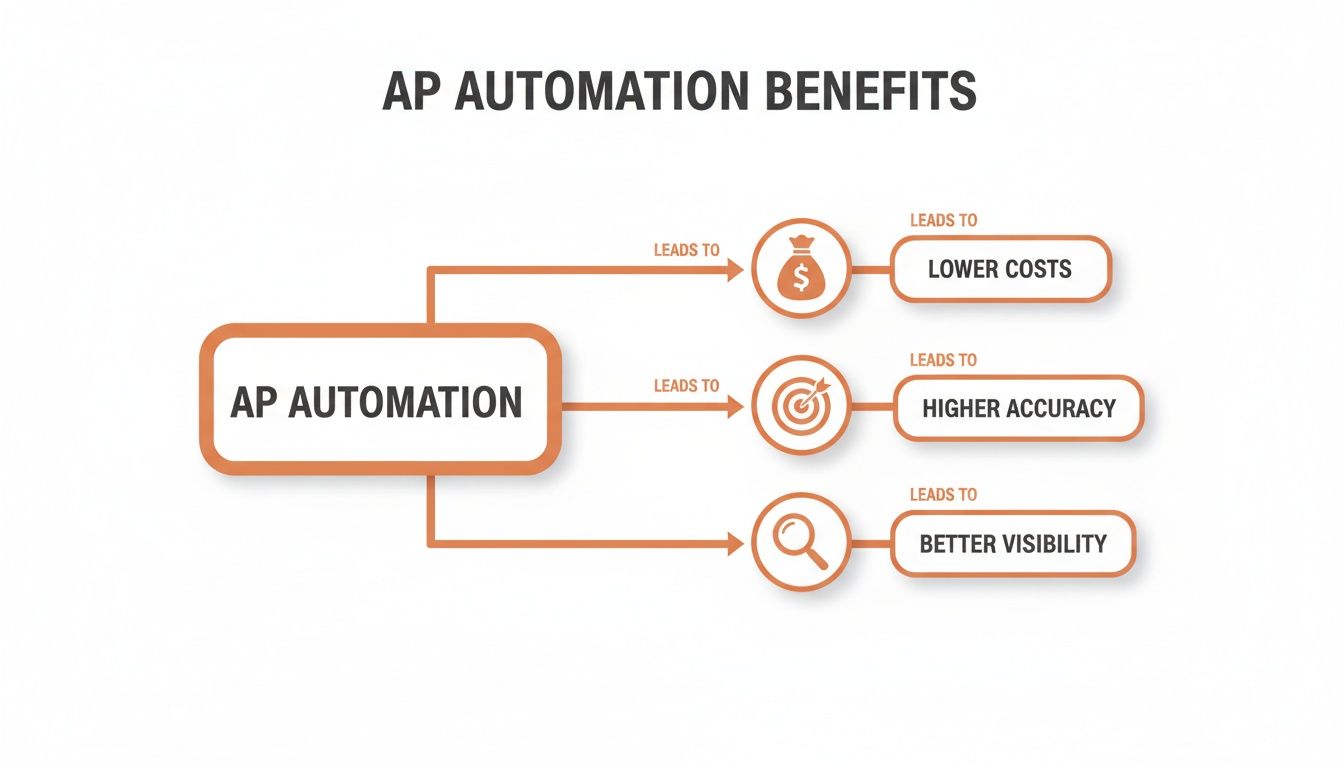
The True Business Impact of AP Automation
Let's move past the theory. The real-world results of AP automation send a powerful ripple effect across your entire company. This isn't just about shuffling invoices through a system faster; it's about fundamentally rebuilding your financial operations to be more efficient, accurate, and strategic. The true impact is measured in cold hard cash saved, hours clawed back, and stronger business relationships.
The first thing you'll notice is a huge drop in what it costs to just run the department. Manual invoice processing is shockingly expensive. When you add up the cost of employee time, printing, postage, and physical storage, studies show that processing a single invoice by hand can cost anywhere from $12 to over $30.
In contrast, a fully automated system can slash this cost by 80% or more, often bringing it down to just a few bucks per invoice. If your business handles hundreds or thousands of invoices a month, you're looking at tens of thousands of dollars in annual savings that go straight to the bottom line.
Gaining Unprecedented Accuracy and Control
Let's be honest, human error is just a fact of life in manual data entry. A misplaced decimal point or a wrong vendor code can easily lead to overpayments, duplicate payments, or compliance headaches that are expensive and a huge pain to unwind. Accounts payable automation tools pretty much wipe these mistakes off the map.
By using AI-powered data extraction, the software grabs invoice details with near-perfect accuracy. This precision stops costly errors before they ever contaminate your accounting system. Plus, the whole process is digital, which gives you a crystal-clear, unchangeable audit trail.
Every single action—from the moment an invoice arrives to the final payment confirmation—is logged, timestamped, and tied to a specific user. This builds a fortress of accountability, making it far easier to spot and stop fraud while taking the stress out of internal and external audits.
Strengthening Vital Vendor Relationships
Your vendors are your partners, and how you pay them directly affects how strong that partnership is. Consistently paying late because of clunky, paper-based approval workflows can strain those relationships. That can lead to less favorable terms or even a vendor who's not so eager to prioritize your next order.
Automation fixes this by creating a payment cycle that's reliable and predictable.
- Prompt Payments: By killing the manual bottlenecks, invoices get approved and paid on time, every single time.
- Early Payment Discounts: Faster processing means you can actually take advantage of those valuable early payment discounts. A simple "2/10, net 30" term on a $10,000 invoice saves you $200 just for paying a couple of weeks early. That adds up fast.
- Enhanced Communication: Many platforms give your vendors their own portal. They can log in and check the status of their invoices themselves, which means fewer "where's my money?" emails and phone calls flooding your AP team.
For a deeper dive into these advantages, check out our complete guide on the benefits of accounts payable automation.
Transforming Finance into a Strategic Hub
This might be the biggest win of all: the strategic shift it allows your finance department to make. When your team isn't buried under a mountain of repetitive, administrative chores, they're free to focus on the high-value work that actually pushes the business forward.
This means they finally have the time—and the data—to analyze spending trends, hunt for cost-saving opportunities, and provide real-time cash flow forecasts. Instead of just being historians recording what already happened, your finance team becomes a forward-looking, strategic partner. They get the visibility they need to help guide smarter business decisions. That's the ultimate return on investment.
Decoding the Features of Modern AP Automation Tools
To really get what makes accounts payable automation tools so powerful, you have to look under the hood. These platforms aren't just digital filing cabinets. They're sophisticated engines built from several key pieces of tech, each one designed to smash a specific manual bottleneck. Think of it like a finely tuned assembly line, where every station performs its job with robotic precision.
The whole show kicks off the second an invoice lands in your inbox. Instead of someone on your team manually punching in data, the software steps in.
AI-Powered Invoice Capture with OCR
The first, and arguably most critical, feature is Optical Character Recognition (OCR). But this isn't the clunky OCR from ten years ago. Today's tools use AI-driven OCR that intelligently reads and understands an invoice just like a person would. It doesn't care if the invoice is a crisp PDF, a scanned image, or a quick photo snapped on a phone—the system can find and pull out all the important information.
And it goes way beyond just grabbing text. The AI gets the context. It knows the difference between an invoice number and a PO number, and it can pinpoint line-item details like quantity, unit price, and descriptions. For a deeper dive on how this all works, you can check out how modern document capture software has evolved.
Here’s a look at how simple the front end can be. Users just upload their documents, and the system handles the rest.
The design is all about speed and simplicity, turning a complex process on the backend into a simple drag-and-drop action for the user.
Automated Invoice and PO Matching
Once the data is cleanly extracted, the system's next job is to verify everything. This is where automated 2-way and 3-way matching comes in. It’s the digital version of a detail-obsessed clerk checking every single line before signing off, but it all happens in a matter of seconds.
- 2-Way Matching: The software instantly compares the invoice against the corresponding purchase order (PO) in your accounting system. It checks that the prices, quantities, and terms all line up with what you originally agreed to.
- 3-Way Matching: For any business that deals with physical goods, this adds an extra layer of security. The system checks the invoice against both the PO and the goods receipt note. This confirms you were billed not just for what you ordered, but for what actually showed up at your warehouse.
Any little discrepancy gets automatically flagged for a human to review. This means your team only ever has to look at the exceptions, not the thousands of invoices that are perfectly correct.
Customizable Approval Workflows
Chasing managers for signatures is one of the biggest time-sucks in any manual AP process. AP automation completely eliminates this with smart, customizable approval workflows. You can build rules that automatically send invoices to the right person based on whatever criteria you set.
For example, you could create a rule that sends all marketing invoices under $5,000 straight to the marketing director. But any invoice over $20,000? That might require an okay from both the department head and the CFO. The invoice just appears in their queue, and they can approve or deny it with a click, whether they're at their desk or on their phone.
Integrated Payments and Vendor Portals
The final steps are just as important as the first. A good AP automation tool doesn't stop once an invoice is approved; it helps you close the loop with integrated payment processing. You can schedule and send payments via ACH, virtual card, or other electronic methods right from the platform. This keeps the entire workflow in one place and gives you a rock-solid audit trail from start to finish.
On top of that, many of the best accounts payable automation tools also offer a vendor portal. This self-service feature is a game-changer for your supplier relationships. Instead of calling your AP team to ask about a payment, vendors can just log in, see the real-time status of their invoices, and even update their own contact information. It cuts down on the back-and-forth for your team and gives your vendors the transparency they crave.
Choosing the Right AP Automation Tool for Your Business
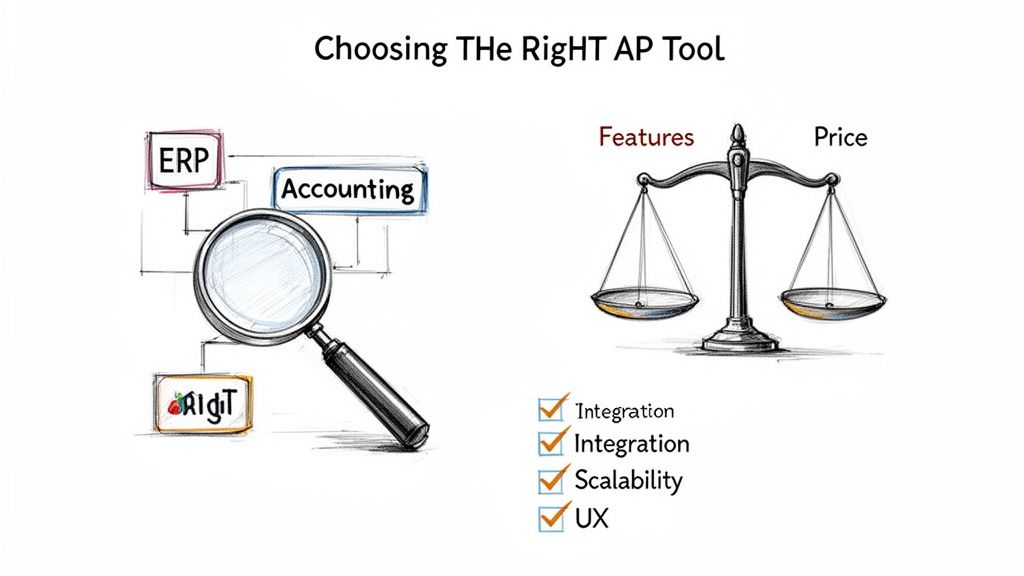
With so many options out there, picking the right software can feel like a chore. But a little structure goes a long way. Think of it like buying a car—you wouldn't just grab the first one you see. You'd check under the hood, see if it fits your needs, and definitely take it for a test drive. Picking from the many accounts payable automation tools on the market requires that same careful evaluation.
This isn't just about tech; it's a core business decision. It affects your finance team's day-to-day sanity and your company's bottom line. The goal is to find a tool that puts out your immediate fires and is still the right fit as you grow.
H3: Prioritize Seamless Integration
Your AP tool can't be a lone wolf. It has to play nice with the software you already use, especially your accounting system or ERP. An integration that’s clunky or requires you to manually export and import files completely defeats the purpose of automation.
Look for vendors that offer pre-built, native integrations with platforms like QuickBooks, Xero, NetSuite, or Sage. This ensures that when an invoice is approved and paid, all the data syncs directly to your general ledger without anyone lifting a finger. That direct link keeps your financial data accurate and reliable.
H3: Evaluate Scalability and Growth Potential
The tool that works perfectly today needs to keep up with you tomorrow. Think about where your business is headed. Are you planning to expand, hire more people, or just handle a lot more invoices? Your AP automation tool needs to scale right alongside you.
Ask potential vendors how their platform handles a sudden spike in volume. Does it slow to a crawl? Do the costs jump unexpectedly? A truly scalable solution should handle 1,000 invoices a month just as effortlessly as it handles 100.
H3: Understand the Pricing Model
AP software comes in all sorts of pricing flavors, so it’s crucial to find one that fits your budget and workflow. Don’t just glance at the sticker price; you need to dig into the details to make sure there are no surprises waiting for you down the road.
Common pricing models you'll see include:
- Per-Invoice: You pay a small fee for each document processed. This is great for predictability, especially if your invoice volume goes up and down.
- Subscription-Based: A flat monthly or annual fee, usually based on users or a feature set. This gives you budget certainty but might not be cost-effective if your usage is low.
- Tiered Plans: Different packages with different features at set price points. Just make sure the tier you choose has all your must-haves, like certain integrations or specific approval workflows.
The best model really depends on your business. A pay-per-use model, for example, gives you incredible flexibility and ensures you only pay for what you actually use. It's often a great starting point for small and mid-sized companies.
H3: Focus on the User Experience
Even the most feature-packed software is useless if your team hates using it. A clunky, confusing interface leads to frustration, low adoption, and everyone sliding back into their old manual habits. The best accounts payable automation tools are designed for the people who have to use them every day.
When you're getting a demo or doing a free trial, pay close attention to the user experience (UX). Is the dashboard clean? Can you figure out how to set up an approval workflow without digging through a manual? If it feels awkward to you, it will feel just as bad for your team. A smooth, intuitive interface is non-negotiable if you want to get the full value out of your investment.
To help you stay organized during your search, use this checklist to compare different vendors and make sure you’re asking the right questions.
AP Automation Tool Evaluation Checklist
| Evaluation Criteria | Question to Ask | Why It Matters |
|---|---|---|
| Integration Quality | Does it offer a pre-built, two-way sync with our ERP/accounting software? | A native integration prevents manual data entry and ensures a single source of truth for financial data. |
| OCR Accuracy | What is the guaranteed data extraction accuracy rate? Can it handle complex invoices? | High accuracy reduces the need for manual corrections, which is the whole point of automation. |
| Workflow Customization | Can we build multi-step, conditional approval workflows that match our process? | The tool should adapt to your business rules, not the other way around. Rigid workflows cause problems. |
| Scalability & Performance | How does the system handle a 10x increase in invoice volume? What about performance? | You need a tool that can grow with your business without slowing down or becoming prohibitively expensive. |
| Vendor Management | Does it include a vendor portal for self-service and communication? | A vendor portal reduces inquiries to your AP team and empowers vendors to track their own invoices. |
| Payment Capabilities | What payment methods are supported (ACH, check, virtual card, international)? | A good tool consolidates payments, saving time and potentially offering rebates on virtual card spend. |
| User Experience (UX) | Is the interface intuitive for both AP staff and approvers on mobile and desktop? | If the tool is hard to use, your team won't adopt it, and you won't see the promised ROI. |
| Pricing Transparency | Are there any hidden fees for implementation, support, or extra users? | A clear, predictable pricing model avoids budget surprises and ensures the total cost is understood upfront. |
| Security & Compliance | What security measures (encryption, access controls) and compliance certifications (SOC 2) are in place? | Protecting sensitive financial data and ensuring audit readiness is critical for any finance tool. |
| Customer Support | What are the support hours and channels (phone, email, chat)? Is there a dedicated account manager? | When issues arise, you need responsive and knowledgeable support to resolve them quickly. |
This checklist isn't exhaustive, but it covers the big-ticket items that can make or break your experience with an AP automation tool. Getting these answers upfront will help you find a true partner, not just another piece of software.
Tapping into API-Driven AP Automation
While a clean dashboard is perfect for most day-to-day tasks, some businesses need to go deeper. They need to build financial workflows that are completely unique to how they operate. This is where we stop talking about user interfaces and start talking about Application Programming Interfaces (APIs).
For any company that wants total control and flexibility, API-first accounts payable automation tools are the answer.
Think of an API as a universal translator that lets your different software systems talk to each other. It’s the bridge that connects your AP automation platform directly to your ERP, your custom inventory manager, or any other tool in your stack. This direct line of communication is what makes true, end-to-end automation possible.
The Two-Way Conversation: REST APIs and Webhooks
In the world of AP automation, this conversation happens in two main ways: through REST APIs and webhooks. They work together to keep data flowing in real-time.
-
REST API (The "Pull"): This is when one of your systems actively asks the AP tool for information. For instance, your internal dashboard could make an API call to check the status of a specific invoice. It’s an on-demand request, initiated whenever your application needs to know something.
-
Webhook (The "Push"): This is a proactive notification. Instead of your system constantly polling to see if an invoice is processed, the AP automation tool uses a webhook to tell your application the moment the job is done. It’s an event-driven push of information, sent automatically.
This "pull" and "push" model creates an incredibly efficient workflow. No more manual checks or waiting for nightly batch updates. All your systems stay perfectly in sync, all the time.
By taking an API-first approach, you're no longer boxed in by the features of a standard user interface. You can plug intelligent data extraction directly into the software you already use, molding your financial processes to fit your company's exact needs.
This hunger for deeper integration is a growing trend. While only 7% of AP departments are using AI today, a significant 40% of businesses are planning to bring AI-driven solutions on board soon. A huge driver for this shift is using APIs to integrate AI for tasks like smart data extraction, allowing systems to learn and improve on their own. You can find more details on this and other accounts payable statistics on Flairstech.com.
What Good API Data Actually Looks Like
The real magic of an API isn't just the connection—it's the quality of the data it delivers. When an AI-powered tool like a data extraction API processes an invoice, it doesn't just spit back a jumbled wall of text. It returns a clean, structured JSON (JavaScript Object Notation) file.
JSON is a simple, lightweight format that's incredibly easy for any programming language to understand. It organizes all the extracted data into neat key-value pairs, making it a breeze for your developers to work with. This clean data can then be mapped directly into the fields of your accounting software, ERP, or internal database.
For example, after you send an invoice image to the API, you'll get back a response that looks something like this:
{ "vendor_name": "Office Supplies Inc.", "invoice_number": "INV-789123", "invoice_date": "2024-10-26", "due_date": "2024-11-25", "total_amount": 149.99, "tax_amount": 12.50, "currency": "USD", "line_items": [ { "description": "Premium Printer Paper (Case)", "quantity": 2, "unit_price": 45.00, "line_total": 90.00 }, { "description": "Black Ink Cartridges (3-Pack)", "quantity": 1, "unit_price": 47.49, "line_total": 47.49 } ] }
This structured data is instantly usable. Your developers can write a bit of code to automatically create a new bill in your accounting system, check the line items against a purchase order, or even trigger an inventory update. And it all happens without a single person having to type in that information. This is how modern, API-driven accounts payable automation tools close the final gap, creating a truly hands-off financial operation.
Still Have Questions? Here Are a Few Common Ones
As you get closer to choosing a system, the practical, day-to-day questions start to pop up. Let's tackle the most common ones we hear from finance leaders and their teams before they make the jump.
How Long Does This Actually Take to Set Up?
This is the million-dollar question, and the answer is: it depends. A simple, cloud-based accounts payable automation tool can be up and running in just a few days, especially if it has a clean, pre-built connector for your accounting software like QuickBooks or Xero.
If you're running a more complex, custom ERP system, you're probably looking at a few weeks for a full-blown integration, configuration, and testing cycle. The key isn't just speed—it's finding a vendor with a clear onboarding plan and a support team that actually picks up the phone. A guided setup makes the entire process faster and way less painful for your team.
Is This Stuff Actually Secure With Our Financial Data?
Absolutely. Any AP automation provider worth its salt treats security as its number one job. They know they're handling your most sensitive financial information, and they build their entire platform around protecting it.
Security isn’t just a feature; it's the foundation of the entire service. Top-tier tools use heavy-duty measures like end-to-end data encryption, run on secure cloud infrastructure from giants like AWS or Azure, and undergo regular, tough third-party security audits.
When you're vetting vendors, don't be shy. Ask them directly about their security protocols and look for proof, like a SOC 2 certification. This isn't just a fancy badge; it’s a confirmation from an independent auditor that the vendor has solid, proven processes for keeping customer data safe. It’s the peace of mind you need.
Can These Tools Handle Invoices from Other Countries?
Yes, most modern AP automation platforms are designed with global business in mind. As more companies operate across borders, the software has caught up to handle the messiness of international trade.
If you deal with international vendors, here are the non-negotiables to look for:
- Multi-Currency Support: The system has to be able to process invoices in any currency and handle the exchange rate conversions smoothly.
- Global Tax Compliance: It needs to recognize and correctly calculate different tax types, like VAT or GST, based on local rules. No exceptions.
- Multi-Language OCR: The AI that reads the invoices has to be smart enough to understand documents written in different languages, not just English.
Getting confirmation on these features is crucial for any business with a global footprint. The right tool will keep your AP process humming along, no matter where your suppliers are based.
Ready to stop the manual data entry madness and automate your invoice processing in seconds? ExtractBill uses AI to pull data from any invoice with 99.9% accuracy. Try it for free and see how much time you can save.
Ready to automate your documents?
Start extracting invoice data in seconds with ExtractBill's AI-powered API.
Get Started for Free