Document Capture Software: Automate Data Entry and Boost Accuracy
Ever seen someone manually typing information from a stack of invoices or receipts into a spreadsheet? It’s slow, tedious, and a perfect recipe for typos. Now, imagine a digital assistant who could instantly read, understand, and organize all that information for you.
That’s document capture software in a nutshell. It’s the technology that finally ends the soul-crushing cycle of manual data entry, acting as a smart bridge between your paper and PDF documents and the business software that needs that data.
What Is Document Capture Software
At its heart, document capture software tackles one of the most universal problems in business: liberating valuable information trapped inside unstructured documents. Think about all the invoices, receipts, purchase orders, and bank statements that flow through your company. They’re packed with critical data, but it’s all locked away in a format your systems can’t read.
Instead of an employee spending five minutes painstakingly keying in the line items from a supplier invoice, the software scans, reads, and extracts that data in seconds. It transforms chaotic information into a clean, structured format—like JSON—that your accounting or ERP system can immediately understand and put to work.
It’s a bit like translating a foreign language. You could hire someone to manually translate a book word-for-word, a process that’s slow and full of potential mistakes. Or, you could use an expert translator (the software) who does it with incredible speed and accuracy, preserving the original meaning (the data) perfectly.
The Core Purpose of Document Capture
The main goal is simple: kill manual data entry. By automating the extraction of information, this software directly targets the biggest headaches for finance, accounting, and back-office teams. The payoff is immediate and easy to see.
- Massive Efficiency Boost: It slashes the time it takes to process documents. An invoice that takes a person five minutes to enter by hand can be done in under five seconds.
- Drastically Improved Accuracy: Machines don't get tired or make typos. By taking human hands off the keyboard, you eliminate costly errors like transposed numbers or incorrect vendor details.
- True Automation Unleashed: Once the data is structured, it can kick off all sorts of automated workflows. An invoice can be automatically routed for approval, a purchase order matched, or financial records updated without a single person lifting a finger. If you want to dive deeper into how this works, check out our guide on what data parsing is and how it works.
The fundamental shift here is turning your team from data entry clerks into data analysts. Instead of just typing, they can finally focus on what matters—financial strategy, vendor negotiations, and optimizing cash flow.
This isn’t some niche technology; it’s becoming essential for any business serious about automation. The market growth proves it. The global document capture software market was valued at USD 1,951.33 million in 2020 and is on track to hit USD 3,592.64 million by 2026. This boom is fueled by companies reporting huge efficiency gains, especially in automating their accounts payable and receivable departments. You can read more about this growing market and its impact on business automation. Once you understand its purpose, it's easy to see why it’s a non-negotiable tool for staying competitive.
How Modern Document Capture Software Works
To really get what document capture software does, you have to look under the hood. On the surface, it might seem like pure magic, but it’s actually a powerful mix of two key technologies working together.
Think of it like a digital super-employee—one with phenomenal eyesight and a sharp, analytical brain.
The whole thing starts with the "eyes," a technology known as Optical Character Recognition (OCR). In its simplest form, OCR scans an image of a document—like a PDF invoice or a photo of a receipt—and picks out the letters, numbers, and symbols. It's essentially tracing the shapes on the page and turning them into digital text.
But basic OCR is just the first step. It can read the words, but it has no idea what they mean. It might see "123 Main Street" and "456 Oak Avenue," but it doesn't know that one is a billing address and the other is a shipping address. That's where the real intelligence comes in.
The Brain Behind the Operation: AI Vision
This is where today’s document capture software leaves older, clunkier tools in the dust. If OCR provides the eyes, then AI Vision is the brain. These AI models have been trained on millions of different documents, learning all the common patterns, layouts, and contextual clues that signal a specific piece of information.
The AI doesn't just see a random string of numbers; it recognizes that a 10-digit number sitting next to the word "Invoice" is almost certainly the invoice number. It understands that a table with columns for "Description," "Quantity," and "Price" contains line items, not just a jumble of text. This contextual understanding is what allows the software to pull data with such incredible precision.
AI Vision turns raw, meaningless text into useful information. It’s the difference between just reading words on a page and actually understanding the story they tell. This leap from simple recognition to true comprehension is the heart of modern data extraction.
This simple flowchart shows the process, moving from unstructured chaos to structured clarity.
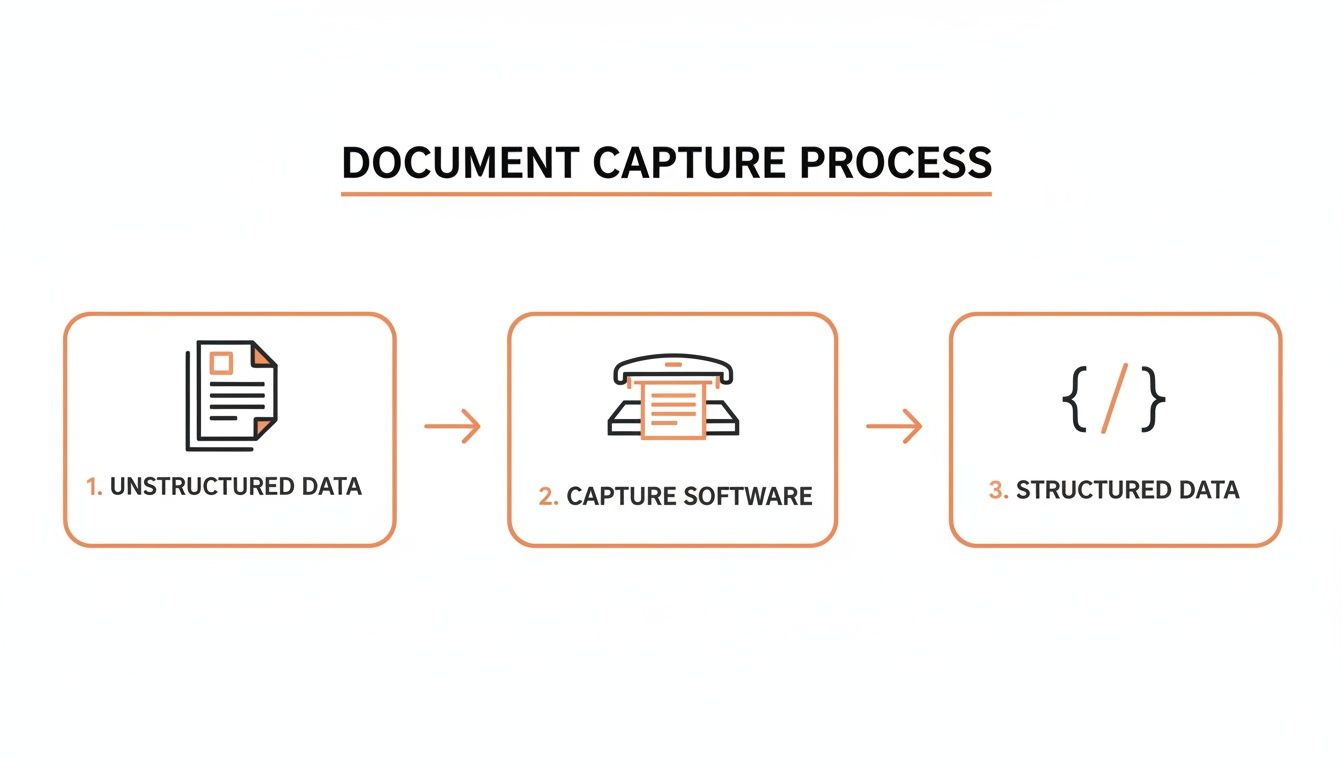
As you can see, the software is the critical bridge. It takes in messy, inconsistent documents and spits out clean, organized data that’s ready for your other systems.
To give you a clearer picture, let's compare the old way with the new way.
Manual Data Entry vs Automated Document Capture
| Metric | Manual Data Entry | Automated Document Capture |
|---|---|---|
| Process | Someone physically reads a document and types the data into a system. It's slow and repetitive. | Software automatically reads, understands, and extracts data in seconds. No human typing needed. |
| Accuracy | Prone to human error. Typos, transposed numbers, and missed fields are common, with rates around 96-97%. | Extremely high, often exceeding 99% accuracy. The AI double-checks its own work based on context. |
| Cost | You're paying for someone's time. The cost per document is high and directly tied to labor wages. | A low, predictable cost per document. You pay for the technology, not the hours. |
| Scalability | To process more documents, you have to hire more people. It doesn't scale easily or cheaply. | Scales instantly. You can go from processing 100 documents a day to 10,000 without hiring anyone. |
The difference is night and day. Automation doesn't just do the same job faster; it does it better, cheaper, and at a scale that's impossible to achieve with a manual workforce.
Hitting High Accuracy Across Any Format
It's the combination of OCR and AI Vision that delivers such amazing accuracy, often hitting over 99%. This powerful duo can tackle a huge range of document formats and conditions, so you get reliable data every single time.
Here's how it handles different files:
- PDFs: Doesn't matter if they're text-based originals or image-based scans. The software processes them both without a hitch.
- JPGs and PNGs: Perfect for on-the-go captures, like snapping a photo of a receipt for an expense report. The AI is trained to deal with weird lighting, bad angles, and blurry images.
This flexibility means that no matter how a document gets into your workflow—whether it's an email attachment from a supplier or a photo from a team member—the capture process stays consistent and dependable. The goal is to produce structured data (like JSON) that’s so clean it can be fed directly into your accounting software or ERP without anyone having to check it first.
For developers aiming to build these kinds of automated flows, learning how to use a data extraction API is a great next step. The whole process, from upload to structured output, happens in just a few seconds. For a finance team, an invoice that used to take minutes of painful keying is now processed automatically before they even open the file.
Key Benefits for Finance and Back Office Teams
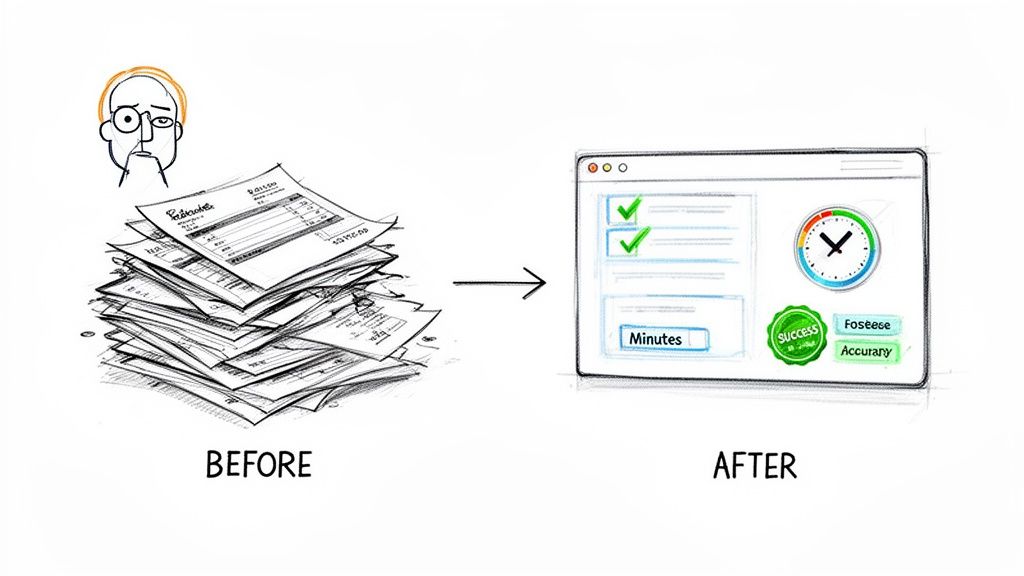
Ever seen a finance team literally buried under a mountain of paper invoices? For a growing business, it’s a familiar sight. The morning starts with a fresh stack, and each document kicks off a slow, manual slog of reading, verifying, and typing data into an accounting system.
This manual grind isn't just tedious; it's a massive bottleneck riddled with risk. Simple typos lead to overpayments. Missed details delay payments and strain vendor relationships. The team is so bogged down in data entry that there's no time left for actual financial analysis. The business is always looking in the rearview mirror, trying to manage cash flow with outdated information.
Now, imagine that company implements document capture software. That mountain of paper vanishes, replaced by a clean, automated digital workflow. This isn’t just about moving faster—it’s about fundamentally changing how the entire back office operates.
From Days to Minutes in Processing Time
The most immediate win is the sheer speed. A task that once took a team member five to ten minutes per invoice is now done in less than five seconds.
Think about what that means at scale. Processing 500 invoices a month manually could easily eat up over 40 hours of an employee's time. With document capture, that entire workload is handled in under an hour. You just freed up an entire week of work for more valuable projects.
It’s not just theory. A company like Westpower saw its invoice processing time drop by 30-40% almost overnight after bringing in a document capture solution. This allowed them to close their books by the second day of the month—a goal that was previously unthinkable.
Achieving Near-Perfect Data Accuracy
Human error is an expensive problem. A mistyped digit, an incorrect vendor ID, or a missed early payment discount can bleed thousands of dollars from the bottom line over a year. Document capture software all but eliminates these costly slip-ups.
By using AI to read and understand documents, these systems achieve accuracy rates that often top 99%. This isn't just about getting the numbers right; it's about introducing relentless consistency and reliability into your financial workflows.
Think of the software as a tireless, detail-obsessed gatekeeper for your financial data. It ensures the information flowing into your ERP or accounting system is clean, verified, and trustworthy from the get-go.
This level of precision is why the financial services industry has so readily adopted intelligent data extraction. The market for document capture software is projected to grow to USD 41.67 billion by 2035, up from USD 19.03 billion in 2025. A huge driver for this growth is its ability to slash data entry errors by up to 99%—a game-changer in finance. You can dive deeper into this expanding market and its key verticals.
Gaining Real-Time Financial Visibility
When data entry is slow and manual, financial reporting is always lagging. You can't make smart calls about cash flow or budget allocation if your data is a week old. Automation flips the script entirely.
Because documents are processed in near real-time, your financial systems are always up-to-date. This gives you a clear, accurate, and current picture of your company’s financial health.
- Improved Cash Flow Management: Know exactly which bills are due and when. This lets you optimize payment schedules and snag every early payment discount available.
- Simplified Audits and Compliance: Need to pull records for an audit? It's now a simple search query instead of a frantic hunt through filing cabinets, since every document is digitized and linked to its extracted data.
- Empowered Strategic Decisions: Leadership can pull accurate spending reports on demand, paving the way for better forecasting, budgeting, and strategic planning.
Ultimately, this technology gives finance and back-office teams back their most valuable asset: time. By automating the grunt work, they can finally shift from clerical tasks to high-impact analysis and become a true strategic partner to the business. To see more ways automation helps, check out the core benefits of accounts payable automation in our guide.
How to Choose the Right Solution
Picking the right document capture software isn't just about ticking boxes on a feature list; it's about finding a genuine partner for your company's automation goals. The market is crowded with vendors all shouting about their speed and accuracy. To see through the hype, you need a simple framework that zeroes in on what actually impacts your business: performance, security, developer experience, and cost.
This is less like buying off-the-shelf software and more like hiring a new digital team member. You need to test their skills (accuracy), see how fast they work (latency), make sure they play well with your current systems (integrations), and confirm they're trustworthy with sensitive data (security). Get these things right upfront, and you’ll find a solution that not only fixes today’s headaches but grows with you.
Focus on API and Developer Experience
For automation to actually work, the software has to talk to your other systems seamlessly. That means a powerful, well-documented API isn't a "nice-to-have"—it's the absolute foundation. The API is the bridge connecting the document capture engine to your accounting software, ERP, or any custom app you’ve built.
A great API is more than just functional; it’s a joy for your developers to work with. This means clean documentation, logical endpoints, and predictable outputs (like standardized JSON). Look for modern features like webhooks, which let the software instantly push data to your systems the moment a document is processed. That real-time capability is what lets you build truly responsive workflows, like flagging an invoice for approval the second it's read.
Without a solid, developer-friendly API, you’re not really automating. You’re just creating another data silo that someone has to manually manage.
Performance Metrics That Matter
It's easy to get lost in marketing fluff. When you're evaluating document capture software, cut straight to the two performance metrics that directly affect your operations: processing speed and accuracy.
- Processing Speed (Latency): How long does it take from upload to getting structured data back? For any modern cloud solution, this should be seconds, not minutes. Slow processing creates frustrating bottlenecks, especially when you're dealing with hundreds or thousands of documents. Aim for a tool that gets the job done in under five seconds to keep your workflows moving.
- Accuracy Rates: This is the big one. A vendor claiming 99% accuracy sounds amazing, but you have to prove it with your documents. Messy scans, weird layouts, and handwritten notes will challenge any system. The best platforms use AI trained on millions of real-world documents to stay accurate even when the inputs are far from perfect.
A solution that’s fast but wrong is worse than useless. It creates even more work by forcing your team to hunt down and fix errors, completely defeating the purpose of automation. Always, always prioritize verifiable accuracy over raw speed.
Security and Data Protection Protocols
You're about to hand over some of your most sensitive financial data. Security can't be an afterthought; it has to be a top priority. Your vendor needs to show a serious, transparent commitment to protecting your information.
Start by asking about their data handling. Data must be encrypted both in transit (as it's uploaded) and at rest (while stored on their servers). Look for vendors who have achieved recognized compliance certifications like SOC 2. These independent audits prove the provider follows strict security and confidentiality practices.
Also, ask about data retention. A trustworthy partner will have clear policies on how long they store your files and will give you the ability to delete them permanently. This ensures you stay in control of your data and can meet your own compliance needs.
Transparent and Scalable Pricing Models
Finally, the pricing has to make sense for your business. Steer clear of confusing, multi-tiered plans with hidden fees or restrictive document caps. The simplest and most scalable model is almost always usage-based, or pay-as-you-go.
This approach has a few key advantages:
- Cost-Effective Start: You only pay for what you process, making it affordable for small teams or those just dipping their toes into automation.
- Predictable Scaling: As your document volume grows, your costs scale in a straight line. No surprise jumps to a much pricier tier.
- No Long-Term Lock-In: Without getting locked into an annual contract, you have the flexibility to adjust as your needs change.
A clear pricing structure, like a simple per-document fee, makes it dead simple to calculate your return on investment. You can directly compare the software's cost per document against the cost of paying someone to do it by hand. This clarity helps you make a smart, data-driven decision.
Document Capture Software Evaluation Checklist
Choosing the right partner requires asking the right questions. This checklist is designed to help you methodically evaluate potential vendors, ensuring you cover all the critical areas from technical performance to business alignment.
Use this table during your research and demo calls to compare solutions consistently and make a decision based on what truly matters for your workflows.
| Evaluation Criteria | Key Questions to Ask | Why It Matters |
|---|---|---|
| Accuracy | What's your claimed accuracy rate? Can we test it with 100 of our own difficult documents (blurry, handwritten, unusual formats)? | Marketing claims are one thing; real-world performance on your documents is everything. Inaccurate data creates manual rework, defeating the purpose of automation. |
| Performance (Latency) | What is your average processing time per document? How does it scale during peak loads? | Slow processing creates bottlenecks in your workflow. The system should return data in seconds to enable real-time processes like immediate invoice approval. |
| Developer Experience (API) | Is your API REST-based with JSON outputs? Is the documentation clear and public? Do you support webhooks for real-time notifications? | A clunky, poorly documented API will kill your project. A great developer experience means faster integration, less maintenance, and more robust automation. |
| Document & Format Support | What file types do you support (PDF, JPG, PNG, TIFF)? Can you handle multi-page documents? What about non-standard layouts or handwritten text? | Your solution must handle the full range of documents your business receives today and might receive tomorrow. Lack of format support creates manual exceptions. |
| Security & Compliance | Are you SOC 2, ISO 27001, GDPR, or CCPA compliant? Is data encrypted in transit and at rest? What are your data retention and deletion policies? | You're handling sensitive financial and personal data. A breach is a business-ending event. Third-party certifications and clear security policies are non-negotiable. |
| Pricing Model | Is it pay-as-you-go, or are there monthly minimums and contracts? Are there extra fees for support, setup, or overages? | A transparent, usage-based model aligns the vendor's success with yours. It prevents you from overpaying for unused capacity and makes ROI easy to calculate. |
| Support & Onboarding | What does your support process look like? Do you offer technical support for developers during integration? What are the typical response times? | When issues arise (and they will), you need a responsive and knowledgeable support team to help you resolve them quickly, especially during the critical integration phase. |
| Integrations | Do you have pre-built connectors for our ERP or accounting software (e.g., QuickBooks, NetSuite, Xero)? If not, how easy is it to build a custom one? | Out-of-the-box integrations can save significant development time and effort. If none exist, the quality of the API becomes even more critical for building your own. |
By working through this checklist, you can confidently compare vendors and select a solution that not only meets your technical requirements but also serves as a reliable, long-term partner in your automation journey.
Real World Use Cases and Applications
Theory is great, but seeing document capture software in action is where it all clicks. The technology isn't a one-size-fits-all solution; it's more like a set of powerful building blocks that can be adapted for everything from high-volume, lights-out automation to a simple drag-and-drop tool for one-off tasks.
Let's move past the abstract concepts and look at how this stuff solves real, everyday business headaches.
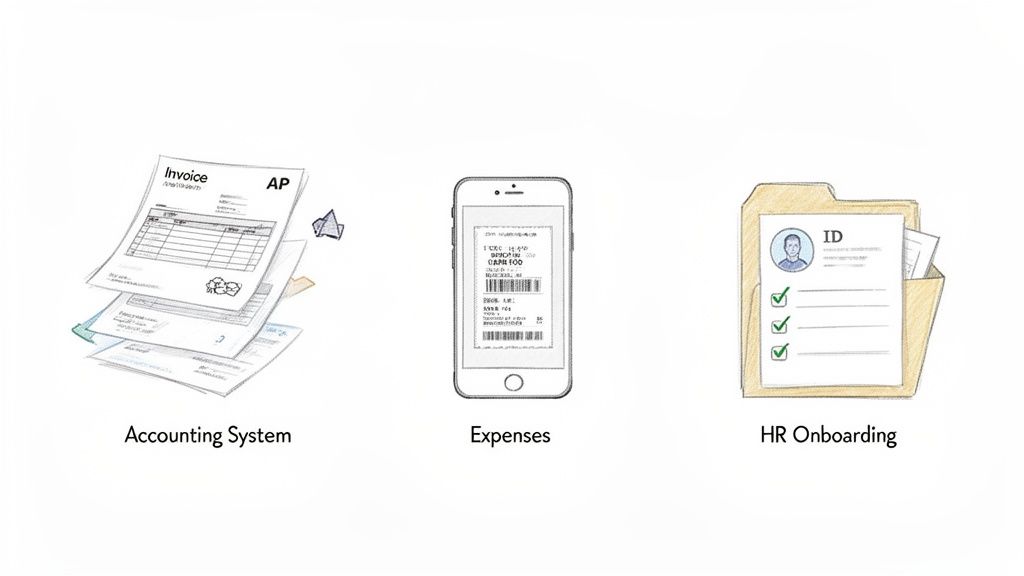
While the applications are all over the map, they share a common goal: kill the slow, error-prone manual work and replace it with fast, accurate automation. This is why its use is exploding. By 2025, North America is expected to grab 31.2% of the market, largely because of huge adoption in finance, healthcare, and government. These sectors are using document capture to slash manual invoice parsing by 80-90%, leaning on platforms that deliver near-perfect accuracy. You can dig into more of the numbers behind this market trend and its impact on key verticals.
Automating Accounts Payable
This is the classic, slam-dunk use case. Picture a mid-sized company getting hundreds of vendor invoices every month. In the old days, that meant an AP clerk had to manually punch in the vendor name, invoice number, due date, line items, and totals into the accounting system for every single one.
- The Problem: The whole process was a snail's pace, eating up dozens of hours a month. Worse, it was a breeding ground for typos, which led to paying the wrong amounts and frustrating vendors.
- The Solution: The company plugs in document capture software using an API. Now, when an invoice hits an inbox, it's automatically routed for processing. The software reads all the key data in seconds and pushes it straight into the accounting system.
- The Outcome: Invoice processing time drops by over 90%. Data accuracy gets close to 100%, killing off those costly mistakes. The finance team is freed up to focus on things that actually matter, like analyzing cash flow and chasing early payment discounts.
Streamlining Expense Reporting
If you have employees who travel or make regular purchases, you know the nightmare of managing receipts. It’s an endless stream of blurry photos that someone in finance has to squint at to decipher the merchant, date, and amount for reimbursement.
The transformation here is radical. What was once a dreaded chore for both employees and the finance team becomes an effortless, real-time process. This simple change can be a massive win for employee satisfaction and internal efficiency.
- The Problem: The expense reporting process was slow and clunky. Employees would put off submitting expenses, and finance was always playing catch-up on reimbursements, making it impossible to get a clear picture of current spending.
- The Solution: The company rolls out a mobile app with document capture built-in. An employee snaps a photo of a receipt, and the software instantly rips out the data and pre-fills their expense report.
- The Outcome: Filing an expense report goes from a multi-minute task to a few seconds. Finance gets a real-time feed of spending as it happens, and employees get their money back faster.
Digitizing HR Onboarding
When a new person starts, they're usually buried in a mountain of paperwork: I-9s, W-4s, benefits forms, policy agreements. Then, an HR coordinator has to manually type all that info into multiple systems. It's repetitive and a total time-sink.
- The Problem: Manual data entry from onboarding documents was a huge bottleneck for the HR team. It pulled them away from more valuable work like training and making new hires feel welcome.
- The Solution: New hires now fill out their forms online or submit scans. Document capture software reads all the key information—names, addresses, social security numbers—and automatically populates the employee's profile in the HRIS.
- The Outcome: The HR team gets back several hours per new hire, which they can reinvest into creating a better onboarding experience. The risk of data entry mistakes plummets, ensuring payroll and benefits info is right from day one.
Implementing Your Document Capture Strategy
Getting started with a modern, API-first document capture software is surprisingly simple. The days of clunky on-premise installations that took weeks to configure are long gone. Today, you can literally go from signing up to processing your first real-world document in a matter of minutes.
The whole process is designed around a smooth developer experience. First, you create an account and generate an API key. Think of this key as the secure password that lets your application talk to the capture service.
With that key, you can start sending documents right away. Here's a pro tip: don't just test with your cleanest, most perfect sample files. Grab a mix of everything you actually deal with—crisp PDFs, slightly blurry photos of receipts, and invoices with weird, multi-page tables. This is where the rubber meets the road, giving you a real taste of the software's accuracy on the documents that matter to your business.
Hitting the Ground Running: Best Practices for Accuracy
To get the most out of any document capture software, a few best practices go a long way. While the best AI platforms are incredibly resilient and can decipher even low-quality images, clean inputs will always give you the highest accuracy rates.
Here are a few things to keep in mind as you set things up:
- Image Quality: If users are snapping photos, guide them to use good lighting and avoid casting shadows over the page. For scanned documents, a resolution of at least 300 DPI (dots per inch) is the gold standard.
- Standardized Output: This is huge. Look for a platform that returns data in a standardized JSON format. This means that no matter how chaotic the input document looks, the data you get back is clean, predictable, and ready for your other systems to use without a fuss.
- Handling the Exceptions: Your goal is 100% automation, but reality is messy. Plan a simple workflow for the rare document that fails or needs a quick human look. The best systems make this easy by flagging fields with low confidence scores, so you know exactly where to focus.
The real win here isn't just about processing documents; it's about building a reliable, predictable data pipeline. Focus on clear inputs and structured outputs, and you'll create a system that’s not only powerful but also incredibly easy to maintain.
Scaling Up Without the Headaches
One of the biggest perks of a cloud-based document capture platform is how easily it scales. You don’t have to provision servers or worry about hitting a processing bottleneck when your business grows. Whether you process a hundred invoices this month or ten thousand next month, the platform just handles it.
This kind of elasticity is a game-changer for businesses with seasonal spikes or those on a fast growth track. The system expands and contracts automatically based on your volume, delivering consistent performance without your team ever having to touch a server.
It lets you automate your document workflow with the confidence that the infrastructure will be there for you, today and tomorrow. Your team gets to focus on improving business processes, not managing IT. That accessibility and immediate ROI are what make modern document capture such a powerful tool for businesses of any size.
A Few Common Questions
Diving into document capture software always brings up a few questions. As you start looking at different options, you need clear, direct answers to feel confident you're making the right choice. Here are a few of the most common things people ask.
Just How Accurate Is This Stuff, Really?
The best tools on the market, especially those using modern AI, are hitting accuracy rates of 99% or even higher. This is a world away from old-school OCR that just guessed at characters on a page. Today’s software actually understands the context of a document.
It’s smart enough to know the difference between an invoice number and a PO number, even if they’re right next to each other. It can pull out line items and tax amounts from messy, poorly scanned PDFs without breaking a sweat. The result is clean, reliable data you can pipe directly into your accounting or ERP system, often without anyone needing to lay eyes on it.
Does It Only Work for Invoices?
Not at all. While processing invoices is definitely a huge reason people adopt this tech, good document capture software is built to be a Swiss Army knife. It can handle receipts, purchase orders, bills of lading, bank statements, contracts—you name it.
Top-tier platforms have been trained on millions of document variations. They become a central hub for turning all kinds of unstructured paperwork into structured, usable data. This lets you automate a whole bunch of back-office workflows with one tool.
The real power is in its versatility. You can use a single solution to automate accounts payable, clean up your expense reporting process, and even digitize HR onboarding documents. It solves multiple business headaches at once, which is where you see a massive return on your investment.
How Hard Is It to Get This Integrated?
With modern, API-first platforms, integration is surprisingly simple. Most of the best providers give you a straightforward REST API. Your developers can send a document and get back structured JSON data in just a few seconds.
When you combine that with solid documentation and features like webhooks that send you real-time notifications, you can build a fully automated workflow in a matter of hours, not weeks. It makes connecting the software to your existing accounting, expense, or ERP systems a pretty painless process.
Ready to finally ditch manual data entry? With ExtractBill, you can process invoices, receipts, and more with 99.9% accuracy in under five seconds. Try it for free and see how our powerful API and simple interface can automate your workflows today. Get started at https://www.extractbill.com.
Ready to automate your documents?
Start extracting invoice data in seconds with ExtractBill's AI-powered API.
Get Started for Free