Analyzing unstructured data: practical steps for insights

Analyzing unstructured data means using smart technologies like AI and machine learning to pull clean, organized information out of chaotic sources—think PDFs, emails, and images. It's the essential process of turning messy, human-generated stuff into data that systems can actually understand and use for automation.
Taming the Data Beast: Why Analyzing Unstructured Data Matters

Picture your business data as a massive, disorganized library. The structured data—all the information neatly lined up in databases and spreadsheets—is easy to find and use. But the vast majority of your "books" are just piled on the floor. These are your invoices, receipts, emails, and contracts.
This chaotic pile is your unstructured data.
And this isn't just a minor tidiness issue; it's a massive, and rapidly growing, business bottleneck. By 2025, the world is projected to generate a staggering 180 zettabytes of data, with a whopping 90% of it being unstructured. This information tidal wave is growing at a blistering 55% to 65% each year.
The fallout from this chaos is real. Poor data quality costs the U.S. economy an estimated $3.1 trillion annually, largely because teams waste countless hours on mind-numbing manual data entry from PDFs and scans. For a deeper dive into these market trends and their financial impact, check out this comprehensive market report.
The Cost of Ignoring the Chaos
For departments like finance and accounting, this isn't some abstract problem—it's the daily grind of manual work, human error, and missed opportunities. Every single time an employee has to manually type information from a scanned invoice into an accounting system, the business is leaking time and money while opening the door to costly mistakes.
This manual process creates a huge drag on your operations. Just think about these common pain points:
- Wasted Hours: Your best people are stuck on repetitive data entry instead of doing strategic work that actually moves the needle.
- Costly Errors: A single misplaced decimal or an incorrect vendor name can snowball into payment delays, compliance headaches, and skewed financial reports.
- Zero Visibility: Critical business insights are locked away in documents your systems can't read, making real-time decision-making impossible.
- Growth Roadblocks: Manual processing simply can't keep up as your business grows, leading to backlogs and bottlenecks that kill efficiency.
The real challenge here isn't just technical; it's strategic. If you're not effectively managing and analyzing your unstructured data, you're leaving valuable intelligence on the table, letting inefficiencies pile up, and giving your competitors a serious advantage.
Structured vs Unstructured Data in Financial Documents
To make this distinction crystal clear, let's compare how the same piece of financial information—an invoice—looks in both formats.
| Characteristic | Structured Data (e.g., Database Entry) | Unstructured Data (e.g., Scanned Invoice PDF) |
|---|---|---|
| Format | Pre-defined, organized in rows and columns. | No pre-defined format; it's a free-form document. |
| Example | {"invoice_id": "INV-123", "vendor": "Acme Inc.", "total": 1500.00} |
An image or PDF file containing text and layout elements. |
| Accessibility | Easily searchable and machine-readable. | Requires advanced tools (like OCR) to interpret. |
| Scalability | High. Can be easily queried and analyzed at scale. | Low. Manual processing is slow and doesn't scale. |
| Analysis | Straightforward. Ready for financial reporting and analytics. | Difficult. Requires extraction and transformation first. |
As you can see, the goal is to get from the right column to the left—from a static, unreadable document to dynamic, usable data.
Unlocking Value With Modern Tools
The solution lies in turning this chaotic data into a structured, usable format. Modern AI tools are built to do exactly that.
By analyzing unstructured data, these systems can read a document, understand its context, and pull out key information just like a person would—only with incredible speed and accuracy. Our guide on what data parsing is offers a deeper look into how this magical transformation works.
Instead of seeing a PDF invoice as just a picture of words, these tools see a vendor name, an invoice number, line items, and a total amount. This automated process is the key to finally unlocking the immense value trapped in your documents, turning a major business liability into a powerful asset for growth.
The AI Toolkit for Translating Chaos into Code
To make sense of unstructured data, you don't need magic—you need a specialized digital toolkit. Think of it as assembling a highly efficient team where each member plays a unique, critical role.
Together, they take a chaotic document, like a scanned invoice, and turn it from a static image into a source of clean, actionable information. The whole process starts with the most fundamental step: just reading the document.
Step 1: Optical Character Recognition (The Reader)
Optical Character Recognition (OCR) is the team's diligent "Reader." Its only job is to look at an image—whether it’s a PDF, JPG, or PNG—and convert the visual text into machine-readable characters. It’s the digital version of transcribing a handwritten note into a typed document.
But OCR alone is just a transcriber. It sees letters and numbers but has no clue what they mean. It can correctly read "Total Amount $54.72," but it doesn’t understand that "Total Amount" is a label and "$54.72" is its value. That’s where the next team member comes in to add a layer of intelligence.
Step 2: Natural Language Processing (The Interpreter)
If OCR is the Reader, then Natural Language Processing (NLP) is the team's "Interpreter." NLP takes the raw text from the OCR and starts to figure out its context, meaning, and relationships. It’s the technology that lets a machine actually comprehend human language.
For example, NLP can:
- Identify Entities: It knows "Invoice #12345" is an invoice ID, "Acme Corp" is a company name, and "01/15/2025" is a date.
- Understand Context: It can tell the difference between a "shipping address" and a "billing address" by looking at the surrounding words.
- Recognize Intent: It determines a document is an invoice, not a purchase order, based on keywords like "bill to," "total due," and "payment terms."
Basically, NLP goes beyond just seeing characters to understanding what those characters represent in the real world. It’s the core component that gives the system its "smarts." You can dig deeper into how this works in our guide to understanding data extraction APIs.
Step 3: Layout Analysis (The Architect)
While NLP interprets the words, Layout Analysis acts as the team's "Architect." Its job is to understand the physical structure of the document. Humans instantly recognize headers, footers, and tables, but a machine needs to be taught how to see these structural elements.
Layout analysis maps out the document's blueprint, figuring out where different blocks of information live. This is critical for correctly pairing labels with their values, especially when they aren't right next to each other.
A classic problem is a "floating" total, where the label "Total" is on the far left of the page and the value "$150.00" is on the far right. A simple text reader would get lost. The Architect connects these two distant points, making sure the data is paired correctly.
This spatial awareness is what lets a system handle thousands of different invoice templates without needing to be manually configured for each one.
Step 4: Table Parsing (The Accountant)
Finally, we have the team's meticulous "Accountant": Table Parsing. This specialized tool focuses entirely on one of the trickiest parts of any financial document—the table of line items. It can accurately pull information from grids, even when they have complex layouts with multiple columns and rows.
A good table parser can identify and extract:
- Item descriptions
- Quantity
- Unit price
- Tax rates
- Total cost per line
By combining these four powerful AI components, a modern document processing platform can deconstruct and understand any financial document with incredible speed and accuracy. The Reader (OCR) converts the image to text, the Interpreter (NLP) understands the meaning, the Architect (Layout Analysis) maps the structure, and the Accountant (Table Parsing) crunches the numbers in the line items. This seamless collaboration is how chaos is finally translated into clean, structured, and usable code.
Building Your Automated Document Processing Pipeline
Okay, so we've looked at the individual AI tools. Now for the fun part: seeing how they all plug together to create a powerful, end-to-end workflow.
Think of it like a high-tech assembly line for your data. A messy, raw document goes in one end, and out the other comes clean, structured, and genuinely useful information, ready to flow right into your business systems.
This whole sequence is what we call an automated document processing pipeline. Modern platforms have this down to a science, turning a process that used to take hours of painstaking manual entry into a job that’s over in seconds. Each stage is meticulously designed to build on the last, locking in both speed and precision.
The flow below breaks down this digital assembly line, showing how a document gets read, understood, and organized.
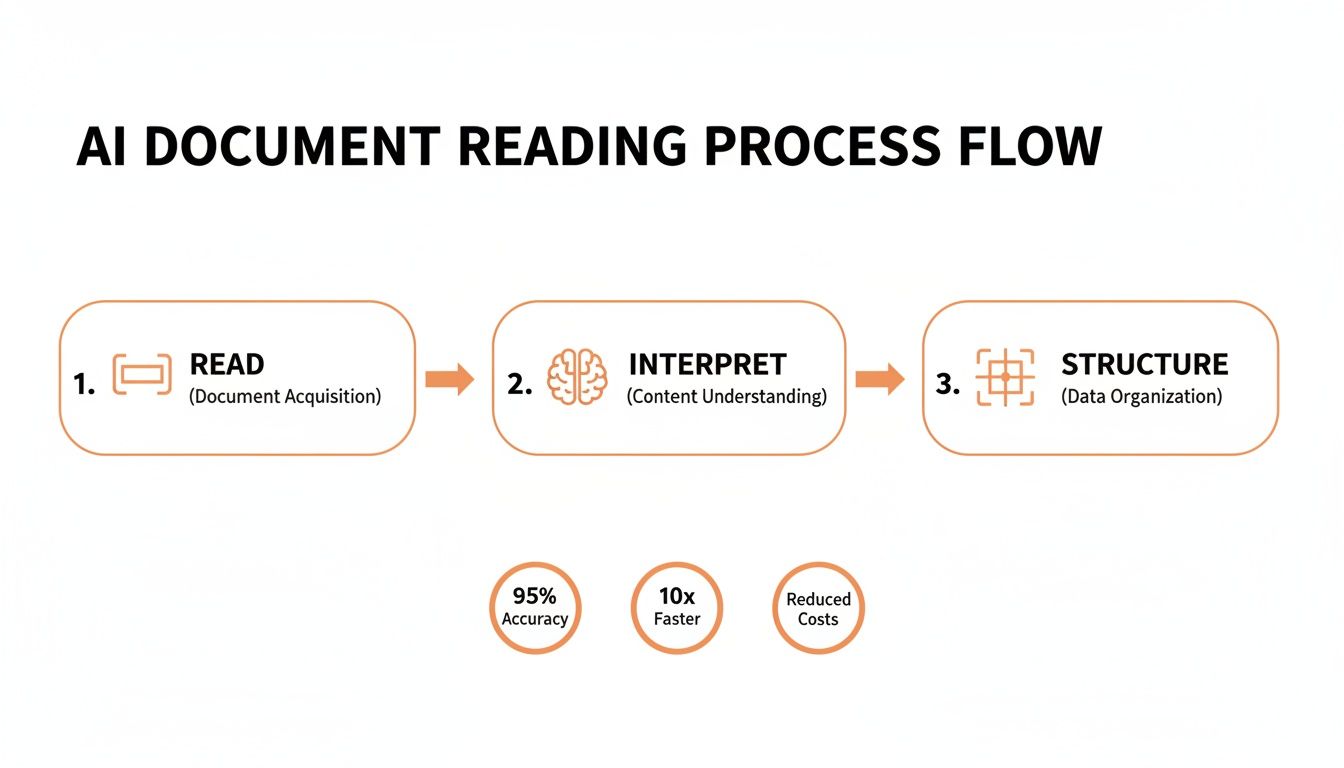
This visual boils a complex AI process down to its three core jobs, mapping the journey from a raw file to actionable data.
Stage 1: Ingestion and Pre-processing
The journey kicks off the moment a document hits the system. That could be an employee uploading a PDF invoice to a portal, an email attachment getting automatically forwarded, or someone snapping a photo of a receipt on their phone. This first touchpoint is called ingestion.
As soon as it’s in, the document moves straight to pre-processing. This is the cleanup phase, where the system preps the document for the AI to analyze it effectively. It's like a chef washing and chopping vegetables before starting to cook—it makes everything that follows much easier.
Key pre-processing tasks include:
- Image Enhancement: Sharpening blurry images and tweaking the contrast to make the text pop for the OCR.
- Deskewing: Correcting a document that was scanned or photographed at a wonky angle, digitally straightening it out.
- Rotation: Automatically flipping a document to its correct, upright orientation.
These small fixes have a massive impact on the accuracy of the data we pull out later.
Stage 2: Core Extraction and Structuring
With a clean, perfectly aligned document in hand, the core AI toolkit gets to work. This is where the heavy lifting of analyzing unstructured data really happens. First, OCR goes through and turns the entire document image into raw, machine-readable text.
But raw text is still a mess. So, right after OCR, Natural Language Processing (NLP) and layout analysis models jump in to make sense of it all. They’re smart enough to spot key-value pairs (like "Vendor Name: Office Supplies Inc."), find tables, and figure out how all the different pieces of information relate to each other.
This extracted info is then mapped into a standardized, predictable format. This structuring phase is arguably the most critical step of all. It’s what turns the chaotic soup of text into a clean JSON object with clear, consistent field names.
For instance, phrases like "Invoice #," "Bill No.," or even a creatively spelled "Referance ID" all get standardized to a single, reliable field, like
"invoice_id". This consistency is the secret sauce for making software integrations work flawlessly.
Stage 3: Validation and Integration
Before the data gets the final stamp of approval, it goes through a crucial validation check. Here, the AI essentially double-checks its own work, scanning for common mistakes. It might verify that the sum of all line items plus tax actually equals the total amount, or flag a date that doesn't make logical sense. This self-correction step is vital for hitting accuracy rates of 99.9% or higher.
Finally, the clean, validated, and structured JSON data is ready for integration. This is where you see the real payoff. The data is pushed directly into the software that needs it, whether that’s your accounting platform, ERP, or expense management tool. You can dive deeper into connecting these systems in our guide to automating your document workflow.
This final handoff usually happens in one of two ways:
- REST API: Your application sends the document to the extraction service and gets the structured data back in the same request. Simple and direct.
- Webhooks: You send the document, and when the processing is done a few seconds later, the service sends a notification with the structured data directly to your system. This is perfect for triggering automated workflows.
And that completes the pipeline. A once-unreadable document has been ingested, cleaned, understood, structured, validated, and delivered seamlessly into your core business systems—all without a single keystroke from your team.
How to Measure Success in Data Extraction
Automating data extraction is a game-changer, but only if you can actually trust the output. So, how do you know if your AI is pulling its weight? Success isn't just a vague feeling of "things are faster now." It's measured with specific, unforgiving metrics that tell you whether your system is an asset or a liability.
When you're dealing with financial documents, even tiny errors have big consequences. A single misplaced decimal point or a misread invoice number can throw off your entire accounts payable workflow, leading to payment errors and damaging the relationships you have with your vendors. This is why hitting near-perfect accuracy isn't just a nice-to-have; it's a core business requirement.
Core Metrics That Matter
To get a real sense of performance, you have to look beyond a simple "accuracy" percentage. Three key metrics give you a much clearer, more honest picture of how your system is performing.
- Accuracy: This is the one everyone knows. It measures the percentage of fields the AI extracts correctly out of all the fields it attempts. For mission-critical work like invoice processing, you should be aiming for an accuracy rate of 99.9% or higher.
- Precision: This metric answers a critical question: "Of all the times the AI said it found a 'total amount,' how often was it right?" High precision means the system rarely serves up bad data (false positives), so you can rely on what it gives you.
- Recall: This answers a different but equally important question: "Of all the 'total amounts' that actually existed across all the documents, how many did the AI successfully find?" High recall means the system is thorough and doesn't miss the data you need.
True success is a balancing act between high precision and high recall. A system that's incredibly precise but misses half the data isn't helpful. Neither is a system that finds everything but gets half of it wrong—that just creates more cleanup work.
The Importance of Context-Aware AI
Metrics tell you part of the story, but the real magic is in the context. A genuinely intelligent AI understands that "$50.00" listed under a 'Tax' heading is completely different from the same "$50.00" appearing under a 'Subtotal' heading. This contextual intelligence is what separates basic, dumb OCR from a true document processing solution.
This ability is what allows the system to correctly parse complex line items, distinguish between different types of taxes, and make sense of messy invoice layouts without needing a rigid template for every vendor. It ensures the structured data you get back isn't just a pile of text—it's meaningful information ready to flow directly into your accounting software.
Essential Strategies for Error Handling
Let's be realistic: even the best AI will stumble on a rare, confusing document. A truly robust system isn't one that never fails; it's one that handles failure gracefully. This is where a human-in-the-loop (HITL) validation strategy is absolutely essential.
For the tiny fraction of documents—maybe 1%—that the AI flags as low-confidence, you simply route them to a human for a quick review. This creates an invaluable safety net, guaranteeing 100% confidence in your final data without slowing down the automation for the other 99% of documents.
This blended approach is how you build fully trustworthy, high-velocity systems for critical operations. To see how this fits into the bigger picture, check out our guide to help you automate your accounts payable process. By pairing hard metrics with smart error handling, you get a system that's both incredibly fast and completely dependable.
Real-World Use Cases for Unstructured Data Analysis
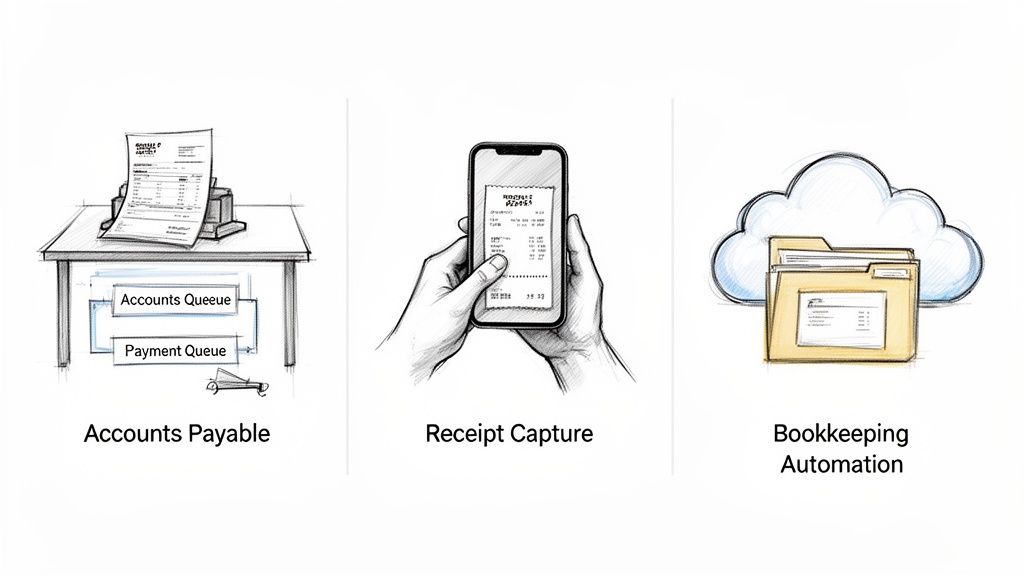
Alright, let's move from the technical guts of the pipeline to where the real magic happens: business impact. It's one thing to talk about models and APIs, but the true value comes from seeing how analyzing unstructured data completely reshapes day-to-day work.
This isn't about futuristic AI concepts. We're talking about practical, boots-on-the-ground solutions that turn slow, error-prone manual tasks into automated systems that deliver an immediate ROI. The result? Fewer mistakes, countless hours reclaimed, and teams finally free to focus on strategy instead of mind-numbing data entry.
Automating Accounts Payable
Picture an accounts payable team where invoices are processed the second they hit the inbox. No more waiting, no more manual work. An email with a PDF invoice arrives, and an automated system kicks into gear instantly.
Within moments, an AI engine rips through the document, extracting all the critical details: vendor name, invoice number, line items, and the total amount due.
That structured data is then fired off directly to the company's ERP or accounting software. A bill is created, queued up for approval, and ready for payment. The entire process—from receipt to ready-to-pay—is over in seconds. This isn't just about speed; it prevents late fees and gives you a crystal-clear, real-time view of your cash flow.
And this kind of automation is becoming non-negotiable. By 2026, a staggering 85% of IT leaders expect their data storage costs to climb as they drown in a sea of documents. A recent Komprise industry report digs deeper into this data explosion and the challenges that come with it.
Streamlining Expense Reporting
Expense reporting is a universal pain point. It’s a tedious dance of saving crumpled receipts, filling out spreadsheets, and navigating a long chain of approvals that everyone dreads.
Automated data extraction blows up that entire workflow. An employee simply snaps a photo of a receipt with their phone. That's it.
The system immediately analyzes the image, pulls out the merchant, date, and total, and uses that info to auto-fill an expense report. A chore that used to take ages is now a 10-second task. For the finance team, this means faster reimbursements, better compliance, and a perfect audit trail without ever having to chase down paperwork again.
Revolutionizing Digital Bookkeeping
Think about bookkeeping services and accounting firms. They're buried under a mountain of financial documents from dozens, if not hundreds, of clients. Manually punching in data from bank statements, credit card bills, and receipts is incredibly slow work. It puts a hard cap on how many clients a single bookkeeper can actually handle.
By bringing in automated document processing, these firms can digitize and categorize thousands of financial statements in minutes, not weeks. This frees up skilled accountants from soul-crushing data entry to focus on what they do best: high-value advisory work like financial planning and business consulting.
This shift does more than just boost efficiency—it fundamentally rewires their business model. It lets them scale their operations and deliver far more strategic value to their clients.
At the end of the day, these real-world examples prove that analyzing unstructured data is not just an IT project. It’s a core business strategy that drives operational excellence and unlocks brand new avenues for growth.
Common Questions About Unstructured Data Analysis
As more businesses look to automate, a lot of practical questions come up. How do you actually start? What does AI really do? Here are some straightforward answers to the most common queries we hear.
What’s the Very First Step to Analyze Unstructured Data?
It all starts with getting the raw data into a format a computer can actually work with. For a PDF invoice or a scanned receipt, the classic first step is Optical Character Recognition (OCR), which just pulls the raw text out of the image.
But honestly, that’s old-school thinking. Modern systems use what’s called an intelligent document processing (IDP) platform. This is a much smarter approach that bundles OCR with AI-powered layout analysis and Natural Language Processing (NLP).
Instead of just getting a wall of text, this method instantly understands the document's structure. It knows what a line item is, where the invoice number is, and what the total amount is. This turns a messy document into clean, organized JSON, ready to plug directly into your software from the get-go.
How Does AI Actually Help with Financial Documents?
AI is a complete game-changer here because it adds a layer of intelligence that old-school OCR just doesn't have. It’s the difference between simply reading words and actually understanding what they mean.
AI vision models can look at a document's layout—just like a person would—and identify tables, key-value pairs (like "Invoice Number: 12345"), and line items, no matter how the document is designed. Then, Natural Language Processing (NLP) steps in to understand the context, correctly identifying fields like due_date or total_tax even if they're phrased differently across invoices.
On top of that, AI can perform instant sanity checks, like making sure the line items and tax actually add up to the final total. For a finance team, this means:
- Getting near-perfect accuracy, which dramatically cuts down on costly payment mistakes.
- Handling any document format you throw at it without needing to build custom templates.
- Wiping out the mind-numbing, error-prone data entry that bogs down your team.
It turns a manual, frustrating chore into a fast, reliable, and fully automated process.
What's the Easiest Way to Get This into My Software?
For developers, the absolute simplest way to add this capability to your existing software is by using a RESTful API from a specialized service. It gives you all the power without any of the headaches of building and maintaining your own system.
An API-first platform lets you send a document (like a PDF or JPG) with a simple API call and get back clean, structured JSON in seconds. This completely sidesteps the enormous cost and complexity of building out your own machine learning infrastructure.
Think of it this way: using a dedicated API means you're outsourcing the entire data extraction pipeline—from image pre-processing and OCR to NLP and structuring. This frees up your development team to focus on your core product instead of becoming machine learning experts overnight.
Make sure to look for developer-friendly features like great documentation and real-time notifications via webhooks. Webhooks are perfect for triggering actions in your system the second a document is processed, creating a seamless, automated workflow without needing to constantly check for updates.
How Is Accuracy in Data Extraction Measured?
Accuracy isn't just one simple number. While an overall percentage is a good starting point, you really need to look at precision and recall to understand how well a system truly performs.
- Accuracy: This is the one most people talk about. It measures the percentage of fields the AI extracts correctly out of all the fields it tries to find. For financial documents, you should be looking for 99.9% or higher for true automation.
- Precision: This answers the question, "When the system said it found an 'invoice number,' how often was it right?" High precision means the data is trustworthy—you're not getting false positives.
- Recall: This answers a different question, "Of all the 'invoice numbers' that were actually on the documents, how many did the system find?" High recall means the system is thorough and doesn't miss important information.
A great system needs to nail both precision and recall. It has to be both correct and comprehensive to deliver data you can actually rely on.
Can AI Handle Different Invoice Layouts and Languages?
Absolutely—and this is one of its biggest strengths. Old template-based OCR systems were a nightmare; they needed a new set of rules for every single vendor's invoice format. Modern AI is template-agnostic.
These systems use computer vision to understand the spatial relationships on a page. They can spot a vendor's logo, find the total in the footer, and parse a table of line items no matter where they are on the document. It thinks like a human, not a rigid program.
Better yet, the best platforms are trained on millions of documents from all over the world, so they can handle dozens of languages and regional formats out of the box. For any business working with a diverse set of suppliers, this flexibility is a must-have. The AI adapts to the document, not the other way around.
Stop wasting hours on manual data entry and start building automated workflows today. ExtractBill offers a simple, powerful API that converts invoices and receipts into structured JSON in seconds with 99.9% accuracy. Try it for free at ExtractBill.
Ready to automate your documents?
Start extracting invoice data in seconds with ExtractBill's AI-powered API.
Get Started for Free