A Guide to Modern Invoice Data Extraction
At its core, invoice data extraction is about teaching a computer to read an invoice just like a human would. The goal is to automatically grab all the important details—vendor name, invoice number, due date, line items, and the total amount—and pull them out of a document.
It's the technology that turns messy, unstructured files like PDFs, scans, or even photos of paper invoices into clean, organized data (like JSON or XML) that your accounting software can actually understand. In short, it’s the bridge that gets information out of the invoice and into your systems without anyone having to type a single thing.
Why Manual Invoice Processing Is Obsolete
Picture the scene: a desk piled high with paper invoices, and a finance team member squinting at a PDF, manually typing every single detail into an accounting system. Sound familiar? This isn't just inefficient; it's a massive operational bottleneck that’s costing businesses more than they realize.
This manual grind is the source of so many preventable headaches. A simple typo can send a payment to the wrong vendor. A misplaced decimal point can throw off an entire month's financial reporting. These aren't just small hiccups; they damage vendor relationships, delay critical financial insights, and burn through employee hours that could be spent on things that actually matter.
The Shift to Automated Efficiency
The real problem with manual processing is that it just doesn't scale. As your business grows, your invoice volume grows right along with it. You can't just keep hiring more people to key in data—it’s expensive, slow, and only multiplies the chances for human error. The only sustainable solution is to stop treating invoicing as a manual task and start treating it as an automated workflow.
This is where invoice data extraction technology steps in. Instead of a person reading the document, specialized software does it in seconds with incredible accuracy.
Let’s look at how these two approaches stack up.
Manual Processing Vs Automated Extraction
This table breaks down the real-world impact of sticking with old-school methods versus adopting automation.
| Metric | Manual Processing | Automated Extraction |
|---|---|---|
| Processing Time | 5-15 minutes per invoice | 3-10 seconds per invoice |
| Cost Per Invoice | $12 - $40 | $1 - $5 |
| Error Rate | 3-5% (typos, missed fields) | <1% (with validation rules) |
| Team Focus | Repetitive data entry | Analysis, vendor management, exceptions |
| Scalability | Poor (requires more headcount) | Excellent (handles volume spikes easily) |
| Vendor Relations | Slow payments, disputes over errors | Fast payments, fewer disputes |
The numbers don't lie. Automation isn't just a minor improvement; it fundamentally changes the cost structure and efficiency of the entire accounts payable function.
The benefits of making this switch are felt almost immediately:
- Fewer Mistakes: Automation drastically cuts down on the typos and errors that plague manual data entry.
- Faster Turnaround: Invoices that used to take days to get through the system are processed in minutes.
- Happier, More Productive Teams: Your finance experts are freed from mind-numbing tasks, allowing them to focus on strategic work like cash flow analysis and vendor negotiations.
This shift isn't a niche trend; it's a global movement. The market for invoice processing software is expected to skyrocket from $33.59 billion in 2024 to an incredible $87.95 billion by 2029. Why? Because businesses everywhere are tired of the old way and are demanding faster, smarter, and more accurate digital solutions. You can read the full research about the growing invoice processing market to see the data for yourself.
By moving to automated extraction, you’re not just speeding up a single workflow—you're building a more robust, scalable, and intelligent financial operation. This guide will show you exactly how the technology works, from the basic concepts to real-world implementation, giving you a clear roadmap to leave the manual chaos behind. For a deeper dive, you can learn more about the key benefits of accounts payable automation in our detailed article.
The Technology Driving Automated Extraction
Automated invoice data extraction isn't some black-box magic. It's really a smart partnership between a few key technologies working in sync. The best way to think about it is as a highly efficient digital clerk. And the first piece of that puzzle—the system's eyes—is Optical Character Recognition (OCR).
OCR is the foundational step. It takes an image of an invoice, whether it's a clean PDF or a slightly blurry photo from a phone, and translates all the text it sees into digital characters a computer can actually read. It’s the tool that turns pictures of words into real, usable text.
But OCR alone is a bit like someone who can read the words in a book but has no clue what the story is about. It sees the characters "T-o-t-a-l" and the numbers "$1,500.00" but doesn't inherently know that one describes the other. This is where the real intelligence of modern systems comes into play.
The Brains Behind the Operation: AI and Machine Learning
If OCR provides the eyes, then Artificial Intelligence (AI) and Machine Learning (ML) provide the brain. These systems add a critical layer of contextual understanding that basic OCR just doesn't have. They don't just see the text; they interpret its meaning based on its position, the words around it, and patterns learned from analyzing thousands of other invoices.
For example, an AI model learns that phrases like "Amount Due," "Total," or "Balance" followed by a currency symbol and a number almost always represent the final payment amount. It can pinpoint this key piece of data whether it's at the top, bottom, or buried in the middle of the document—a task that would completely stump a rigid, rules-based system.
This is the very process that's designed to replace the old, painful manual workflow.
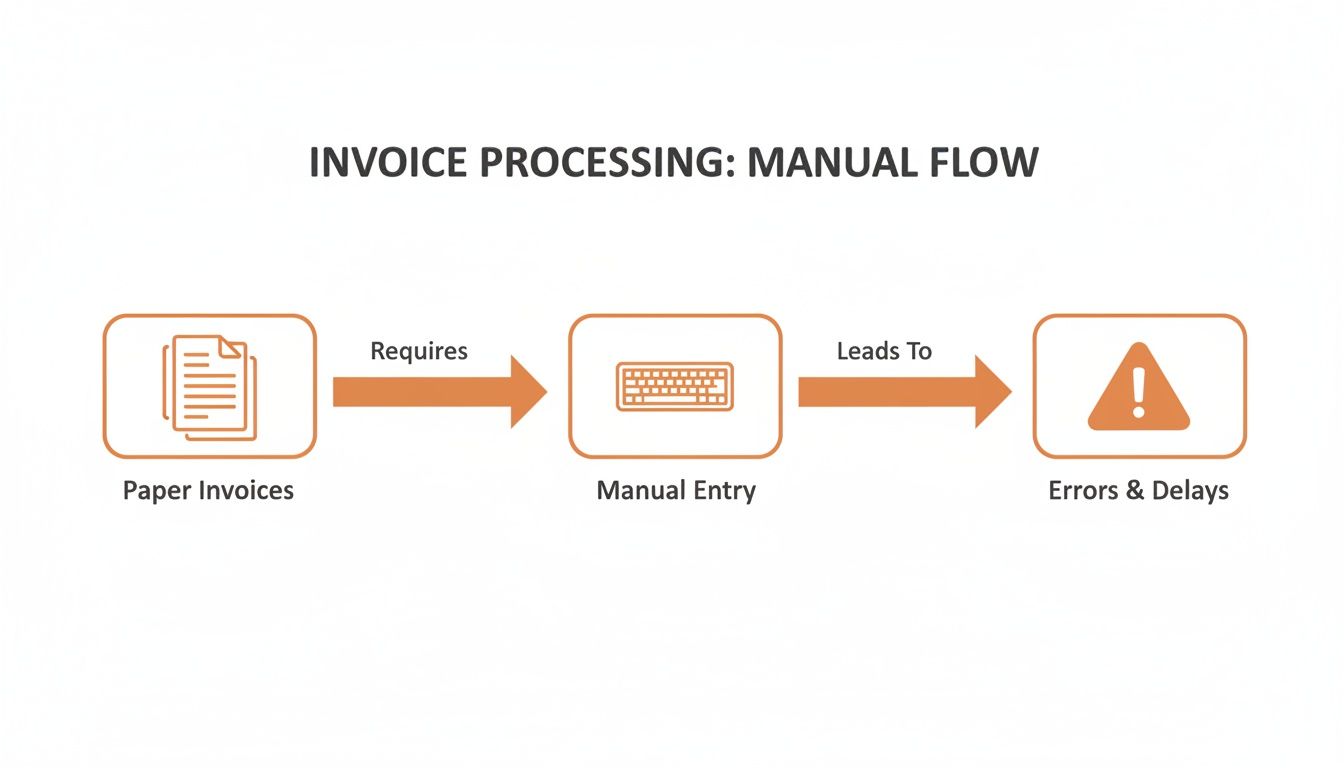
As you can see, the old way is a straight line from tedious manual entry directly to costly errors and operational bottlenecks.
Understanding Complex Invoice Structures
The real test for any extraction tool is how it handles the wild variety of real-world invoices. No two vendors format their documents the same way. This is where more specialized AI-powered technologies become absolutely essential.
-
Natural Language Processing (NLP): This is a branch of AI that helps computers make sense of human language. In the world of invoices, NLP is what helps a system distinguish a "shipping address" from a "billing address" or understand that "PO Number" and "Purchase Order #" refer to the exact same thing.
-
Table and Line Item Recognition: Just grabbing the total amount is rarely enough for proper bookkeeping. Advanced models are trained to identify tables within an invoice, even when they don't have clean borders. From there, they can parse each row, accurately pulling out the quantity, description, unit price, and total for every single line item.
The ability to accurately parse this kind of structured information is what turns a static document into a rich source of business intelligence.
Ultimately, it’s the combination of OCR's vision and AI's cognitive power that allows automated systems to handle the messy reality of business documents. This technological duo transforms a painfully slow manual task into a fast, accurate, and scalable workflow.
Overcoming Common Invoice Extraction Hurdles
Automating invoice processing sounds great in theory, but the reality can be messy. Businesses often hit predictable roadblocks, especially when they're leaning on older, less flexible tools. Knowing what these bumps in the road look like is the first step to paving a smoother path.
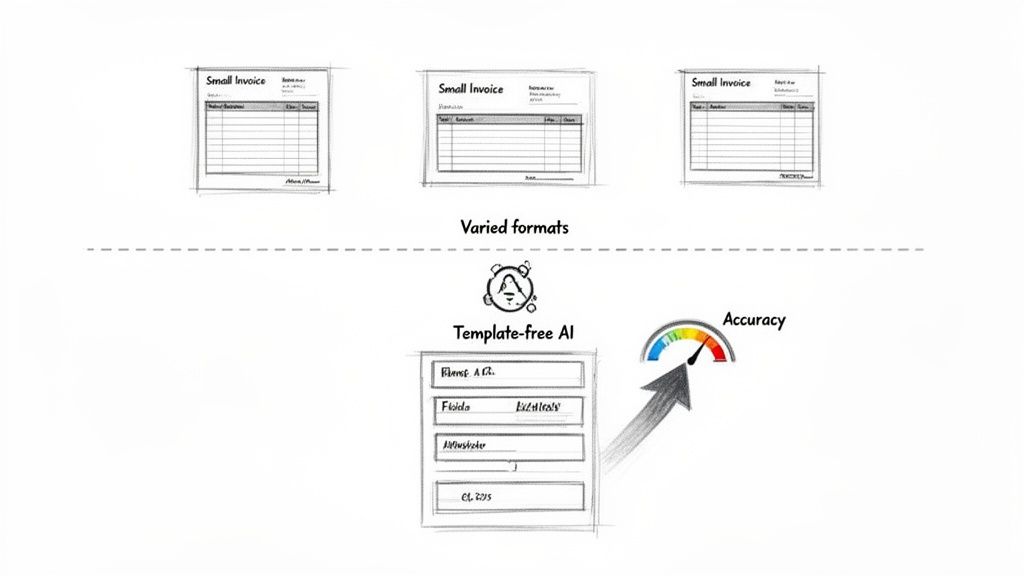
The biggest headache, by far, is the sheer variety of invoice layouts you get. One vendor sends a crisp, modern PDF. The next sends a five-page scanned document that's slightly crooked. A third has a format you've never seen before. This chaos is the kryptonite of rigid, template-based systems, which are built to expect data in the exact same place every single time.
When a new invoice format inevitably shows up, those old systems simply break. This throws your team right back into the manual setup grind, completely defeating the purpose of automating in the first place.
The Devil's in the (Inaccurate) Details
Getting high accuracy out of complex documents is another major hurdle. A basic OCR tool might read the text on a page, but it has zero understanding of what that text actually means. This is how you end up with costly and frustrating errors, like the system confusing a purchase order number with an invoice number or grabbing the wrong tax amount.
This problem gets even worse when you get down to the line-item details. Pulling out individual product descriptions, quantities, and unit prices from a dense table requires real intelligence, not just text recognition. Without it, your team is stuck manually keying in the most granular—and often most important—data.
These aren't just minor annoyances; they have a real financial impact. The hidden costs of constant manual fixes and double-checking add up fast.
Manual invoice processing is a persistent drain on resources, with an average cost of $22.75 per invoice. In stark contrast, AI-powered automation is delivering time reductions of over 60% and is a key driver behind the data extraction market's projected growth from $5.8 billion in 2024 to $41.6 billion by 2033. You can learn more about these powerful data extraction service market trends.
The data tells a clear story: solving these common problems requires a more modern approach.
Embracing Smarter Solutions
To get around these challenges, you have to move beyond outdated tech. Modern AI-powered invoice extraction platforms are built from the ground up to solve these exact problems.
-
Template-Free Processing: Forget rigid templates. Advanced AI models don't need them. They use contextual understanding to find fields like "Invoice Number" or "Total Due" no matter where they are on the page. This means they can handle documents from thousands of different vendors right out of the box.
-
Intelligent Field Recognition: Fueled by machine learning and NLP, these solutions actually understand the language and structure of financial documents. This is what allows them to tell the difference between similar-looking numbers and correctly identify tricky data points like tax IDs, shipping addresses, and payment terms.
-
Precise Line-Item Extraction: The best tools can dissect complex tables with incredible accuracy. They identify each row as a separate line item, pulling out the description, quantity, price, and total for each one. This is absolutely essential for things like detailed job costing, inventory management, and accurate financial reporting.
By choosing a solution built on modern AI, you can sidestep the hurdles that trip up so many automation projects. The goal isn't just to scan documents—it's to implement an intelligent system that adapts to the messy reality of business, so your team can finally say goodbye to manual data entry for good.
Integrating Extracted Data into Your Workflows
Extracting invoice data is a powerful first step, but it’s only half the battle. The real magic happens when that clean, structured data flows automatically into the software you use every day. This is where you turn raw data into genuine, end-to-end automation.
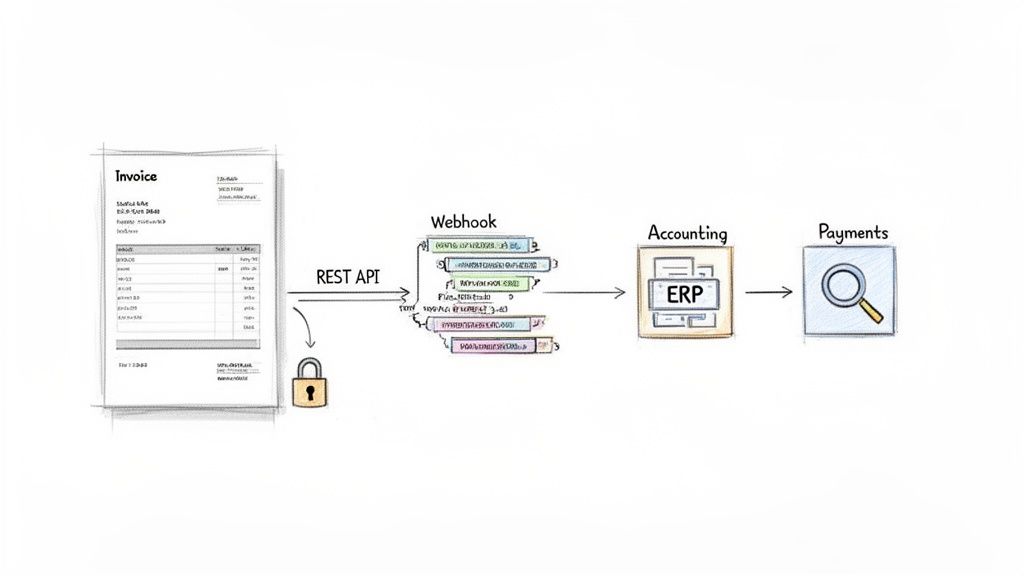
Imagine the data from an invoice instantly creating a new bill in QuickBooks, updating inventory levels in your ERP, or kicking off an approval request in Slack—all without a single click. This seamless connection is what separates a simple scanning tool from a core piece of your financial tech stack. It’s about building a digital assembly line for your financial data.
The goal is to create a completely touchless process. When an invoice lands, it gets processed, and the resulting data moves through your entire system—from entry to payment—without anyone needing to step in manually.
Connecting Your Systems with APIs and Webhooks
Forget clunky file exports and manual uploads. Modern integration is built on two key technologies that let software platforms talk to each other in real-time: APIs and webhooks.
-
RESTful APIs (Application Programming Interfaces): Think of an API as a waiter in a restaurant. Your application (the diner) makes a specific request to the invoice extraction service (the kitchen), like "process this new invoice PDF." The API takes that request, grabs the extracted data, and delivers it back to your application in a perfectly structured format. It’s an on-demand, pull-based model that’s great for active processing.
-
Webhooks: If an API is a waiter you have to call over, a webhook is a waiter who brings you your food the moment it's ready. You just tell the extraction service, "As soon as you finish an invoice, push the data to this specific URL in my system." This "push" model is incredibly efficient for event-driven workflows, like instantly telling your accounting software that new data is ready.
Using these tools in tandem lets you build robust, automated systems that react in the moment. For a deeper technical guide, you can explore how a modern data extraction API can power your applications in our related post.
Understanding the JSON Output
The bridge between the extraction service and your software is the data format itself, which is almost always JSON (JavaScript Object Notation). JSON is a lightweight, human-readable format that organizes data into key-value pairs, making it dead simple for any modern programming language to understand.
Here’s a simplified taste of what structured JSON from an invoice looks like:
{
"vendorName": "Office Supply Co.",
"invoiceNumber": "INV-2024-105",
"invoiceDate": "2024-11-15",
"dueDate": "2024-12-15",
"totalAmount": 450.75,
"currency": "USD",
"lineItems": [
{
"description": "Ergonomic Office Chair",
"quantity": 1,
"unitPrice": 399.99,
"lineTotal": 399.99
},
{
"description": "Box of Black Pens",
"quantity": 3,
"unitPrice": 16.92,
"lineTotal": 50.76
}
]
}
This clean structure is everything. Your system can now easily grab the invoiceNumber or loop through the lineItems array to populate fields in your accounting software. Each piece of data maps to its correct destination without any guesswork.
The ultimate goal of integration is to establish a single source of truth. When invoice data flows directly into your ERP or accounting system, you eliminate the risk of discrepancies that come from manual re-entry and ensure your financial records are consistently accurate.
Prioritizing Security and Compliance
When you're piping financial data between systems, security can't be an afterthought. You are handling sensitive information, and it's your job to protect it at every step.
-
Encrypted Data Transfer: All communication between your system and the extraction API must be encrypted using TLS (Transport Layer Security). This is the gold standard for securing data in transit, making sure invoice details can't be snooped on.
-
Responsible Data Handling: Partner with an extraction service that has clear, transparent data policies. Look for compliance with major regulations like GDPR and certifications like SOC 2, which prove they take secure data management seriously.
By pairing powerful integration patterns with a strong security posture, you can turn extracted invoice data into a reliable, automated, and secure foundation for your entire financial workflow.
How to Choose the Right Extraction Solution
Picking the right invoice data extraction tool can feel like navigating a minefield. Every vendor promises the moon, but the reality is that the best solution for an enterprise processing thousands of complex documents is wildly different from what a small business needs for a few hundred invoices a month.
The trick is to ignore the marketing fluff and get crystal clear on what you actually need. Your specific workflow, budget, and technical resources should drive the decision, not a vendor's feature list. Making the right choice starts with a frank assessment of your own situation.
Defining Your Core Requirements
Before you even glance at a vendor website, you need to map out your requirements. Think of this as your compass—without it, you're just wandering. Skipping this step is the fastest way to end up with a tool that creates more headaches than it solves.
Start by answering a few basic questions:
- What's your monthly invoice volume? Are we talking a steady 500 a month, or do you have chaotic seasonal spikes?
- What kind of documents are you dealing with? Are they clean, digital PDFs? Or is it a messy mix of grainy scans, smartphone photos, and multi-page behemoths?
- How technical is your team? Do you need a dead-simple, drag-and-drop interface, or do you have developers ready to dive into a REST API?
The answers will immediately filter out a huge number of irrelevant options, letting you focus on the solutions that are a genuine fit.
AI-driven invoice data extraction is no longer a niche technology; it's rapidly becoming the standard. The market is projected to explode from $2.8 billion in 2024 to an incredible $47.1 billion by 2034. This isn't just hype—adoption rates are already hitting 75% in AP departments, with top-performing teams achieving 60-80% touchless processing. As you can discover from more insights on global AI invoice processing trends, the ROI often shows up in less than six months.
Comparing Key Solution Features
With your requirements list in hand, you can start sizing up the actual tools. You're looking for a sweet spot between accuracy, speed, and how easily it plugs into your existing systems. A tool that’s incredibly accurate but takes minutes to process a single invoice can grind your workflow to a halt.
Here’s what really matters when you're comparing solutions:
| Feature | What to Look For | Why It Matters |
|---|---|---|
| Accuracy Rate | Vendors claiming 99% or higher accuracy, powered by modern AI Vision models, not just old-school OCR. | This is non-negotiable. Even a tiny error rate means someone has to manually fix mistakes, which defeats the entire purpose of automation and can lead to costly payment errors. |
| Processing Speed | The best services can turn around a document in 2-5 seconds. Steer clear of anything with long queues or slow batch processing. | Speed is everything for real-time workflows. Fast processing lets you close your books sooner and make smarter, quicker payment decisions. |
| Integration Tools | A well-documented RESTful API and support for webhooks are absolute must-haves for any serious automation project. | Good integration is what turns extracted data into action. It's how you get information flowing seamlessly into your accounting software or ERP without manual intervention. |
| Developer Experience | Clear documentation, copy-pasteable code examples, and a setup process that doesn't require a Ph.D. | A clunky, poorly documented API will burn through development hours and money. A great developer experience gets you up and running in days, not weeks. |
For a head-to-head comparison of top providers, make sure to check out our guide on the best invoice OCR software.
Evaluating Pricing Models
Finally, let's talk about money. The pricing model can dramatically affect your total cost, especially as you grow. Don't get locked into a plan that doesn't scale with your business.
You'll generally run into two types of pricing:
- Subscription Plans: You pay a flat monthly or annual fee for a set number of extractions. This can be great for businesses with predictable, high-volume needs, but you often end up paying for capacity you never use during slower months.
- Pay-Per-Use (Usage-Based): You only pay for what you actually process, usually on a per-invoice basis. This gives you maximum flexibility and is perfect for businesses with fluctuating volume or those just dipping their toes into automation.
For most small and mid-sized businesses, a simple usage-based model like $0.11 per extraction is the most transparent and scalable option. It perfectly aligns your costs with your actual usage, so you're never throwing money away on a service you aren't using.
Your Questions, Answered
Even when the benefits are clear, jumping into a new technology always brings up a few practical questions. Let's tackle the most common ones we hear from teams looking to automate their invoice processing.
How Accurate Is This Stuff, Really?
We get it. The idea of an AI misreading an invoice is terrifying. But the best modern solutions consistently hit over 99% accuracy.
This isn't your old-school Optical Character Recognition (OCR) that just guesses characters from a picture. Today’s AI does more than just read—it understands. It’s trained to recognize the context and layout of an invoice, knowing that the string of numbers next to "Invoice #" is the invoice number, no matter where it is on the page. This contextual awareness is what crushes the error rates you’d see with clunky, template-based systems.
Is It Safe to Upload Our Invoices?
Absolutely, provided you choose a reputable service. Handing over sensitive financial documents is a big deal, and any provider worth their salt makes security their top priority.
You should always look for a few non-negotiables that protect your data from the moment you upload it:
- End-to-end encryption (using protocols like TLS) to keep data secure while it's traveling over the internet.
- Secure cloud infrastructure, typically hosted on major platforms known for their rigorous security standards.
- Strict compliance and certifications, like SOC 2 and adherence to data privacy regulations like GDPR.
Think of it this way: you’re partnering with a service that has built its entire business around securing financial data. A good provider invests far more in security than most companies could justify internally, ensuring your information is handled with the highest level of care.
How Hard Is It to Actually Integrate an API?
It's probably much easier than you think. Modern REST APIs and clear, comprehensive developer documentation have made integrations incredibly straightforward.
A developer can usually get a basic proof-of-concept running in just a few hours. The process is simple: you send a file to an API endpoint and get structured JSON data back. This isn't a months-long, complex project; it's a quick implementation that lets you start seeing the benefits of automation almost immediately.
Ready to stop typing and start automating? ExtractBill delivers 99.9% accuracy, turning invoices into structured data in seconds for just $0.11 per document. Try it for free and see how much time you can save.
Ready to automate your documents?
Start extracting invoice data in seconds with ExtractBill's AI-powered API.
Get Started for Free