What Is Data Parsing and How Does It Transform Raw Data
At its core, data parsing is about turning chaos into order. It’s the process of taking a messy pile of information—think of a stack of vendor invoices in a dozen different formats—and translating it into a clean, organized, and usable structure.
Think of it like a universal translator for your documents. A parser reads the jumbled data from sources like PDFs, emails, or images and converts it into a structured language that your software can actually understand and use. This single step is the foundation for almost any kind_of data-driven automation.
Translating Chaos into Clarity
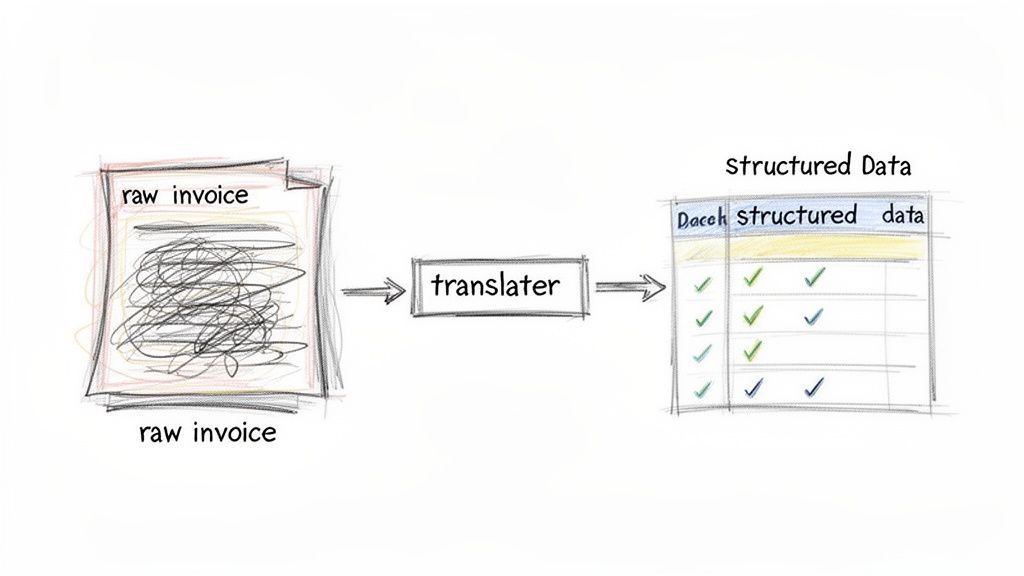
Let’s get practical. Imagine you get hundreds of invoices every month. One vendor uses a sleek, modern template, another sends a basic Word doc, and a third emails a plain-text summary. Your accounting software, however, doesn't care about style—it needs data in neat, predictable columns: "Vendor Name," "Invoice Number," "Total Amount."
Trying to manually key in all that information is a recipe for disaster. It’s not just mind-numbingly slow; it's expensive and riddled with the potential for human error.
This is exactly the bottleneck data parsing eliminates. A parser acts like an intelligent assistant that can:
- Spot the important details in any document, no matter the layout.
- Lift that information out, separating the signal from the noise.
- Organize it all into a clean format like JSON or a simple CSV file.
The Power of Structured Data
The whole point of parsing is to turn messy, unusable information into something your systems can act on. This really boils down to the difference between structured data vs unstructured data. Unstructured data is just raw information without a predefined home—the free-flowing text in an email, the layout of a PDF receipt, or even the words spoken in a customer service call. It has all the value, but it's locked away.
Parsing is the key that unlocks it.
Once an invoice is parsed, it's no longer just a static digital file. It becomes a set of specific, actionable data points. That structured output can then automatically populate your accounting software, kick off a payment workflow, or feed into a financial analytics dashboard, all without a human touching a keyboard.
For a deeper dive, our guide on analyzing unstructured data breaks down the entire process.
To see the transformation clearly, let's look at the before and after.
Data Parsing at a Glance
| Data Characteristic | Before Parsing (Unstructured) | After Parsing (Structured) |
|---|---|---|
| Format | Inconsistent (PDF, JPG, PNG, email text) | Consistent (JSON, CSV, XML, database entry) |
| Readability | Human-readable but machine-unfriendly | Machine-readable and easily processed |
| Usability | Requires manual data entry to use | Ready for immediate use in software |
| Example | A scanned image of a receipt | Key-value pairs: {"vendor": "Starbucks", "total": 15.75} |
This table shows the magic of parsing in a nutshell. It takes something that only a person could make sense of and turns it into something any piece of software can work with instantly.
Data parsing is the bridge between raw information and automated action. It turns digital paperwork from a manual burden into a valuable, machine-readable asset, forming the foundation for efficient, scalable business operations.
So, what is data parsing? It’s the engine that powers modern automation, getting rid of the costly chore of manual data entry and finally letting your software work with the messy documents of the real world.
The Evolution of Data Parsing Methods
Data parsing didn’t just appear out of thin air as a smart, AI-driven process. Its story begins with much more rigid, manual methods where developers had to give software painstakingly precise instructions, almost like a librarian telling you the exact shelf, row, and book number to find a single piece of information.
The journey from those brittle origins to today’s flexible AI is really a story about moving from pure instruction to genuine interpretation.
From Rigid Rules to Brittle Scripts
The earliest approaches were all about rule-based parsing. These techniques still have their place, but they come with some serious limitations, especially when you’re dealing with any kind of variety in your documents. They work by following a strict, predefined set of commands to find and pull out data.
The most common tool in this old-school toolbox is Regular Expressions, or Regex. Think of Regex as a super-powered "find and replace" function. A developer writes a specific pattern—a complex string of characters and symbols—that acts as a map for the parser. For example, a Regex pattern could be designed to find any sequence of numbers that looks like a date (MM/DD/YYYY) or an invoice number that starts with INV-.
While it works for perfectly predictable text, this method is incredibly fragile. If a supplier changes their invoice template even slightly—maybe they move the date to the bottom right corner or add a new prefix to the invoice number—the Regex pattern breaks. The parser fails, and a developer has to go back in and manually rewrite the script. This cycle of breaking and fixing makes rule-based methods a nightmare to scale.
The Leap to Intelligent Interpretation
The constant maintenance demanded by rule-based systems made one thing clear: we needed something smarter. We needed a way to parse documents that could understand them like a human does—by recognizing context, not just following a fixed map. This is what opened the door for AI-driven parsing, which uses Machine Learning (ML) and Computer Vision to truly interpret a document.
Instead of being told exactly where to find the "Total Amount," an AI model is trained on thousands or even millions of different invoices. It learns what a total amount usually looks like, the common places it appears, and how nearby text like "Total Due" or "Amount Payable" gives it context. This isn't just pattern matching anymore; it's contextual understanding.
Modern tools like ExtractBill are built on this principle. They use AI to not only read the text but to see and comprehend the entire document layout.
- Computer Vision analyzes the visual structure, identifying things like headers, footers, logos, and—most importantly—tables.
- Natural Language Processing (NLP) then kicks in to understand the meaning of the words and phrases within that structure.
This one-two punch of vision and language allows the parser to handle endless variations in document formats without needing a new set of rules for each one. A new invoice layout from a vendor isn't a crisis that breaks the system; it's just another variation for the AI to figure out.
The real evolution in data parsing is the shift from "finding a pattern at a specific coordinate" to "understanding the meaning of information, no matter where it is." It's a move from analyzing syntax to understanding semantics, and it's what makes true automation possible.
The Impact of Modern Parsing
This jump in technology has had a huge, measurable impact on how businesses operate. Historically, parsing accuracy was tied to OCR improvements, which helped slash table extraction failures from as high as 40% down to under 5% in recent years. In places like Europe, data privacy regulations like GDPR have pushed a 35% increase in the adoption of parsing tools to make sure data is handled correctly.
Today, this tech isn't just for massive corporations. SaaS solutions can now process documents for just a few cents in a matter of seconds—a task that used to take a human clerk hours of tedious work. You can explore more about these market trends to see the full picture.
Ultimately, the story of data parsing mirrors a larger trend in technology: the shift away from brittle, hard-coded logic toward flexible, intelligent systems. While older methods needed constant babysitting, modern AI-powered parsers work with a high degree of autonomy, finally making scalable document automation a reality. The goal is no longer to write the perfect script, but to train a smart system.
How Data Parsing Works with Financial Documents
It's one thing to talk about data parsing in theory, but seeing it work on real-world financial documents is where the magic really happens. This is where AI-driven parsing takes hours of tedious, manual data entry and turns it into a smooth, automated flow of information. It’s the difference between an accountant squinting at a PDF, typing numbers into a spreadsheet, and having that same data instantly populate their accounting software.
Let’s get practical and break down how a smart parser tackles three of the most common documents every business deals with: vendor invoices, expense receipts, and bank statements. For each one, we'll look at how the technology identifies, extracts, and organizes the crucial information locked inside.
The image below shows the different tools a parser can use, moving from basic, rigid rules to sophisticated AI that can see and understand a document just like a person would.
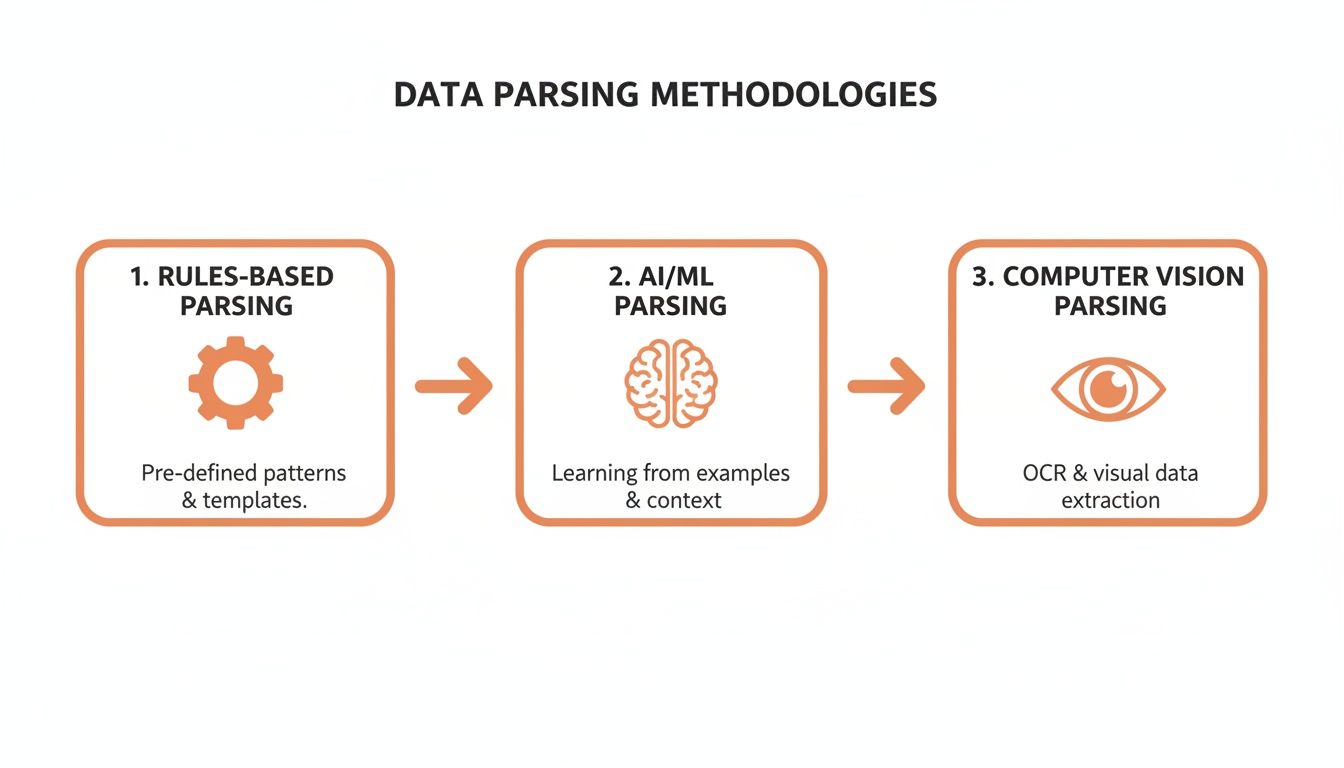
This evolution is key. Modern systems don't just follow patterns; they interpret context and layout, making them incredibly flexible and accurate.
Cracking the Code of Vendor Invoices
Vendor invoices are a mess. They show up in a thousand different formats—some are clean PDFs, others are text-based emails, and many have complex tables stretching across multiple pages. An AI parser doesn’t need a fixed template for each vendor. Instead, it uses a powerful mix of Computer Vision and Natural Language Processing (NLP) to cut through the noise.
Here’s a step-by-step look at how it works:
- Layout Recognition: The AI first gets the lay of the land. It scans the document and identifies the major sections, noticing the vendor’s logo up top, a block of address info on the right, and that big grid in the middle is obviously the line-item table.
- Field Identification: Next, it hones in on specific data points by understanding their context. It sees the text "INV-2024-001" and knows it’s the Invoice Number because it’s right next to the label "Invoice #". In the same way, it finds "$1,450.75" next to "Total Amount Due" and correctly tags it as the Total Amount.
- Table Extraction: This is where it gets really clever. The parser spots column headers like 'Description,' 'Quantity,' 'Unit Price,' and 'Subtotal.' It then correctly pulls the data from each row and matches it to the right header, even if the table has weird formatting or merged cells.
Getting this right is absolutely essential for accurate books. If you want to go deeper, check out our detailed guide on invoice data extraction.
Decoding Expense Receipts on the Go
Expense receipts are often even worse than invoices. We’re talking about crumpled pieces of paper, blurry photos from the back of a taxi, and faded thermal prints that are barely legible. This is where AI Vision is a game-changer. A good parser can take a crooked image, straighten it out, boost the contrast, and then start its work.
The process is a lot like parsing an invoice, but it’s fine-tuned for the unique chaos of receipts:
- It finds the merchant's name, usually from a big logo at the top.
- It locates the date and total amount, which are almost always clearly labeled.
- Most importantly, it can tell the difference between the subtotal, the tax, and the final total. This alone prevents a ton of common accounting mistakes.
This technology makes real-time expense reporting a reality. An employee snaps a picture of their lunch receipt, and the key data is instantly pulled and ready for their expense report. No more shoeboxes full of receipts to deal with at the end of the month.
Data parsing turns a static image of a financial document into a dynamic set of structured data points. It doesn't just read the text; it understands its purpose, location, and relationship to other information on the page.
Making Sense of Bank Statements
Bank statements bring their own set of challenges, namely dense tables of transactions packed tightly together. Parsing these documents correctly is the key to automating bank reconciliation, a task most finance teams dread.
An AI parser starts by identifying the main transaction table, which might span several pages. From there, it breaks down each and every row into its core parts:
- Transaction Date: When the transaction happened.
- Description: Who was paid or where the money came from.
- Debit/Credit: The amount and whether it was an outflow or inflow.
- Running Balance: The new account balance after that transaction.
By structuring this data, software can automatically match every line on the statement against the company’s own records. It instantly flags discrepancies, confirms payments, and turns a painful, multi-hour monthly chore into an automated check that finishes in seconds.
Comparing Manual Entry vs Automated Parsing for Invoices
To really understand the impact, let's put some numbers behind the concepts. This table breaks down the difference between having a human manually process an invoice versus using an automated AI parsing solution.
| Metric | Manual Data Entry | AI-Powered Parsing (e.g., ExtractBill) |
|---|---|---|
| Speed (per invoice) | 5-10 minutes | 3-5 seconds |
| Accuracy Rate | ~95-97% (prone to typos, fatigue) | 99%+ (consistent, no fatigue) |
| Cost (per invoice) | $2.50 - $5.00 (fully loaded labor) | ~$0.10 - $0.20 (API cost) |
| Scalability | Linear (hire more people) | Exponential (handle 100 or 100,000) |
| Data Availability | Delayed (batch processing) | Real-time |
As you can see, the difference isn't just incremental—it's transformative. Automated parsing delivers data that is not only faster and cheaper to obtain but also significantly more reliable, freeing up your team to focus on analysis instead of data entry.
The "Why" Behind Automated Data Parsing
Okay, we've covered the technical side of things. But let's get to the real question: why should your business care? Adopting automated data parsing isn't just a small tweak to a process; it's a genuine operational upgrade that pays for itself, fast. The impact spreads across the entire company, turning slow, error-prone tasks into a fast, data-driven machine.
This shift really comes down to four major wins: stamping out expensive human errors, winning back thousands of hours from manual work, unlocking valuable data trapped in documents, and scaling your operations without hiring an army.
Dramatically Increased Accuracy
Let's be honest: manual data entry is a recipe for mistakes. Even your most careful employee will eventually transpose a number or miss a decimal. A single error might seem small, but they add up. Soon you’re dealing with payment mix-ups, compliance headaches, and financial reports built on shaky data.
Automation just wipes this problem off the board. An AI model doesn't get tired or distracted. It applies the exact same logic to the first invoice of the day as it does to the ten-thousandth. With systems often hitting 99% accuracy, you get a foundation of clean, reliable data you can actually trust for big decisions.
Massive Time and Cost Savings
Every hour an employee spends typing numbers from a PDF is an hour they aren't spending on strategic work. According to one study, 70% of small and mid-sized businesses say data entry is their biggest time-waster, eating up an average of 15 hours per week for each team. Parsing automation gives you that time back, boosting productivity by as much as 40%. You can learn more about how data extraction tools are reshaping business in this market report.
Think about a finance team getting those 15 hours back every single week. Instead of soul-crushing clerical work, they can analyze cash flow, improve budget forecasts, or negotiate better terms with vendors. This isn't just about saving on labor; it's about turning a cost center into a strategic part of the business.
Enhanced Data Accessibility
Most companies are sitting on a goldmine of information they can't even use. It’s all locked away in unstructured documents like PDFs, emails, and scanned images. Vendor invoices, old receipts, and signed contracts are packed with critical insights, but that data is useless until someone manually pulls it out and puts it in a spreadsheet.
Data parsing is the key that unlocks all that siloed information. It turns a dead archive of files into a living, searchable database.
All of a sudden, you can spot spending trends with specific suppliers, analyze purchase patterns across different departments, or audit expenses from last year without kicking off a massive manual project. This accessibility means you can finally make smart, data-backed decisions with the information you already have.
Improved Operational Scalability
As your business grows, so does the mountain of paperwork. If you're doing things manually, going from 100 invoices a month to 1,000 means you have to hire more people. It’s a costly, inefficient way to scale that creates bottlenecks and slows everything down.
Automated data parsing, especially when delivered through an API, scales effortlessly. A well-built system handles 100 documents or 100,000 with the same speed and reliability. This means your back-office operations can grow right alongside your sales without the corresponding explosion in overhead. Your business can expand, and your processes will keep up without breaking a sweat.
How to Choose Your Data Parsing Strategy
Picking a data parsing tool is only half the battle. The real trick is weaving it into your existing workflow in a way that feels natural and solves the right problem. It’s not just about the tech—it’s about choosing an implementation that matches the rhythm of your business.
How do you get documents? How fast do you need the data back? The answers to those questions will point you toward the right model. We generally see three main approaches: real-time API calls, event-driven webhooks, and good old-fashioned batch processing. Each one is built for a different job, from powering an app in real-time to digitizing a mountain of archived files.
Real-Time Processing with an API
An API (Application Programming Interface) is your go-to for on-demand, immediate results. Think of it like a direct conversation: your application sends a document and waits for the structured data to come back, usually in a few seconds. This synchronous, request-response model is perfect for anything user-facing.
A classic example is a mobile expense app. An employee snaps a picture of a receipt, the app sends that image to the parsing API, and almost instantly gets back the vendor, date, and total amount. The user can then confirm the details and submit the expense right on the spot. If your workflow needs that kind of instant feedback loop, an API is the only way to go. You can learn more about how a powerful data extraction API gets the job done.
Event-Driven Automation with Webhooks
While APIs are great for "pulling" data on demand, webhooks excel at "pushing" data automatically when a task is complete. This is an asynchronous model, meaning your system doesn't have to sit around and wait for the parser to finish. It’s incredibly efficient for back-office automation that just needs to run quietly in the background.
Imagine an accounting inbox where vendor invoices arrive as email attachments. A simple automation can forward that PDF to the parsing service, and from there, the process is hands-off.
- Step 1: The parser receives the invoice and starts its work.
- Step 2: Your system is free to handle other tasks, completely unbothered.
- Step 3: Once the data is extracted, the parsing service sends a webhook—a notification with the structured data payload—directly to your accounting software, which can then automatically create a new bill to be paid.
This approach decouples your systems, making your entire workflow more resilient and scalable. It just works.
Handling Volume with Batch Processing
But what if you’re not dealing with a live stream of documents? What if you have a filing cabinet overflowing with ten years of invoices or a massive digital archive to digitize? This is where batch processing comes in.
It’s exactly what it sounds like: you upload a large volume of documents all at once and let the system process them as a single job. It’s the most efficient way to tackle huge, one-off projects without bogging down your systems with thousands of individual API calls.
By choosing the right implementation—API for real-time interaction, webhooks for automation, or batch processing for volume—you align the power of data parsing directly with your business goals, ensuring a smooth and effective integration.
No matter which path you choose, security should be top of mind, especially when financial documents are involved. Any credible parsing service will use end-to-end encryption to protect your data. This means it’s encrypted both in transit (as it's uploaded) and at rest (while being processed and stored), keeping sensitive information locked down from start to finish.
The Future of Parsing: AI, LLMs, and True Comprehension
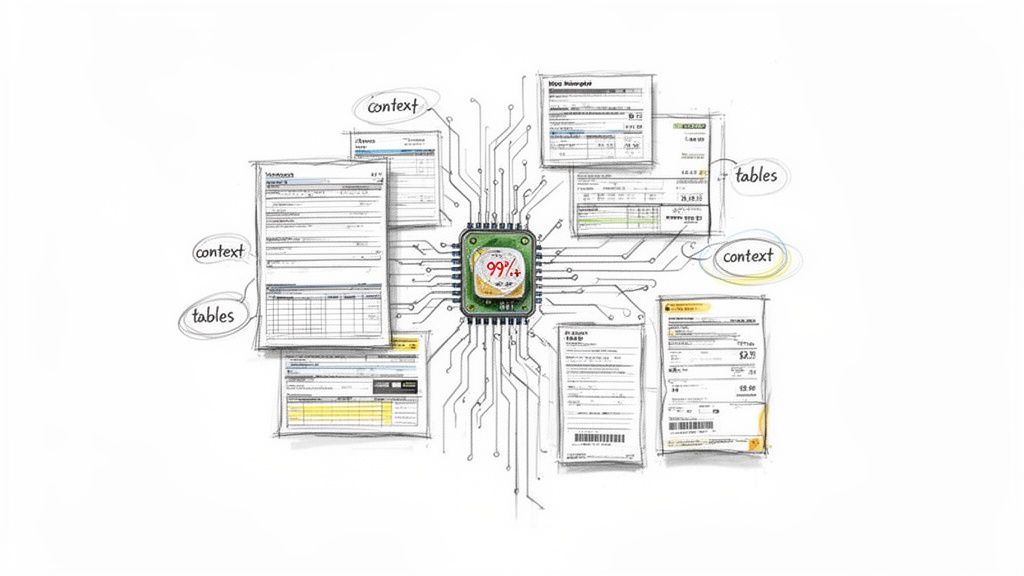
The entire field of data parsing is in the middle of a massive change, and it’s all thanks to Artificial Intelligence—specifically, Large Language Models (LLMs). Older AI models were good at spotting patterns, but LLMs are taking a huge step forward into genuine understanding. It’s the difference between just reading the words on a page and actually getting what they mean.
This new generation of AI isn’t just looking for keywords anymore. It figures out the semantic meaning of the text, understands the logic of a complicated table without needing a template, and can handle a wild variety of document layouts with an almost human-like feel for how they’re put together.
From Text Recognition to Real Understanding
Imagine traditional parsing as a librarian who absolutely needs the exact card catalog number to find a book. If you’re off by a single digit, the whole system grinds to a halt.
An LLM, on the other hand, is like a seasoned librarian you can walk up to and say, "I'm looking for a book about naval history. It has a blue cover, and I think it’s on a high shelf over on the left." The LLM uses context, relationships, and a deep well of knowledge to find exactly what you need.
This ability to comprehend is what lets modern systems tackle the messiest documents out there. They can pull data from invoices with crazy multi-page tables or even decipher handwritten notes scribbled in the margins—the kind of stuff that would instantly break an old, rule-based parser. The evolution of parsing is now clearly driven by AI, with new fields like semantic parsing for text to SQL changing how we can even ask questions of our data.
What we're really seeing is a shift from simple data extraction to true data interpretation. LLMs don't just copy-paste text; they deliver clean, structured information that shows they actually understood the document's purpose and design.
The Business Impact of Near-Human Accuracy
This isn't just cool tech for the sake of it; this shift has real, immediate benefits for businesses right now. Fusing LLMs with data parsing is completely changing how companies process financial documents.
For finance teams, this means LLM-powered tools can hit 99.9% precision on tables. Compare that to legacy systems, which often have a 10-15% failure rate when they see a layout for the first time. This is a game-changer when you realize that around 65% of invoices have complex line-item tables that trip up older, less intelligent systems.
This huge jump in accuracy and flexibility gives you a few key advantages today:
- Zero-Template Processing: Your team can stop building and maintaining templates for every single vendor or document type. The AI just adapts.
- Complex Table Handling: Multi-page tables, nested rows, and weirdly merged cells are parsed correctly, keeping your financial data clean and reliable.
- Contextual Validation: LLMs can cross-reference details within a document to check for errors, like making sure the line-item totals actually add up to the final amount.
The future of data parsing isn’t some far-off dream. It's already here, unlocking a level of automation and accuracy that used to be impossible. For teams drowning in manual data entry, getting to know modern invoice data capture software is the first step toward finally solving the problem. By adopting these smart systems, businesses can turn their chaotic document workflows into a source of clean, trustworthy, and actionable data.
Data Parsing FAQs
When you start digging into data parsing, a few practical questions always pop up. Let's tackle some of the most common ones to clear up any confusion before you dive in.
What's the Difference Between Data Parsing and OCR?
People often use these terms interchangeably, but they’re two distinct steps in a single process. Think of it like reading a book and then taking notes.
OCR (Optical Character Recognition) is the first step: reading. Its only job is to look at an image—like a scanned invoice—and turn the pictures of letters and numbers into raw, digital text. It converts pixels into a string of characters a computer can recognize.
Data parsing is the second step: understanding and taking notes. It takes that messy wall of text from the OCR and gives it meaning. For example, OCR might read the characters $199.50, but a smart data parser knows that's the Total Amount and labels it accordingly. Modern AI tools bundle both together, so you get structured, usable data from any document without having to manage two separate processes.
How Accurate Is AI-Powered Data Parsing?
It's shockingly good. Modern AI parsers regularly hit accuracy rates above 99%. This isn't just on clean, perfect documents, either. They achieve this by learning from millions of real-world examples, including crumpled receipts, blurry scans, and invoices with bizarre layouts.
This is a huge leap from older, rule-based systems. Those would break the moment a vendor changed their invoice template. AI models, on the other hand, learn to understand the context and visual cues of a document, just like a human would.
This adaptability is what makes true, hands-off automation possible. The system can reliably process documents from thousands of different vendors without ever needing a predefined template.
Is It Hard to Integrate a Data Parsing API?
Not anymore. Modern, developer-first platforms like ExtractBill are built around a simple RESTful API. Integrating one is usually a straightforward project, not a months-long headache. A developer can send a document and get clean, structured JSON data back in just a couple of seconds.
The process is made even smoother with tools designed for modern workflows:
- Webhooks: Instead of you constantly asking the API, "Is it done yet?", webhooks automatically push the processed data back to your application the moment it's ready.
- Clear Documentation: Good APIs come with comprehensive guides and use standardized, easy-to-understand field names (like
invoice_idortotal_amount). This makes mapping the extracted data into your own database a breeze.
With these features, plugging a powerful document parsing engine into your software is a quick win, not a major engineering effort.
Ready to finally ditch manual data entry? With ExtractBill, you can turn invoices, receipts, and other financial documents into clean JSON in seconds. Try it for free and see how our 99.9% accuracy can transform your workflow.
Ready to automate your documents?
Start extracting invoice data in seconds with ExtractBill's AI-powered API.
Get Started for Free